On this page · 20 sections
The short answer
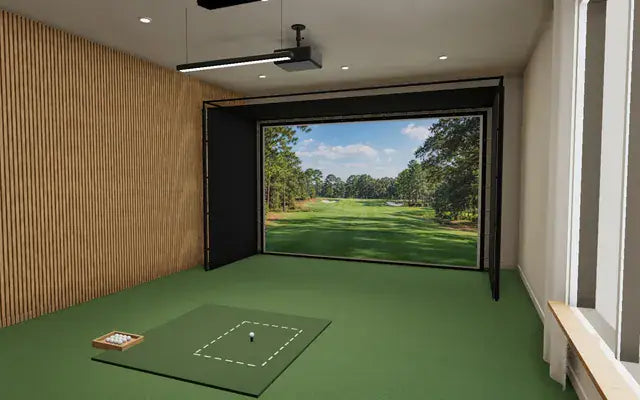
Most home simulators use a short-throw projector on the ceiling, just behind and above where you hit, so it fills the screen, stays out of the swing and doesn't put your shadow on the picture (BenQ). How far back it sits is simple math: throw distance equals the projector's throw ratio multiplied by the picture's width. BenQ calls a throw ratio of 0.69 to 0.89 a practical balance for most home setups, and around 0.5 an option for small rooms.
For brightness, TruGolf asks for at least 3,000 lumens for a clear picture in a lit room and says 4,000 or more is better, and BenQ suggests 4,000 lumens or more for screens 10 ft or wider. Match the projector to the screen's shape too: most projectors are 16:9, while many golf screens are 4:3 or square.
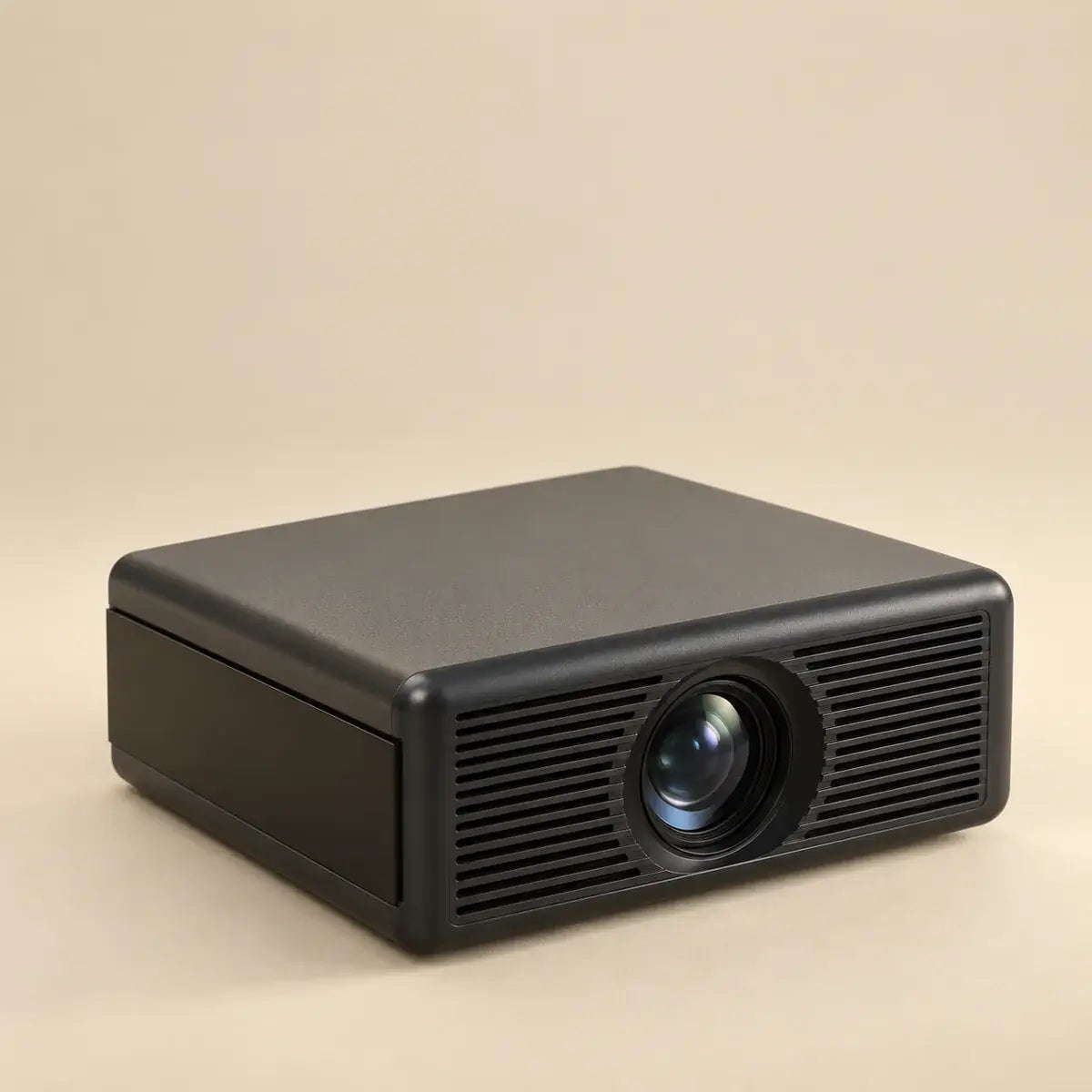
We sell BenQ projectors, with free shipping, and the LG ProBeam BU53RG, but this guide doesn't recommend one. Tell us your screen and your room, and we'll help you choose by email. The 3D showroom can also place a projector model from its maker's published throw ratio and offset, at the distance your screen needs.
Throw ratio and throw distance
Throw ratio is the projector's distance from the screen divided by the width of the picture it makes. Turn it around and you get the distance you need: throw distance = throw ratio × picture width. BenQ's example is a 16:9 projector with a 0.8 throw ratio making a 14 ft wide picture, which needs about 11.2 ft (0.8 × 14 ft).
Throw ratios vary by model, and a zoom lens gives a range rather than one number, so use the figure on the projector's own spec sheet. BenQ says golf simulator projectors commonly run from 0.5 to 1.1. Here is the distance for a full 16:9 picture at four ratios in that span:
| Picture width | Throw ratio 0.5 | 0.69 | 0.89 | 1.1 |
|---|---|---|---|---|
| 10 ft wide | 5.0 ft | 6.9 ft | 8.9 ft | 11.0 ft |
| 12 ft wide | 6.0 ft | 8.3 ft | 10.7 ft | 13.2 ft |
| 14 ft wide | 7.0 ft | 9.7 ft | 12.5 ft | 15.4 ft |
| 16 ft wide | 8.0 ft | 11.0 ft | 14.2 ft | 17.6 ft |
Lens to screen, worked from BenQ's formula. Leave a margin: BenQ's floor-mount guide suggests about 5% extra throw distance as a buffer. For a 4:3 or square screen, the picture's height sets the distance instead (see below).
Short throw, ultra-short throw or a longer throw
BenQ describes a short-throw golf projector as one with a throw ratio around 1.0 or less. The lower the ratio, the closer to the screen the projector sits, and that decides where it can go:
| Type | Throw ratio (BenQ's guidance) | Where it usually goes | What to watch |
|---|---|---|---|
| Short throw on the ceiling | About 0.69 to 0.89 | On the ceiling above and behind the hitting area; BenQ says typically 2 to 3 ft behind it | Far enough back to clear the swing, and enough ceiling for the picture's offset (below) |
| Ultra-short throw on the floor | Around 0.5 | On the floor in front of or beside the playing area, where a ceiling mount isn't practical | The ball has to clear it, and low mishits can knock it out of alignment, so it needs a housing |
| Longer throw | Above about 1.0 | Farther back, in a deeper room | More distance for the same picture: at 1.1, a 12 ft wide picture needs about 13.2 ft. BenQ says a projector on a cart beside the hitting area has the highest risk of a shadow |
Ratios and placements are BenQ's published guidance. The 3D showroom shows where a real projector model would hang in your room, from its maker's specs.
Brightness
A golf projector has to be brighter than a home cinema one, because the room usually has some light in it (BenQ). TruGolf asks for at least 3,000 lumens for a clear picture in a lit room and says 4,000 or more is better. BenQ calls 3,000 ANSI lumens a good starting point for a smaller screen, suggests 4,000 lumens or more for screens 10 ft or wider, and says 5,000 lumens is the popular choice for brighter rooms and bigger screens.
The screen and the room change how bright the picture looks. Carl's Place says a gray screen keeps dark areas darker in a room with windows or lights on but reflects less of the projector's light, so a brighter projector makes up for it, while white suits a dark, dedicated room; in a garage with windows or a lot of light, it suggests a brighter projector. A blackout layer behind the screen helps too: GolfBays' blackout screen stops projector light passing through the impact screen, and SimSpace's velour blackout screen blocks light coming in from behind its enclosures.
The light source matters over the years. BenQ says a lamp lasts about 4,000 to 6,000 hours and grows darker and more yellow as it ages, while a laser lasts roughly 20,000 hours.
Match the projector to the screen's shape
Every projector has a native aspect ratio: most are 16:9, some 16:10, and BenQ says projecting at the native ratio and resolution gives the sharpest picture. Carl's Place adds that when the projector's and the screen's ratios match, the picture fills the screen with no black bars, and that the screen's size sets its ratio.
Golf screens are often 4:3 or square, because a taller picture gives the most hitting-zone coverage in a small room and suits rooms with limited width (BenQ). A 16:9 or 16:10 projector can still fill one: BenQ suggests setting a custom 4:3 resolution on the PC's graphics card, such as 1440 × 1080 from a 1080p projector or 2880 × 2160 from 4K. The picture's height then sets the distance: throw distance = throw ratio × picture height ÷ 0.5625 for a 16:9 projector.
| Picture height | Throw ratio 0.5 | 0.69 | 0.89 | 1.1 |
|---|---|---|---|---|
| 7 ft high | 6.2 ft | 8.6 ft | 11.1 ft | 13.7 ft |
| 8 ft high | 7.1 ft | 9.8 ft | 12.7 ft | 15.6 ft |
| 9 ft high | 8.0 ft | 11.0 ft | 14.2 ft | 17.6 ft |
| 10 ft high | 8.9 ft | 12.3 ft | 15.8 ft | 19.6 ft |
A 16:9 projector filling a 4:3 or square screen, lens to screen, worked from BenQ's formula. For a 16:10 projector, divide by 0.6277 instead, which gives a slightly shorter distance.
The shapes of the screens we sell
Here is how each maker lists the shape of its screens. Each product page lists every size.
| Screen or enclosure | Shape, as its maker lists it |
|---|---|
| SimSpace enclosure | 1:1, 4:3 or 16:10, depending on the size |
| SimSpace SLIM | 4:3 |
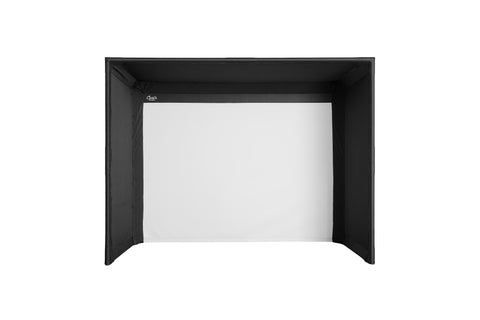
| GolfBays EasySim | Sized for a 4:3 picture |
| GolfBays PRO+ screen | 26 sizes, many labeled 4:3, 16:10, 16:9 or 1:1 |
| Carl's Place DIY enclosure | 1:1, 4:3 and 16:9 sizes |
| Carl's Place Pro enclosure | 4:3, 16:9 and 16:10 sizes |
| Carl's Place Curved enclosure | A curved screen: it needs a projector with built-in image warping, or warping software |
| HomeCourse ProScreen 180 | An 8 × 8 ft screen; with the Pro Arms out, HomeCourse says the projectable area is 14 ft wide, ideal for a 16:9 projector |
| Elite Golf Bay Pro | A viewable area of 152.0 × 113.4 in on the 13 × 10 size |
Send us the screen you're looking at and the projector you have in mind, and we'll check the throw distance and the fit by email.
The projectors we sell, by screen and room
Here is each projector we sell with its maker's throw ratio and brightness, and the lens-to-screen distance that ratio gives, worked from BenQ's formula. BenQ groups its golf models by the space they're for; the TK710STi and TH671ST are BenQ home models with no Golf picture mode, and LG names indoor golf among the uses of the BU53RG's short throw.
The distance is from the lens to the screen. The projector usually hangs above and behind the hitting area, so check that this spot fits the room's depth and stays clear of the swing; our room size guide covers the rest of the room.
| Projector | Maker's grouping | Throw ratio | Brightness | Lens to screen: 10 ft wide 16:9 picture | Lens to screen: 9 ft high 4:3 picture |
|---|---|---|---|---|---|
| BenQ LK936ST (4K) | BenQ: large spaces, over 9.5 ft in height | 0.81 to 0.89 | 5,100 lumens | 8.1 to 8.9 ft | 13.0 to 14.2 ft |
| BenQ AK700ST (4K) | BenQ: medium spaces, 8.5 to 9.5 ft in height | 0.69 to 0.83 | 4,000 lumens | 6.9 to 8.3 ft | 11.0 to 13.3 ft |
| BenQ AH700ST (1080p) | BenQ: medium spaces, 8.5 to 9.5 ft in height | 0.69 to 0.83 | 4,000 lumens | 6.9 to 8.3 ft | 11.0 to 13.3 ft |
| BenQ LK830ST (4K) | BenQ: compact spaces, such as basements and garages; screens up to 10 ft tall | 0.496 | 4,000 lumens | 5.0 ft | 7.9 ft |
| BenQ AH500ST (1080p) | BenQ: compact spaces, such as basements and garages | 0.499 | 4,000 lumens | 5.0 ft | 8.0 ft |
| BenQ AH30ST (1080p) | BenQ: its value golf model | 0.69 to 0.83 | 3,000 lumens | 6.9 to 8.3 ft | 11.0 to 13.3 ft |
| BenQ TK710STi (4K) | BenQ home model, no Golf picture mode | 0.69 to 0.83 | 3,200 lumens | 6.9 to 8.3 ft | 11.0 to 13.3 ft |
| BenQ TH671ST (1080p, lamp) | BenQ home model, no Golf picture mode | 0.69 to 0.83 | 3,000 lumens | 6.9 to 8.3 ft | 11.0 to 13.3 ft |
| LG ProBeam BU53RG (4K) | LG: indoor golf among its uses; final sale | 0.94 to 1.14 | 5,000 lumens | 9.4 to 11.4 ft | 15.0 to 18.2 ft |
Throw ratio and brightness are each maker's published specifications, and the groupings are BenQ's. The 4:3 column is a 16:9 projector filling a 4:3 screen (throw ratio × height ÷ 0.5625). Each product page has its own throw chart; we don't recommend a model, but we'll check the distance for your screen by email.
Where it goes: placement with an enclosure
BenQ's advice is to mount the projector just behind and above the hitting area, far enough from the screen that a ball can't reach it. Mounted upside down on the ceiling, the projector relies on its offset to bring the picture down to the floor. BenQ says golf projectors typically have an offset of 100% to 110%, and that a higher offset may need a taller ceiling to avoid tilting the projector; tilting turns the picture into a trapezoid, and correcting it with keystone costs some brightness and resolution.
If the projector can't hang in line with the screen, lens shift moves the picture without distorting it, and keystone correction straightens a picture from an off-center mount (BenQ). Measure to the underside of any beam or duct where it will hang.
An enclosure changes where it can go. Carl's Place builds its Pro enclosure strong enough to carry a projector on its front bar or on a crossbar, such as its movable crossbar, and GolfBays' Lux has an adjustable projector or launch monitor mount. HomeCourse's Projector Stand holds a projector without a ceiling mount, on a 24 in base, up to 9 ft 6 in high; it's sold out until HomeCourse restocks.(HomeCourse’s projector stand is sold out right now; its page says more.)
If the ceiling is too low or too high, Carl's Place makes a floor-mounted projector enclosure that sits on the floor between you and the screen. It isn't meant to take repeated direct shots, so keep it out of the ball's path, and Carl's calls it ideal with a projector that has horizontal keystone, so it can sit off to one side. Carl's still recommends a ceiling mount wherever you can.
With an overhead launch monitor, plan both ceiling spots together. The launch monitor hangs near the tee: LAON SwingCraft offsets the VTrack DX10 32.3 to 37.2 in toward the screen, and Uneekor puts the EYE XO2 3 ft 6 in in front of the tee. Our overhead launch monitor guide has each unit's position.
Garages, basements and the ceiling
In a garage, BenQ suggests a projector with a sealed light engine to keep dust out, one that works in heat and cold, rated for up to 90% relative humidity and storage down to -4°F, and warns that the open garage door can hit a ceiling-mounted projector. In a basement, Carl's Place suggests a dehumidifier to protect the projector and the rest of the room, and BenQ says a floor mount can suit a garage or basement where a ceiling mount isn't practical.
Our garage guide, basement guide and ceiling height guide cover the rest of each room.
What throw ratio do I need for a golf simulator?
Divide the distance from the screen to where the projector can hang by the picture's width. BenQ calls 0.69 to 0.89 a practical balance for most home setups, with the projector on the ceiling about 2 to 3 ft behind the hitting area, and around 0.5 an option for small rooms or a floor mount.
How far should the projector be from the screen?
Multiply the throw ratio by the picture's width. At 0.69, a 12 ft wide 16:9 picture needs about 8.3 ft; at 0.89, about 10.7 ft. For a 4:3 or square screen on a 16:9 projector, use the height: throw ratio × height ÷ 0.5625.
How many lumens does a golf simulator projector need?
TruGolf asks for at least 3,000 lumens in a lit room and says 4,000 or more is better. BenQ suggests 4,000 lumens or more for screens 10 ft or wider, and 5,000 for brighter rooms and bigger screens. A gray screen or a room with windows needs more.
Should my screen be 16:9 or 4:3?
Pick the shape that fits the room, then set the projector to match. BenQ says 4:3 is taller and suits rooms with limited width, and that most projectors are native 16:9; a 16:9 projector can fill a 4:3 screen with a custom resolution. HomeCourse says its ProScreen 180, with the Pro Arms out, gives a 14 ft wide area that suits 16:9.(The ProScreen 180 is sold out right now; its page says more.)
Will I cast a shadow on the screen?
Not with the projector above and behind you. BenQ says a short-throw projector on the ceiling above and behind the hitting area fills the screen without the golfer casting a shadow, while a projector on a cart beside the hitting area has the highest risk of one.
Can the projector sit on the floor?
Yes, protected and out of the ball's path. BenQ suggests a throw ratio around 0.5 for a floor mount, and Carl's Place's floor-mounted projector enclosure is made for very low or very high ceilings. Carl's still recommends a ceiling mount wherever you can.
Do you sell projectors?
Yes: BenQ projectors and the LG ProBeam BU53RG. BenQ golf projectors ship free, and the AK900ST is between shipments at BenQ, with no ship date yet, so it shows Sold out until BenQ restocks. None of our starting rooms includes one. Send us your screen size, the ceiling height and the distance from the screen to where a projector could hang, and we'll help you choose one by email.
Projector and screen together: size, brightness and throw
Choose the screen first, then the projector that fills it. Throw ratio is the throw distance divided by the picture width, so the screen's size and where the projector can hang decide the ratio you need (BenQ). Match the aspect ratio too, and the picture fills the screen without black bars (Carl's Place). For a screen 8.5 to 9.5 ft high, BenQ suggests 4,000 to 5,000 lumens. Every impact screen we sell is in our screens collection, and our high-end golf simulator guide pairs 4K laser projectors with premium bays.
Which projection screen works with a short-throw projector?
Any impact screen whose size the projector can fill from where it mounts. BenQ says most home simulators want a short-throw projector, with a throw ratio around 1.0 or less, mounted just behind and above the hitting area. For a curved screen, Carl's Place says you need a projector with built-in image warping or separate warping software.
What to send us
Your screen's size and shape, or the enclosure you're looking at, the ceiling height, the distance from the screen to where a projector could hang, how much light the room gets, and what you'll run the simulator from. We'll help you choose a projector by email and check it against the room.
- 3D showroom: a projector model placed from its maker's throw ratio and offset, in a room of your size
- Impact screens: materials, sizes and shapes
- Ceiling height: what each maker asks for overhead
- Enclosures compared: footprint, frame, setup time and shipping side by side
- Starting rooms: every part at today's price, the total and the room size each one needs
Products in this guide
- LG ProBeam BU53RG 4K UHD Laser Projector, 5,000 Lumens, Lens Shift and 1.2x Zoom
- GolfBays Golf Enclosure Blackout Screen
- SimSpace Velour Blackout Screen
- SimSpace Golf Simulator Enclosure
- SimSpace SLIM Golf Simulator Enclosure with Side Netting
- GolfBays EasySim Golf Simulator Enclosure
- GolfBays Pro+ Golf Simulator Impact Screen
- Carl's Place DIY Golf Enclosure Kit with Impact Screen
This guide names 16 more; see the links in the text above.
Sources
- BenQ, Golf Simulator Projector Buying Guide: BenQ says most home simulators want a short-throw projector, with a throw ratio around 1.0 or less, and that the best mounting position is just behind and above the hitting area, far enough from the screen to avoid being hit; for smaller setups a 4:3 or square picture gives the most hitting-zone coverage, native 4:3 projectors have lower resolution, and a 16:9 or 16:10 projector can project a 4:3 picture. It suggests lens shift, or keystone correction, where the projector sits far off center.
- BenQ, Golf Simulator Projector Placement: Short-throw projectors around 0.69–0.89 are the usual choice; ultra-short-throw (~0.5) suits floor-mounted enclosures.
- BenQ, Golf Simulator Projector Placement: Ceiling mounting above and behind the hitting area avoids the golfer's shadow; floor mounts risk being hit; side mounts have the highest shadow risk.
- BenQ, Measure Ideal Screen Size and Projection Distance for Your Golf Simulator (Sep 15, 2026): BenQ says throw distance is how far the projector must sit from the screen to make a given picture size, and gives throw ratio = throw distance ÷ image width; for a 16:9 projector showing a 4:3 or 1:1 picture, throw ratio = (throw distance × 0.5625) ÷ image height, and × 0.6277 for a 16:10 projector. Its example: a 16:9 projector with a 0.8 throw ratio making a 14 ft wide picture sits about 11.2 ft from the screen. It says golf simulator projectors commonly use throw ratios from 0.5 to 1.1, calls 0.69–0.89 a practical balance for standard home setups that typically lets the projector sit 2–3 ft behind the hitting area, and says ratios around 0.5 can suit smaller rooms.
- TruGolf, Golf Simulator Setup Guide: Everything You Need for a Home Simulator: TruGolf says the impact screen is what the ball hits and where the course is projected, that an enclosure frames the screen and contains errant shots, and that a projector should be short throw, with at least 3,000 lumens for a clear image in a lit room (4,000 or more is better) and an HDMI input.
- BenQ, Golf Simulator Projector Buying Guide: BenQ says golf simulator projectors need to be brighter than home theater projectors; it calls a 3,000 ANSI lumen projector a good starting point for a smaller impact screen, suggests a 4,000 lumen or brighter laser projector for screens 10 ft or wider, and says 5,000 lumen laser projectors are the most popular choice for brighter rooms and bigger screens. It says a lamp gives about 4,000–6,000 hours and grows darker and more yellow, while lasers last roughly 20,000 hours.
- BenQ, 16:9 vs 4:3 Aspect Ratio for Golf Sims: Most projectors are native 16:9 (some 16:10); projecting at the native aspect ratio gives the sharpest image.
- BenQ, The Best Golf Simulation Projector for a Floor Mount: How to Choose & Install (Oct 22, 2025): BenQ says a floor mount suits small spaces such as a garage or basement where a ceiling mount is impractical, with the projector in front of or to the side of the playing area and room for the ball to clear the mount; it calls a 0.5 short-throw ratio highly suitable for it, suggests about 5% extra throw distance as a planning buffer, and says a ceiling mount above the playing area reduces the depth needed.
- Carl's Place, White or Gray: Choosing the Right Golf Screen for Maximum Contrast: A gray screen keeps dark areas darker in a room with windows or lights, but reflects less projector light, so the image is a bit dimmer than on white (a brighter projector makes up for it); white suits a dark, dedicated room.
- Carl's Place, Garage Golf Simulator: An Easy DIY Setup: Carl's Place says an ideal garage space is 14 ft wide, 18 ft deep and 10 ft high, suggests thinking about insulating the garage at the planning stage, says to make sure there are plenty of power outlets in convenient places, and suggests a projector with a higher lumen output if the garage has windows or a lot of ambient light.
- GolfBays, Golf Enclosure Blackout Screen: GolfBays says its golf enclosure blackout screen, a fully opaque blackout-grade fabric with built-in eyelets, fits behind an existing impact screen and stops projector light passing through it, for better contrast and a sharper picture even with ambient light; its seven sizes run from 8'6 × 8'2 to 13'2 × 9'10.
- SimSpace Golf, SimSpace Golf Enclosure Blackout Screen: SimSpace says its blackout screen sits behind the impact screen in a SimSpace enclosure, blocks light from windows, doors and room lighting coming in from behind, reduces glare and improves projection clarity and contrast, fits all six SimSpace enclosure sizes and attaches with the enclosure's own bungee cords.
- Carl's Place, How to Choose the Best Golf Simulator Enclosure Size: Carl's Place says that when the projector's and the screen's aspect ratios match, the image fills the entire screen without black masking bars, and that the aspect ratio is set by the golf screen size.
- BenQ, 16:9 vs 4:3 Aspect Ratio for Golf Sims (Oct 7, 2026): BenQ says the 4:3 ratio is taller and more square than widescreen and suits golf simulator rooms with limited width, and that many DIY golfers choose a 4:3 impact screen to make the most of the height; for a 4:3 screen it suggests using the PC's graphics card to set a custom 4:3 resolution (2880 × 2160 from 4K, 1440 × 1080 from 1080p, 1600 × 1200 from WUXGA) to avoid distortion or black bars.
- SimSpace Golf, SimSpace Platinum Golf Enclosure: SimSpace lists its Platinum enclosure in sizes SIM 1 to SIM 6: SIM 1 to SIM 4 have inner frames 2.6, 3.0, 3.6 or 4.0 m wide, 2.5 m tall and 1.5 m deep, with outer frames 2.7 to 4.1 m wide, 2.6 m tall and 1.6 m deep, and SIM 5 and SIM 6 are 3.0 m tall and deep inside and 3.1 m tall and deep outside; the screens are 1:1, 4:3 or 16:10 depending on size. SimSpace asks for at least 50 cm behind and 20 cm on either side of the enclosure as buffer space for ball impacts, and calls all measurements estimates.
- SimSpace Golf, SimSpace SLIM Golf Enclosure: SimSpace designs its SLIM enclosure for shallow simulator rooms: its SIM 0 frame measures 3.3 × 2.5 × 1 m inside and 3.4 × 2.6 × 1.1 m outside (W × H × D), with a 4:3 Platinum impact screen and side netting that attaches with Velcro and is held out by weighted bags (filling not included); SimSpace quotes about 20–30 minutes to set it up with two people, and asks for at least 50 cm behind and 20 cm on either side of the enclosure as buffer space for ball impacts.
- GolfBays, GolfBays EasySim Golf Simulator Enclosure: GolfBays sells the EasySim in one size, 10'9 W × 8'2 H × 3'3 D, sized for a 4:3 picture, with all poles, aluminum click tubing fittings, an integrated black fabric surround and its Lite impact screen, which it says gives a quiet impact sound suited to a garage; GolfBays says the 1 m depth gives flexibility in smaller rooms, where you have to hit closer to the screen.
- GolfBays, GolfBays PRO+ Impact Screen: GolfBays describes the PRO+ as a fibre-bonded, commercial-grade screen that is quiet on impact and handles 200 mph drives; it doesn't attach the bottom, which hangs loose and folds underneath, so allow for the give in your measurements, and the PRO+ isn't eyeleted on all sides. It lists 26 sizes, from W 7'6 × H 8'5 to W 18' × H 10', with sizes labeled 4:3, 1:1, 16:10 and 16:9.
- Carl's Place, DIY Golf Simulator Enclosure Kit Specifications (PDF): Carl's Place's DIY enclosure spec sheet lists six standard sizes with outer frames 100 to 163.3 in wide and 95.8 to 112 in tall, all 59.125 in deep from screen to front frame and 67.375 in in footprint depth (the backset rear fitting adds 8.25 in), with 1:1, 4:3 and 16:9 screens; it calls listing sizes simplified names, says to verify the actual outer dimensions, and quotes a 1 hour assembly.
- Carl's Place, Pro Golf Simulator Enclosure Kit Specifications (PDF): Carl's Place's Pro enclosure spec sheet lists six standard sizes with outer frames 132.4 to 190.3 in wide and 102 to 123 in tall, with 4:3, 16:9 and 16:10 screens, in 5, 8, 10 and 15 ft standard depths; the backset rear fitting adds 9.5 in to the footprint.
- Carl's Place, Curved Golf Simulator Enclosure Kit with Impact Screen: Carl's Place says its Curved enclosure needs 2-inch EMT (pipes sold separately), includes foam inserts, assembles in about 4 hours with at least two people, has a 4.5 ft curve rise on every size, and needs a projector with built-in image warping or warping software for the picture to follow the curve; it asks for 6 in above and 2–3 in on each side, recommends 12 in at the rear (9.5 in minimum), and ships orders with a Pipe Framing Kit by freight.
- HomeCourse Golf, ProScreen 180 (shop): HomeCourse says its screen is 8 ft wide by 8 ft high, and the ProScreen 180 comes with the retractable screen and enclosure, a ceiling mount kit, a charging cable, a remote control and an easy-reach pole.
- HomeCourse Golf, ProScreen 180: HomeCourse says the ProScreen 180's Pro Arms, extended, create an ultra-wide 14 ft projectable area, ideal for projectors that cast a 16:9 picture, and that the screen is made of ballistic-grade material.
- Elite ProAV, Golf Bay Pro Dimensions Table (PDF): Elite ProAV's dimensions table lists the Golf Bay Pro 13 × 10 at 160.0 in overall length, 116.9 in overall height and 49.2 in overall width (front to back), with a 152.0 × 113.4 in viewable area, and notes the data may be off by ±1 in.
- BenQ, Golf Simulator Projectors: BenQ groups its golf projectors by space: the AK900ST and LK936ST for large spaces (over 9.5 ft in height), the AK800ST, AK700ST and AH700ST for medium spaces (8.5–9.5 ft in height), the AH500ST and LK830ST for compact spaces such as basements and garages, and the AH30ST as its value model.
- BenQ, AK700ST specifications: BenQ lists the AK700ST as a 4K UHD projector with 4,000 ANSI lumens and a 0.69–0.83 throw ratio.
- BenQ, AH700ST specifications: BenQ lists the AH700ST as a 1080p projector with 4,000 ANSI lumens and a 0.69–0.83 throw ratio.
- BenQ, AH500ST specifications: BenQ lists the AH500ST as a 1080p projector with 4,000 ANSI lumens and a 0.499 throw ratio.
- BenQ, LK936ST specifications: BenQ lists the LK936ST as a 4K UHD projector with 5,100 ANSI lumens and a 0.81–0.89 throw ratio.
- BenQ, AH30ST specifications: BenQ lists the AH30ST as a 1080p projector with 3,000 ANSI lumens and a 0.69–0.83 throw ratio.
- BenQ, LK830ST specifications: BenQ lists the LK830ST as a 4K UHD projector with 4,000 ANSI lumens and a 0.496 throw ratio, for screens up to 10 ft tall in small spaces.
- BenQ, TK710STi specifications: BenQ lists the TK710STi as a 4K UHD projector with 3,200 ANSI lumens and a 0.69–0.83 throw ratio.
- BenQ, TH671ST specifications: BenQ lists the TH671ST as a 1080p projector with 3,000 ANSI lumens and a 0.69–0.83 throw ratio.
- LG, ProBeam BU53RG: LG lists the ProBeam BU53RG as a 4K UHD laser projector with 5,000 lumens and a 0.94–1.14 short throw.
- BenQ, Projector Offset: Make or Break Golf Sim Image Quality (Jun 28, 2023): BenQ says projector offset lets the picture sit higher or lower on the screen without tilting the projector; ceiling mounted upside down, the offset helps the picture reach the floor, and a high offset may need a taller ceiling to avoid tilting the projector up. Tilting turns the picture into a trapezoid, and correcting it with keystone costs some brightness and resolution. It says the offset of a golf simulator projector is typically 100% to 110%, depending on its throw ratio.
- BenQ, Choose the Right Projector for a Vaulted Ceiling Golf Sim Room (Oct 7, 2026): BenQ says to measure from the floor to the beam, and on a vaulted ceiling to take the height at the edges rather than the peak; a pipe or ducting may leave the ceiling too low; a projector mounted off center may need lens shift, which moves the picture without distorting it, or keystone correction, which straightens a picture that isn't in line with the screen.
- Carl's Place, Pro Golf Simulator Enclosure Kit with Impact Screen: Carl's Place builds the Pro enclosure on 2-inch EMT (pipes sold separately, and hard to source locally), says the frame is strong enough to carry projectors and overhead launch monitors on the front bar or an optional crossbar, comes with a Premium White or High-Contrast Gray screen, includes foam inserts that keep stray shots from bouncing off the frame, quotes about 2 hours to assemble it (ideally with a couple of helpers), and asks for at least 2 in above, 2–3 in on each side and a recommended 12 in at the rear (9.5 in minimum).
- GolfBays, GolfBays Lux Golf Simulator Hitting Enclosure: GolfBays lists the Lux in four sizes (Oct 30, 2026): 9 ft 2 in × 8 ft 8 in × 4 ft 11 in, 10 ft 10 in × 8 ft 8 in × 4 ft 11 in, 12 ft 6 in × 9 ft 4 in × 5 ft 11 in and 14 ft 9 in × 9 ft 8 in × 7 ft 7 in (W × H × D), for commercial and home use, with an aluminum box-section frame, a dual-sided quilted velvet surround, a PRO+ impact screen, bungees, an adjustable projector or launch monitor mount and DIY build instructions.
- HomeCourse Golf, Projector Stand: HomeCourse says its Projector Stand makes it easy to set up, break down and move a projector, with a 24 in wide base and a height range up to 9 ft 6 in.
- Carl's Place, Carl's Floor Mounted Projector Enclosure: Carl's Place makes its floor-mounted projector enclosure for golfers who can't mount a projector overhead because of extremely low or high ceilings; it sits on the floor between the golfer and the screen, is ideal with a projector that has horizontal keystone set off center, isn't meant to take repeated direct shots, and Carl's still recommends a ceiling mount whenever possible.
- SwingCraft (LAON SwingCraft's U.S. distributor), VTrack setup: SwingCraft's VTrack setup page gives a ceiling height of 8 ft 10 in to 10 ft 2 in (2,700–3,100 mm) and at least 9 ft 10 in (3,000 mm) from tee to screen, and asks for a stable indoor space and a level ceiling; the unit mounts with all 7 supplied screws, offset toward the screen by 32.3–37.2 in depending on the ceiling height, plugs into a grounded outlet and connects with the included CAT6 cable directly to the PC's Gigabit Ethernet port.
- Uneekor, EYE XO2 Product Guide (PDF): Uneekor requires its EYE XO2 to be aligned 3 ft 6 in in front of the tee with a 9–10 ft ceiling; outside that range it needs a drop mount, and getting it wrong causes accuracy issues.
- BenQ, What Are the Best Projectors for a Garage Golf Simulator?: For a garage, BenQ suggests a projector with a sealed light engine to keep dust out, and one that performs reliably in both hot and cold environments.
- BenQ, What Are the Best Projectors for a Garage Golf Simulator?: Garages are hard on projectors (dusty, hotter and colder than the house, rarely humidity-controlled); BenQ suggests a projector rated for up to 90% relative humidity and storage down to -4°F.
- BenQ, Tips for Building a Golf Sim in Your Garage: With an overhead garage door, check the door won't hit a ceiling-mounted projector; door tracks often sit 1–2 ft below the ceiling, so measure height from the floor to the lowest point of the tracks.
- Carl's Place, How to Build a Basement Golf Simulator: Carl's Place says concrete basement slabs get cold and a subfloor, foam tiles or turf padding helps with temperature and joint comfort; basements hold more moisture, so a dehumidifier protects the turf, impact screen, electronics and projector; lights should be placed so they don't cast harsh shadows on the ball, and the darker room gives a brighter, cleaner picture; acoustic panels, added insulation or heavy curtains help with sound.
- BenQ, Golf Simulator Projector Buying Guide (read 2026-11-01): BenQ's golf projector buying guide says that for a screen between 8.5 and 9.5 ft high, a projector with 4,000 to 5,000 lumens and auto setup functions lets you switch aspect ratios at the push of a button; that these laser projectors are lamp- and filter-free; and that they have a dedicated Golf Mode with near-perfect Rec.709 color accuracy
- Carl's Place, Curved Golf Simulator Enclosure Kit with Impact Screen (FAQ): Carl's Place says that for the picture to line up with a curved screen you either use a projector with built-in image warping (it offers the BenQ AK700ST, the BenQ LK936ST and the LG ProBeam BU53RG, which all have integrated warping) or pair any standard projector with warping software such as Immersive Display Pro, which pinches the picture to follow the curve; when you mount the projector, measure to the leading (front) edge of the curved screen closest to the golfer, not the deepest part of the curve.
How this guide was made: ParVista Golf compiled it from manufacturers' published requirements and the public sources listed above. Requirements for a specific product always come from its manufacturer.


