On this page · 20 sections
The short answer
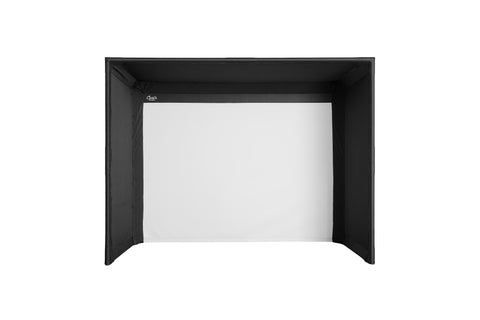
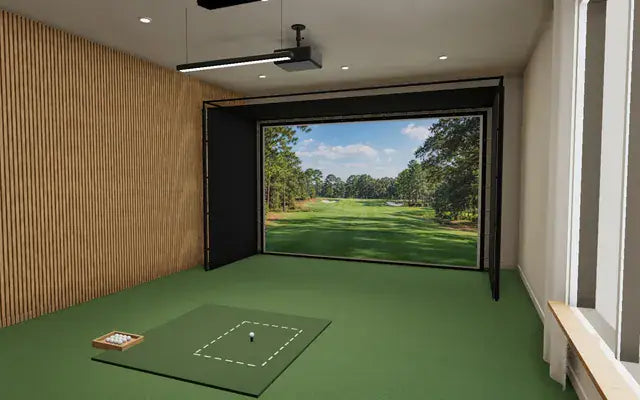
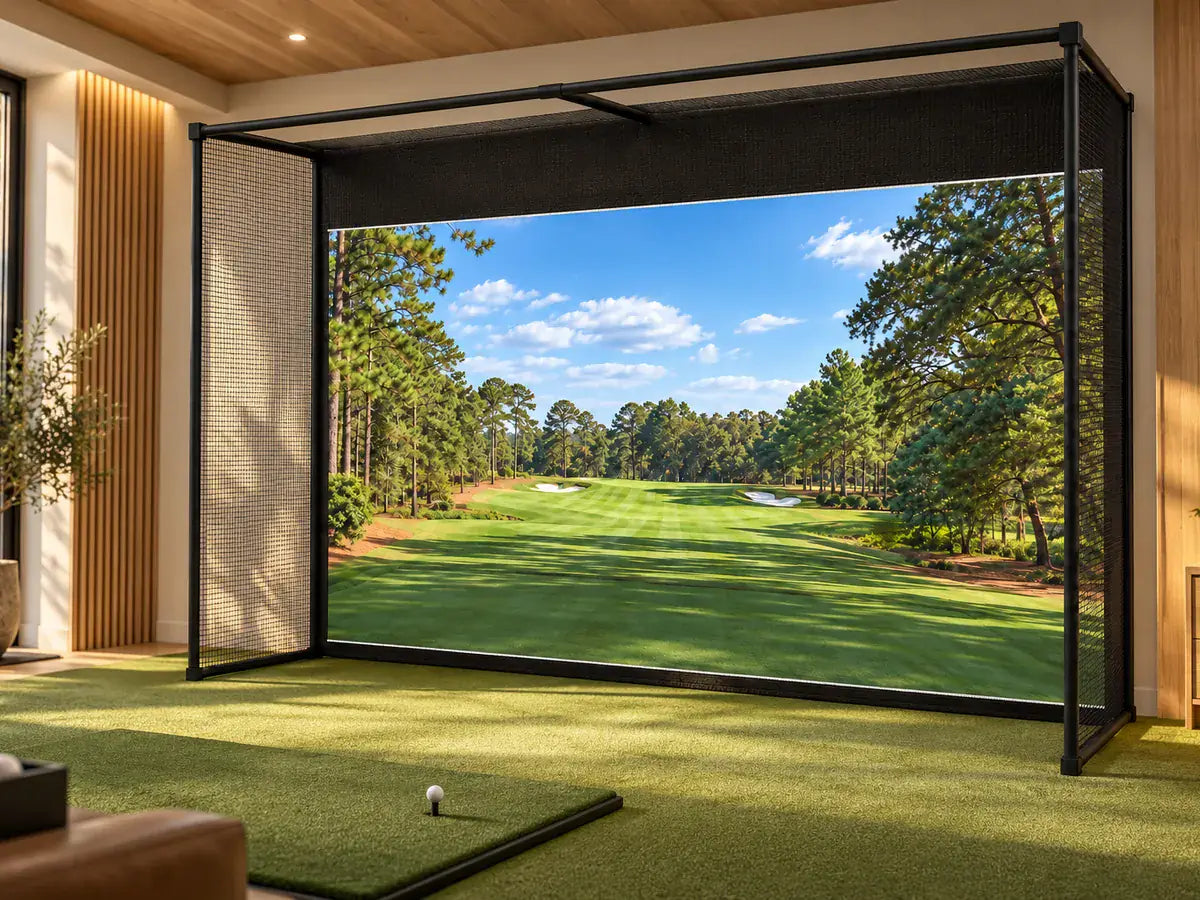
An impact screen is what the ball hits and what the course is projected onto (TruGolf). Choose it in this order: the size your room or enclosure takes, the shape that matches your projector, the material, which trades picture against noise and bounce-back, and white or gray for the room's light. Then hang it with room to give: Carl's Place asks for 12 to 16 in between the screen and the wall, and SimSpace for 50 cm (about 20 in) behind its enclosures and 20 cm (about 8 in) on each side. The screens we sell, with today's prices, are on our golf simulator impact screens page.
Most of the screens we sell come inside an enclosure; some are sold on their own for your own frame. Each one links to its product page, which shows the current price.
The fit check: six things to settle
Measure the space first, then match the screen to it. Each figure is what that maker publishes.
| Check | How to measure | What makers publish |
|---|---|---|
| Screen width | The width inside the enclosure, or between the walls, less the side gaps. | Carl's Place: for most golfers, no narrower than 100 in, with 2 to 3 in each side of the enclosure. GolfBays: 5 to 7.5 cm (about 2 to 3 in) left and right of a screen hung on bungees. SimSpace: 20 cm (about 8 in) each side of its enclosure. |
| Screen height | Floor to the lowest point of the ceiling where the screen hangs. | Carl's Place: for most golfers, no lower than 96 in, with 2 to 3 in above the enclosure (6 to 7 in for its Curved kit). HomeCourse: mount the ProScreen 180 at least 6 in from the ceiling. |
| Space behind | From the back of the screen to the wall. | Carl's Place: 12 to 16 in. GolfBays: about 30 cm (about 12 in). SimSpace: 50 cm (about 20 in) behind its enclosure. HomeCourse: at least 18 in from the wall. |
| Tee to screen | From the screen to where the ball sits. | Carl's Place: at least 10 to 12 ft, never closer than 10 ft. Uneekor: at least 12 ft, though 10 ft may do if 12 ft can't be met. LAON SwingCraft: at least 118 in (about 9 ft 10 in) from screen to hitting zone for VTrack. |
| Shape | Your projector's native aspect ratio. | BenQ: most projectors are 16:9, some 16:10. Carl's Place: matching ratios fill the screen with no black bars. |
| Room light | Windows, lamps and the room's other uses. | Carl's Place: gray keeps dark areas darker in a lit room; white suits a dark, dedicated room. SimSpace: gray reduces ambient light and boosts contrast; white is brighter in a dark space. |
Our projector guide works out the throw distance for each screen size, and our ceiling height guide lists each enclosure's height.
What the material changes
Makers grade their screens on picture, noise and bounce-back, and durability, and no one material leads on all three. A tighter weave has less texture and a smoother picture (Carl's Place). Layers and foam soften the ball: Elite says the spacer layer in a three-layer screen dampens the sound of impact, and GolfBays says a foam layer hung behind the screen slows the ball faster than the screen alone, cutting wear, noise and bounce-back.
GolfBays publishes a rating from 1 to 10 for each of its screens, where 10 is the most positive:
| GolfBays screen | Use (GolfBays) | Durability | Picture | Noise and bounce-back |
|---|---|---|---|---|
| PRO+ | Heavy home and commercial use, HD/4K picture | 10 | 9 | 10 |
| Close-Knit Baffle | Heavy home and commercial use | 9 | 5 | 8 |
| Reversible PRO | Heavy home use, HD picture | 7 | 7 | 4 |
| Lite, in the EasySim | Light home use | 6 | 6 | 5 |
Ratings from GolfBays' impact screen guidance. The Duo isn't rated there; GolfBays says its foam backing keeps impact noise to a minimum and reduces bounce.
Noise and bounce-back chart: what each maker says
No maker we sell publishes a measured bounce-back number, so this chart isn't a test. It's each maker's own wording, side by side. The GolfBays scores are its own 1 to 10 ratings for noise and bounce-back.
| Screen | Maker | What the maker says about noise and bounce-back |
|---|---|---|
| PRO+ | GolfBays | Rated 10 out of 10 |
| Close-Knit Baffle | GolfBays | Rated 8 out of 10 |
| Lite | GolfBays | Rated 5 out of 10 |
| Reversible PRO | GolfBays | Rated 4 out of 10 |
| Duo | GolfBays | Foam backing keeps impact noise to a minimum and reduces ball bounce |
| Standard | Carl's Place | No noise dampening |
| Preferred | Carl's Place | No noise dampening |
| Premium, white or gray | Carl's Place | Some noise reduction and less bounce-back |
| High-Contrast Gray | Carl's Place | Made for picture quality; no noise or bounce-back claim published |
| Platinum | SimSpace | Three layers with a foam sound-dampening layer; no bounce-back claim published |
| UltraMAX Grey | SimSpace | Same construction as Platinum, in gray |
| ImpactWhite 1145 | Elite | Three layers, 4.5 mm; the spacer layer dampens the noise of impact |
| ImpactWhite 350 | Elite | Tightly woven; no noise or bounce-back claim published |
| ProScreen 180 | HomeCourse | Ballistic-grade material; no noise or bounce-back claim published |
Hanging matters as much as the material: see how to stop the ball bouncing back below.
Other makers' materials
Carl's Place makes its screens in four materials. Its Standard screen handles shots up to 250 mph but has no noise dampening; Preferred has a tighter weave for a smoother picture; Premium, in white or gray, is Carl's top grade for picture and durability, with some noise reduction and less bounce-back; and High-Contrast Gray is a thick, multilayer fabric made to lift picture quality. Carl's makes its screens to order.
SimSpace's Platinum screen has three layers with a foam sound-dampening layer, and its UltraMAX Grey has the same construction in gray. Elite uses a three-layer, 4.5 mm ImpactWhite 1145 screen rated to 200 mph in its Golf Bay Pro, and a tightly woven ImpactWhite 350, rated to 150 mph, in the Golf Portable Pro. HomeCourse makes the ProScreen 180 from what it calls ballistic-grade material.(The ProScreen 180 is sold out right now; its page says more.)
White or gray
Gray keeps the dark parts of the picture darker when the room has windows or lights on, but it reflects less of the projector's light, so the picture is a little dimmer than on white, and a brighter projector makes up for it (Carl's Place). White suits a dark, dedicated room. SimSpace puts it the same way: gray reduces ambient light and boosts contrast, and white is brighter in a dark space.
The gray screens we sell are SimSpace's UltraMAX Grey, in its enclosure or as a replacement screen, and Carl's Place's High-Contrast Gray, on its own as the Carl's Place Golf Impact Screen or in the DIY and Pro kits. To keep light from coming through a white screen, GolfBays' blackout screen and SimSpace's velour blackout screen hang behind it.
Size and shape
Size the screen to the room first, then match its shape to the projector. Carl's Place doesn't recommend going smaller than 96 in high or 100 in wide for most golfers, and says the screen's size sets its aspect ratio. A 4:3 or square screen is taller for its width and gives the most hitting-zone coverage in a small room (BenQ); a 16:9 screen is wider and matches most projectors' native shape without a custom resolution.
Check what the listed size covers. GolfBays' Close-Knit Baffle sizes include its white surround, and GolfBays asks you to allow for the PRO+ screen's give when you measure, since its bottom hangs loose.
Hanging it so the ball doesn't come back
The screen needs room to give. Carl's Place says a proper install keeps bounce-back to a foot or two in most cases: keep the screen off the wall, stand at least 10 ft back, and consider ceiling baffles for high shots.
GolfBays hangs its screens on bungees at the top and sides only, with the bottom loose and tucked under for slack. It warns that too much tension wears the eyelets and can split the screen along the tension lines, while a screen that's too large and slack wears faster because the ball stays in contact longer; it suggests enough slack to push the center back about 25 cm (about 10 in) by hand. For a Carl's Place screen on your own frame, we sell its ball bungees and zip ties.
A foam layer behind the screen slows the ball further: GolfBays' foam layer backing screen sits directly behind the impact screen, and GolfBays says it softens and quietens each strike, cuts bounce-back and helps the screen last. For steep shots off the screen, Carl's Place's safety baffle hangs from the ceiling of its enclosures.
Retractable screens
A retractable screen mounts on the ceiling or a wall and rolls away, so the room keeps its other uses. HomeCourse says its ProScreen 180 retracts by wireless remote in under thirty seconds. The screen is 8 ft wide and 8 ft high; it needs a space at least 8 ft 6 in high, 10 ft wide and 8 ft deep, and mounts at least 6 in from the ceiling and 18 in from the wall, on the ceiling, a wall with the Wall Mount Kit or the Pro Rack. It's sold out until HomeCourse restocks.(HomeCourse’s Pro Rack is sold out right now; its page says more.)
With the Pro Arms folded out, HomeCourse says the projectable area is 14 ft wide, which it calls ideal for a 16:9 projector.
Making a screen last
Screens wear. Carl's Place says a screen in a commercial bay, hit all day, wears faster than a home screen, and that marks from high-spin shots are normal wear. SimSpace's warranty policy expects an impact screen to last about 20,000 shots, about six months at 100 shots a day. GolfBays suggests new, clean balls, notes that higher-spinning balls cut into a screen more, and suggests moving your hitting position, or flipping a double-sided screen, if one area wears faster.
To clean one, Carl's Place uses a drop of dish soap on a damp rag and warns against abrasive cleaners, high-heat steamers, dry cleaning or a washing machine. When a SimSpace screen is worn out, we sell replacement screens for each SimSpace enclosure size.
The screens we sell
Sizes are width × height, as each maker lists them.
| Screen | Type | Sizes |
|---|---|---|
| GolfBays PRO+ | Fiber-bonded screen GolfBays calls commercial grade, quiet on impact and good for 200 mph drives; sold on its own | 26 sizes, from 7 ft 6 in × 8 ft 5 in to 18 ft × 10 ft, many labeled 4:3, 16:10, 16:9 or 1:1 |
| GolfBays Duo | Two layers, a nylon weave front with an integrated foam backing; sold on its own | 12 sizes, from 7 ft 6 in × 8 ft 5 in to 16 ft 5 in × 13 ft 1 in |
| GolfBays Close-Knit Baffle | Single-layer close-knit polyester baffle fabric GolfBays calls one of its quietest; reversible; sold on its own | 11 sizes, from 7 ft 6 in × 8 ft 5 in to 16 ft 4 in × 9 ft 10 in, including the white surround |
| GolfBays Reversible PRO | Polyester you can use on both sides, which GolfBays rates for heavy home use; sold on its own | 11 sizes, listed on its page |
| Carl's Place Golf Impact Screen | Standard, Preferred, Premium or High-Contrast Gray, with a grommeted edge; made to order and sold on its own. Also with a loop-fastener edge or flaps. | 29 sizes, square, 4:3, 16:10, 16:9 and others, listed on its page |
| SimSpace Replacement Impact Screen | Platinum or UltraMAX Grey, to replace the screen in a SimSpace enclosure | One for each of SimSpace's six enclosure sizes |
| SimSpace Driving Net Impact Screen | A screen for the SimSpace Deluxe Home Golf Practice Net | One size, listed on its page |
| SimSpace Platinum or UltraMAX Grey | Comes in the SimSpace enclosure; the SimSpace SLIM comes with Platinum | Six enclosure sizes, and the SLIM's one |
| GolfBays SimBox and EasySim | Come in the enclosure: a triple-layer HD screen in the SimBox, as GolfBays lists it, and the Lite screen in the EasySim | Seven SimBox sizes; one EasySim size, 4:3 |
| Carl's Place DIY, Pro and Curved kit screens | Come in the kit: Standard, Preferred, Premium or High-Contrast Gray in the DIY; Premium (white) or High-Contrast Gray in the Pro; the Curved kit's options are on its page | Sized to each kit |
| Elite Golf Bay Pro and Golf Portable Pro | ImpactWhite 1145 in the Golf Bay Pro, ImpactWhite 350 in the Portable Pro | Golf Bay Pro 10 × 10 and 13 × 10 ft; Portable Pro 8 × 10 ft |
| HomeCourse ProScreen 180 | Retractable screen and enclosure in ballistic-grade material; sold out until HomeCourse restocks | 8 ft × 8 ft |
Each product page lists every size and shows the current price.
How far should an impact screen be from the wall?
Carl's Place asks for 12 to 16 in, and GolfBays for about 30 cm (about 12 in). SimSpace asks for 50 cm (about 20 in) behind its enclosures, and HomeCourse mounts the ProScreen 180 at least 18 in from the wall.
What size impact screen do I need?
The largest that fits your room or enclosure with its gaps. Carl's Place suggests at least 96 in high and 100 in wide for most golfers, with 2 to 3 in above and on each side of an enclosure, and the shape should match your projector.
Which impact screen is the quietest?
Of GolfBays' screens, the PRO+ rates 10 out of 10 for noise and bounce-back and the Close-Knit Baffle 8, and GolfBays calls the Close-Knit Baffle one of its quietest. Foam helps any screen: GolfBays' foam backing layer and SimSpace's foam sound-dampening layer both soften the impact. Putting a bay near desks at work? Our golf simulator for an office guide covers the room as well as the screen.
Should I get a white or gray impact screen?
White for a dark, dedicated room; gray for a room with windows or lights on, where it keeps the dark parts of the picture darker (Carl's Place, SimSpace). Gray reflects less light, so pair it with a brighter projector.
How do I stop the ball bouncing back?
Give the screen room and slack. Keep it off the wall, stand at least 10 ft back (Carl's Place), hang it on bungees with the bottom loose (GolfBays), and add a foam layer behind it. Carl's Place says a proper install keeps bounce-back to a foot or two in most cases.
How long does an impact screen last?
It depends on use. SimSpace's warranty policy expects about 20,000 shots, about six months at 100 shots a day, and Carl's Place says a commercial screen hit all day wears faster than a home one.
Can I hang an impact screen on my own frame?
Yes. GolfBays and Carl's Place sell screens on their own, with eyelets or grommets for bungees. GolfBays says to attach only the top and sides and let the bottom hang loose, and Carl's Place makes its screens to order.
What to send us
Your projector model or where it will hang, the space for the screen (width, height and the depth behind it), and whether the room has windows or other uses. We'll suggest the size, shape and material that fit.
- Impact screens: the screens we sell, with their prices
- Projector guide: throw distance for each screen size
- Enclosures compared: footprint, frame, setup time and shipping side by side
- Ceiling height: enclosure heights and the clearance above them
- Room builder: a drawn plan of your room and a fit check for the products we sell
- Retractable screens
Products in this guide
- GolfBays Pro+ Golf Simulator Impact Screen
- GolfBays Close Knit Baffle Golf Simulator Impact Screen
- GolfBays Reversible PRO Golf Simulator Impact Screen
- GolfBays EasySim Golf Simulator Enclosure
- GolfBays Duo Golf Simulator Impact Screen
- Elite Screens Golf Bay Pro Golf Simulator Enclosure with Impact Screen
- Elite Screens Golf Portable Pro Folding Golf Simulator Screen and Enclosure
- SimSpace Golf Simulator Enclosure
This guide names 18 more; see the links in the text above.
Sources
- TruGolf, Golf Simulator Setup Guide: Everything You Need for a Home Simulator: TruGolf says the impact screen is what the ball hits and where the course is projected, that an enclosure frames the screen and contains errant shots, and that a projector should be short throw, with at least 3,000 lumens for a clear image in a lit room (4,000 or more is better) and an HDMI input.
- Carl's Place, Measuring Your Space For An Indoor Golf Simulator: Carl's Place builds its 18 ft recommended room depth from 12–16 in between the screen and the wall, 10–12 ft from the tee to the screen and 7 ft behind the tee, and says this covers the play area only; extras like seating need more space.
- SimSpace Golf, SimSpace Platinum Golf Enclosure: SimSpace lists its Platinum enclosure in sizes SIM 1 to SIM 6: SIM 1 to SIM 4 have inner frames 2.6, 3.0, 3.6 or 4.0 m wide, 2.5 m tall and 1.5 m deep, with outer frames 2.7 to 4.1 m wide, 2.6 m tall and 1.6 m deep, and SIM 5 and SIM 6 are 3.0 m tall and deep inside and 3.1 m tall and deep outside; the screens are 1:1, 4:3 or 16:10 depending on size. SimSpace asks for at least 50 cm behind and 20 cm on either side of the enclosure as buffer space for ball impacts, and calls all measurements estimates.
- Carl's Place, How to Choose the Best Golf Simulator Enclosure Size: Carl's Place recommends a room at least 14 ft wide and 18 ft deep with 9–10 ft ceilings, doesn't recommend going smaller than 96 in high or 100 in wide for most customers, and says to leave at least 2–3 in above the enclosure (closer to 6–7 in for its Curved kit) and 2–3 in on each side.
- GolfBays, Impact Screen FAQs & Guidance: GolfBays says to hang its screens with bungees at the top and sides only, the bottom loose and tucked under for slack; too much tension wears the eyelets and can split the screen along the tension lines, while a screen too large and slack wears faster because the ball stays in contact longer. It suggests enough slack to push the center back about 25 cm by hand, a 5–7.5 cm gap left and right, about 30 cm behind the screen, new clean balls (higher-spinning balls wear a screen more), and moving the hitting position or flipping a double-sided screen if one area wears faster.
- HomeCourse Golf, ProScreen 180: HomeCourse says the ProScreen 180 mounts on a ceiling, a wall or its Pro Rack and turns a space of 8'6 H × 10' W × 8' D into a golf setup; it needs at least 6 in from the ceiling and 18 in from the wall, measures 10'6 wide with the Pro Arms extended, comes with 10 to 12 ft front to back recommended, and lets you fold out one or both Pro Arms, closing one for right- or left-handed golfers.
- Carl's Place, How to Choose the Best Golf Simulator Enclosure Size: Stand at least 10–12 ft from the screen; golfers who stand closer than 10 ft get more bounce-back and a higher risk of injury.
- Uneekor Help Center, How much space is needed for setup?: Uneekor recommends at least 12 ft from the impact screen to the tee for safety, and says 10 ft may suffice if that can't be met, with a watch for ball bounce-back.
- LAON SwingCraft, VTRACK: LAON SwingCraft lists VTrack's installation space as floor to ceiling 106–122 in (≈2.7–3.1 m), required; impact screen to hitting zone at least 118 in (≈3 m), recommended; and a room width of 213 in (≈5.4 m), recommended. It gives a detection area of up to 800 × 600 mm (31 × 24 in), 23 ball and club data points, dual stereoscopic cameras at up to 1,800 fps, regular as well as marked balls, both left- and right-handed players, E6 Connect, E6 Apex and GSPro, and a Windows 10 (64-bit) PC with 16 GB of RAM and Gigabit Ethernet.
- BenQ, 16:9 vs 4:3 Aspect Ratio for Golf Sims: Most projectors are native 16:9 (some 16:10); projecting at the native aspect ratio gives the sharpest image.
- Carl's Place, How to Choose the Best Golf Simulator Enclosure Size: Carl's Place says that when the projector's and the screen's aspect ratios match, the image fills the entire screen without black masking bars, and that the aspect ratio is set by the golf screen size.
- Carl's Place, White or Gray: Choosing the Right Golf Screen for Maximum Contrast: A gray screen keeps dark areas darker in a room with windows or lights, but reflects less projector light, so the image is a bit dimmer than on white (a brighter projector makes up for it); white suits a dark, dedicated room.
- SimSpace Golf, SimSpace UltraMAX Golf Enclosure: SimSpace's UltraMAX enclosure comes in the same six sizes with its UltraMAX Grey screen, which has the same construction as its Platinum screen in a gray finish; SimSpace says gray screens reduce ambient light and boost contrast, while white screens are brighter in dark spaces.
- Carl's Place, When a 4K Golf Simulator Projector Makes Sense: Every impact screen has some texture, but a tighter weave has less texture and less effect on image quality.
- Elite Screens, GolfSim DIY Screen Series: ImpactWhite 1145: In a three-layer screen, the internal spacer layer dampens the noise of the ball hitting the screen.
- GolfBays, Best Golf Impact Screens: Material, Size, Image Quality: A foam layer hung behind the impact screen slows the ball much faster than the screen alone, reducing wear, noise and bounce-back.
- GolfBays, Impact Screen FAQs & Guidance: GolfBays rates its screens from 1 to 10 (most positive): Lite (light home use) durability 6, image quality 6, noise and bounce-back 5; PRO Reversible (heavy home use, HD) 7, 7 and 4; Close-Knit Baffle (heavy home and commercial use) 9, 5 and 8; PRO+ (heavy home and commercial use, HD/4K) 10, 9 and 10.
- GolfBays, GolfBays Duo Impact Screen: GolfBays describes the Duo as a two-layer impact screen: a nylon weave front that keeps light on the screen and an integrated foam backing that keeps impact noise to a minimum, reduces ball bounce and helps extend the screen's life; it lists 12 sizes, from 7'6 × 8'5 to 16'5 × 13'1.
- GolfBays, Close-Knit Baffle Simulator Impact Screen: GolfBays describes the Close-Knit Baffle as a close-knit polyester archery baffle screen whose small holes dissipate sound, one of its quietest options; it's single layer but can be reversed, has eyelets every 8 in around all four sides, and comes in 11 sizes from 7'6 × 8'5 to 16'4 × 9'10, all dimensions including the white surround.
- Carl's Place, How to Choose a Golf Impact Screen Material: Carl's Place says its Standard screen is an inexpensive screen that still protects shots up to 250 mph, with no noise dampening; its Preferred screen has a tighter weave for a smoother picture, with no noise dampening; its Premium screen, in white or gray, gives Carl's top image and durability, some noise reduction and less bounce-back; and its High-Contrast Gray is a thick, multilayer fabric designed to enhance image quality. It says its screens are tested to withstand thousands of strikes at up to 250 mph.
- SimSpace Golf, SimSpace Platinum Golf Enclosure: SimSpace says its enclosure is built on sturdy push-connect metal poles, takes about 20–30 minutes to set up with two people, and is easy to assemble and dismantle for flexible spaces like garages or spare rooms; the box holds black velour siding, a 3-layer Platinum impact screen with a foam sound-dampening layer, the metal poles, bungee cords and Velcro straps, and foam padding tubes.
- Elite ProAV, Golf Bay Pro Series: Elite ProAV's Golf Bay Pro has a three-layer, 4.5 mm ImpactWhite 1145 screen that withstands ball speeds up to 200 mph, a heavy-duty metal tube frame with all corner fittings, top, left and right black enclosure covers and a black backing; Elite says it comes with everything needed to build it out of the box, without acquiring your own EMT framing.
- Elite ProAV, Golf Portable Pro Series: Elite ProAV describes the Golf Portable Pro as a collapsible, portable golf impact screen on a lightweight aluminum folding frame that assembles in minutes with no special tools, with top, left and right enclosure covers, triangular side net extensions, a tightly woven ImpactWhite 350 screen that withstands ball speeds up to 150 mph, and a padded carrying bag that stores the entire product.
- HomeCourse Golf, ProScreen 180: HomeCourse says the ProScreen 180's Pro Arms, extended, create an ultra-wide 14 ft projectable area, ideal for projectors that cast a 16:9 picture, and that the screen is made of ballistic-grade material.
- Carl's Place, Golf Impact Screens: Carl's Place makes its golf simulator screens to order and says production lead time may fluctuate based on volume.
- Carl's Place, DIY Golf Enclosure Kit with Impact Screen: Carl's Place's DIY kit includes an impact screen in Standard, Preferred, Premium or High-Contrast Gray Premium material, the BlackStop enclosure and the corner fittings for a frame of 1-inch EMT, which you buy at a hardware store unless you add its Pipe Framing Kit; Carl's recommends 12 in behind the enclosure (8.25 in minimum for the rear fittings) and says the kit assembles in about an hour depending on size, a bit faster with a helper.
- Carl's Place, Pro Golf Simulator Enclosure Kit with Impact Screen: Carl's Place builds the Pro enclosure on 2-inch EMT (pipes sold separately, and hard to source locally), says the frame is strong enough to carry projectors and overhead launch monitors on the front bar or an optional crossbar, comes with a Premium White or High-Contrast Gray screen, includes foam inserts that keep stray shots from bouncing off the frame, quotes about 2 hours to assemble it (ideally with a couple of helpers), and asks for at least 2 in above, 2–3 in on each side and a recommended 12 in at the rear (9.5 in minimum).
- GolfBays, Golf Enclosure Blackout Screen: GolfBays says its golf enclosure blackout screen, a fully opaque blackout-grade fabric with built-in eyelets, fits behind an existing impact screen and stops projector light passing through it, for better contrast and a sharper picture even with ambient light; its seven sizes run from 8'6 × 8'2 to 13'2 × 9'10.
- SimSpace Golf, SimSpace Golf Enclosure Blackout Screen: SimSpace says its blackout screen sits behind the impact screen in a SimSpace enclosure, blocks light from windows, doors and room lighting coming in from behind, reduces glare and improves projection clarity and contrast, fits all six SimSpace enclosure sizes and attaches with the enclosure's own bungee cords.
- BenQ, Golf Simulator Projector Buying Guide: BenQ says most home simulators want a short-throw projector, with a throw ratio around 1.0 or less, and that the best mounting position is just behind and above the hitting area, far enough from the screen to avoid being hit; for smaller setups a 4:3 or square picture gives the most hitting-zone coverage, native 4:3 projectors have lower resolution, and a 16:9 or 16:10 projector can project a 4:3 picture. It suggests lens shift, or keystone correction, where the projector sits far off center.
- GolfBays, GolfBays PRO+ Impact Screen: GolfBays describes the PRO+ as a fibre-bonded, commercial-grade screen that is quiet on impact and handles 200 mph drives; it doesn't attach the bottom, which hangs loose and folds underneath, so allow for the give in your measurements, and the PRO+ isn't eyeleted on all sides. It lists 26 sizes, from W 7'6 × H 8'5 to W 18' × H 10', with sizes labeled 4:3, 1:1, 16:10 and 16:9.
- Carl's Place, Impact Screen Bounce Back: Troubleshooting Tips: A proper install keeps bounce-back to a foot or two in most cases; keep the screen off the wall, stand at least 10 ft back, and consider ceiling baffles for high shots.
- GolfBays, Foam Layer Backing Screen: GolfBays says its foam layer backing screen sits directly behind an existing impact screen, softening and quietening each strike, cutting ball bounce-back and lengthening the impact screen's life; it suits any GolfBays impact screen and the SimBox, has eyelets every 8 in on all four sides and comes in six sizes.
- Carl's Place, Walls, Ceilings & More: Protecting Your Golf Sim Space: Side net walls catch errant shots when a deeper enclosure won't fit; ceiling baffles and frame padding handle shots that come back high or hit the frame.
- HomeCourse Golf, ProScreen 180: HomeCourse says its retractable ProScreen 180 retracts by wireless remote in under thirty seconds, giving the room back.
- HomeCourse Golf, ProScreen 180 (shop): HomeCourse says its screen is 8 ft wide by 8 ft high, and the ProScreen 180 comes with the retractable screen and enclosure, a ceiling mount kit, a charging cable, a remote control and an easy-reach pole.
- Carl's Place, How to Choose a Golf Impact Screen Material: Impact screens wear: one hit all day in a commercial bay wears faster than an occasional home user's, and marks from high-spin shots are normal wear.
- SimSpace Golf, Warranty Policy: SimSpace's warranty policy says normal wear and tear isn't covered, and gives impact screens a maximum use expectation of 20,000 shots (about 6 months at 100 shots a day) and hitting mats 40,000 shots (about 1 year at 100 shots a day); reaching those counts is generally treated as normal wear. It advises turning a mat 90 degrees every few weeks.
- Carl's Place, How To Clean Your Golf Impact Screen, and Make It Last: Clean an impact screen gently with a drop of dish soap on a damp rag; never use abrasive cleaners, high-heat steamers, dry cleaning or a washing machine.
- SimSpace Golf, SimSpace SLIM Golf Enclosure: SimSpace designs its SLIM enclosure for shallow simulator rooms: its SIM 0 frame measures 3.3 × 2.5 × 1 m inside and 3.4 × 2.6 × 1.1 m outside (W × H × D), with a 4:3 Platinum impact screen and side netting that attaches with Velcro and is held out by weighted bags (filling not included); SimSpace quotes about 20–30 minutes to set it up with two people, and asks for at least 50 cm behind and 20 cm on either side of the enclosure as buffer space for ball impacts.
- GolfBays, SimBox Golf Simulator Enclosure: GolfBays sells the SimBox in seven sizes (W × H × D) from 8'6 × 8'2 × 4'11 to 13'2 × 9'10 × 9'10; its box list names aluminum poles, a black velvet surround, a triple-layer HD PRO+ impact screen and an instruction manual, and its features list click tubing that assembles in about 45 minutes with no screws or tools and folds down for storage.
- GolfBays, GolfBays EasySim Golf Simulator Enclosure: GolfBays sells the EasySim in one size, 10'9 W × 8'2 H × 3'3 D, sized for a 4:3 picture, with all poles, aluminum click tubing fittings, an integrated black fabric surround and its Lite impact screen, which it says gives a quiet impact sound suited to a garage; GolfBays says the 1 m depth gives flexibility in smaller rooms, where you have to hit closer to the screen.
- Elite ProAV, Golf Bay Pro Series: Elite ProAV sells its Golf Bay Pro enclosure for commercial and professional installations in 10 × 10 ft and 13 × 10 ft sizes, with the impact screen, ball bungees, metal frame tubes, corner fittings and enclosure cover panels included; it lists a 5-year warranty, and a 6-year warranty for education, non-profit, religious and government organizations. Bought from us, Elite's Pro screens carry 6 years (Elite confirmed this in writing).
- Elite ProAV, Golf Portable Pro Dimensions Table (PDF): Elite ProAV's dimensions table lists the Golf Portable Pro (8' × 10') at 119.5 in overall length and 98.4 in overall height, 97.6 in from the back foot to the front of the fully extended side covers, with a 111.6 × 62.8 in viewable area and a 63 × 10.2 × 7.1 in carrying bag, and notes the data may be off by ±1 in.
How this guide was made: ParVista Golf compiled it from manufacturers' published requirements and the public sources listed above. Requirements for a specific product always come from its manufacturer.


