- Home
- Track your order
- Your setup page
Your setup page
Step by step for each item you ordered: check it on arrival, put it together, connect it, install the software and get it reading shots, with the makers' own guides.
Something wrong?
Report delivery damage Within 48 hours, with your order number and photos: the boxes before you open them, the damage, the labels, and the delivery receipt with the damage noted on it.
Ask a setup question Email us first: we reply by email, usually within one business day, and take it to the maker if we need to. We don't make home visits.
GOLFJOY P8 Golf Simulator Kit with Spica 3 Launch Monitor
Unbox and check
- Comes by pallet freight to your curb or driveway, not into the room; a signature is needed and the carrier calls to book a window (GOLFJOY).
- Tell us the same day if anything arrived damaged, with photos of the boxes and the damage (within 48 hours at the latest).
- Count the parts against GOLFJOY's list: 6 lines, shown under "What's in the box".
Put it together
- Time: About 3 hours.
- People: Not stated by GOLFJOY.
- Tools: None: tool-less spring-snap assembly.
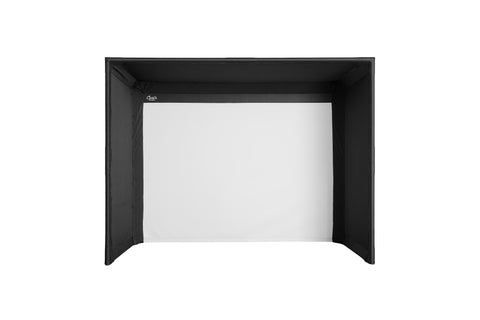
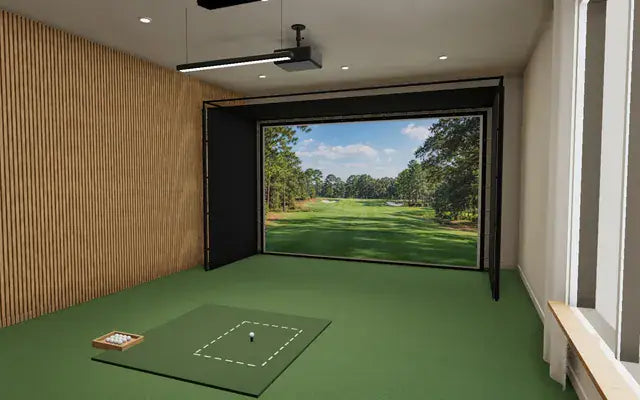
- GOLFJOY's enclosure is 10 ft wide, 8.2 ft high and 4.9 ft deep; GOLFJOY says to allow about 16 ft of total room depth for a full swing.
- The kit includes an Optoma GT2300HDR short-throw projector with its mount and cabling. A Windows simulator PC is not included.
Power and connect
- Windows PC: Course play: the included GOLFJOY Professional software needs a Windows PC (not in the kit).
- Mac: not listed by the maker.
- iPad: The Spica 3's GOLFJOY PRO app, for practice sessions.
- iPhone: The Spica 3's GOLFJOY PRO app, for practice sessions.
- Android: The Spica 3's GOLFJOY PRO app, for practice sessions.
- Carl's Place says not to daisy-chain power strips; ask an electrician where the room has no outlet.
Install the software and activate it
- Software: GOLFJOY Professional, first 12 months included; GSPro, E6 Connect or Creative Golf also work with the Spica 3.
- Fees: GOLFJOY Professional $249 a year after the first 12 months (GOLFJOY).
- Activation codes for software we sell come by email; keep that email.
The maker's guides: golfjoy.com
Carl's Place DIY Golf Enclosure Kit with Impact Screen
Unbox and check
- Check every box before you sign for it, and note any damage on the delivery receipt.
- Tell us the same day if anything arrived damaged, with photos of the boxes and the damage (within 48 hours at the latest).
- Count the parts against Carl's Place's list: 8 lines, shown under "What's in the box".
Put it together
- Time: About 1 hour, depending on size.
- People: Faster with a helper.
- Tools: 1/2 in wrench or socket, 3/16 in hex key, tape measure, rubber mallet, pliers, cutting tool, 8 ft stepladder.
- The frame is 1 in EMT, bought at a hardware store unless you add Carl's Pipe Framing Kit; rigid tubing and PVC don't work with Carl's kits.
- Carl's recommends 12 in behind the enclosure (8.25 in minimum for the rear fittings).
- Carl's says 1 in EMT can't bear the weight of an overhead launch monitor or a mounted projector: mount those to the ceiling.
The maker's guides: hubspot.carlofet.com, hubspot.carlofet.com
Carl's Place Pro Golf Simulator Enclosure Kit with Impact Screen
Unbox and check
- Check every box before you sign for it, and note any damage on the delivery receipt.
- Tell us the same day if anything arrived damaged, with photos of the boxes and the damage (within 48 hours at the latest).
- Count the parts against Carl's Place's list: 8 lines, shown under "What's in the box".
Put it together
- Time: About 2 hours.
- People: Ideally a couple of helpers.
- Tools: 6 mm and 3/16 in hex ratchet or key, tape measure, rubber mallet, pliers, cutting tool, 8 ft stepladder; a sawzall-style or chop saw with a file and deburring tool if you cut EMT yourself.
- The frame is 2 in EMT (pipes sold separately; Carl's Pipe Framing Kit has them pre-cut).
- Carl's asks for at least 2 in above, 2 to 3 in on each side and 12 in at the rear (9.5 in minimum).
- The front bar or an optional crossbar can carry a projector or an overhead launch monitor; Carl's says the crossbar install is the time to attach the electronics mount.
The maker's guides: hubspot.carlofet.com, hubspot.carlofet.com, hubspot.carlofet.com
Carl's Place Curved Golf Simulator Enclosure Kit with Impact Screen
Unbox and check
- Check every box before you sign for it, and note any damage on the delivery receipt.
- Tell us the same day if anything arrived damaged, with photos of the boxes and the damage (within 48 hours at the latest).
- Count the parts against Carl's Place's list: 11 lines, shown under "What's in the box".
Put it together
- Time: About 4 hours.
- People: At least two.
- Tools: Not listed on the page we read.
- The frame is 2 in EMT (pipes sold separately).
- The projector must warp the picture (built in, or warping software) to follow the curve.
The maker's guides: hubspot.carlofet.com, hubspot.carlofet.com
SimSpace Golf Simulator Enclosure
Unbox and check
- Check every box before you sign for it, and note any damage on the delivery receipt.
- Tell us the same day if anything arrived damaged, with photos of the boxes and the damage (within 48 hours at the latest).
- Count the parts against SimSpace's list: 6 lines, shown under "What's in the box".
Put it together
- Time: About 20 to 30 minutes.
- People: Two.
- Tools: Not listed: push-connect poles.
- SimSpace asks for 50 cm (about 20 in) behind and 20 cm (about 8 in) each side.
SimSpace SLIM Golf Simulator Enclosure with Side Netting
Unbox and check
- Check every box before you sign for it, and note any damage on the delivery receipt.
- Tell us the same day if anything arrived damaged, with photos of the boxes and the damage (within 48 hours at the latest).
- Count the parts against SimSpace's list: 7 lines, shown under "What's in the box".
Put it together
- Time: About 20 to 30 minutes.
- People: Two.
- Tools: Not listed on the page we read.
- The side netting's weighted bags come empty: fill them on site.
GolfBays SimBox Golf Simulator Enclosure
Unbox and check
- Check every box before you sign for it, and note any damage on the delivery receipt.
- Tell us the same day if anything arrived damaged, with photos of the boxes and the damage (within 48 hours at the latest).
- Count the parts against GolfBays's list: 4 lines, shown under "What's in the box".
Put it together
- Time: About 45 minutes.
- People: Not stated by GolfBays.
- Tools: None: click tubing, no screws or tools.
- GolfBays recommends a ceiling of at least 2.8 m (9.2 ft), ideally 3 m (9.8 ft), and a width of at least 3 m (9.8 ft).
Elite Screens Golf Portable Pro Folding Golf Simulator Screen and Enclosure
Unbox and check
- Check every box before you sign for it, and note any damage on the delivery receipt.
- Tell us the same day if anything arrived damaged, with photos of the boxes and the damage (within 48 hours at the latest).
- Count the parts against Elite Screens's list: 9 lines, shown under "What's in the box".
Put it together
- Time: Minutes.
- People: Two recommended.
- Tools: No special tools.
- Elite says to take it down after use and store it in its bag.
The maker's guides: eliteproav.com, eliteproav.com
Elite Screens Golf Bay Pro Golf Simulator Enclosure with Impact Screen
Unbox and check
- Check every box before you sign for it, and note any damage on the delivery receipt.
- Tell us the same day if anything arrived damaged, with photos of the boxes and the damage (within 48 hours at the latest).
- Count the parts against Elite Screens's list: 11 lines, shown under "What's in the box".
Put it together
- Time: Not stated by Elite.
- People: Not stated by Elite.
- Tools: M8 hex screws and hex wrenches, included.
- A full frame for permanent installation in a dedicated space.
The maker's guides: eliteproav.com, eliteproav.com
HomeCourse ProScreen 180 Retractable Golf Screen
Unbox and check
- Check every box before you sign for it, and note any damage on the delivery receipt.
- Tell us the same day if anything arrived damaged, with photos of the boxes and the damage (within 48 hours at the latest).
- Count the parts against HomeCourse's list: 5 lines, shown under "What's in the box".
Put it together
- Time: Not stated by HomeCourse.
- People: A helper with two ladders.
- Tools: Drill, stud finder and mounting hardware (wall installs need HomeCourse's Wall Mount Kit).
- HomeCourse asks for at least 6 in from the ceiling and 18 in from the wall.
- HomeCourse says the unit must be installed no more than 8 ft from the ground.
Power and connect
- Power: Rechargeable lithium-ion battery; charging cable included.
- Carl's Place says not to daisy-chain power strips; ask an electrician where the room has no outlet.
FlightScope Mevo Gen2 Launch Monitor
Unbox and check
- Check every box before you sign for it, and note any damage on the delivery receipt.
- Tell us the same day if anything arrived damaged, with photos of the boxes and the damage (within 48 hours at the latest).
Place or mount it
- On the floor, 8 ft behind the ball.
- Space it needs: 8 ft behind the ball plus at least 8 ft of ball flight.
Power and connect
- Windows PC: FS Golf for PC, E6 Connect and GSPro (Windows 10 or 11, 64-bit).
- Mac: not listed by the maker.
- iPad: FS Golf (iOS 18 or newer) and the 8 E6 Connect courses that come with it.
- iPhone: FS Golf (iOS 18 or newer) and the 8 E6 Connect courses that come with it.
- Android: FS Golf (Android 14 or newer); FlightScope lists the E6 Connect courses for iOS and PC.
- Carl's Place says not to daisy-chain power strips; ask an electrician where the room has no outlet.
Install the software and activate it
- Software: FS Golf and FS Skills apps, E6 Connect (8 courses included), GSPro on a PC.
- Fees: No recurring fees for core features (FlightScope).
- Activation codes for software we sell come by email; keep that email.
Calibrate and test
- Hit a few slow half swings first and check the readings and your clearance before full swings.
FlightScope X3C Launch Monitor
Unbox and check
- Check every box before you sign for it, and note any damage on the delivery receipt.
- Tell us the same day if anything arrived damaged, with photos of the boxes and the damage (within 48 hours at the latest).
Place or mount it
- On the floor, 8 to 12 ft behind the tee.
- Space it needs: 8 to 12 ft behind the tee and 8 to 13 ft of ball flight.
Power and connect
- Windows PC: E6 Connect for PC.
- Mac: not listed by the maker.
- iPad: E6 Connect for iOS (12 courses listed with the X3C).
- iPhone: E6 Connect for iOS (12 courses listed with the X3C).
- Android: not listed by the maker.
- Carl's Place says not to daisy-chain power strips; ask an electrician where the room has no outlet.
Install the software and activate it
- Software: FS Golf, E6 Connect (12 courses listed).
- Fees: Not stated by FlightScope.
- Activation codes for software we sell come by email; keep that email.
Calibrate and test
- Hit a few slow half swings first and check the readings and your clearance before full swings.
Uneekor EYE MINI Launch Monitor
Unbox and check
- Check every box before you sign for it, and note any damage on the delivery receipt.
- Tell us the same day if anything arrived damaged, with photos of the boxes and the damage (within 48 hours at the latest).
Place or mount it
- On the floor beside the ball; battery.
- Space it needs: 13 ft wide (15 ft for golfers 6 ft or taller), tee 12 ft from the screen.
Power and connect
- Windows PC: A PC is optional; Uneekor's software and third-party simulators run on Windows.
- Mac: not listed by the maker.
- iPad: Uneekor's VIEW Air app for iPad.
- iPhone: The EYE MINI app.
- Android: The EYE MINI app.
- Carl's Place says not to daisy-chain power strips; ask an electrician where the room has no outlet.
Install the software and activate it
- Software: Uneekor's apps; GSPro, E6 Connect and Creative Golf through Uneekor's connector on a PC.
- Fees: Pro membership $199 a year for third-party software (Uneekor).
- Activation codes for software we sell come by email; keep that email.
Calibrate and test
- Hit a few slow half swings first and check the readings and your clearance before full swings.
Uneekor EYE MINI LITE Launch Monitor
Unbox and check
- Check every box before you sign for it, and note any damage on the delivery receipt.
- Tell us the same day if anything arrived damaged, with photos of the boxes and the damage (within 48 hours at the latest).
Place or mount it
- Fixed on the floor beside the ball; indoors only.
- Space it needs: 13 ft wide (15 ft for golfers 6 ft or taller), tee 12 ft from the screen.
Power and connect
- Windows PC: A Windows PC by Ethernet.
- Mac: not listed by the maker.
- iPad: not listed by the maker.
- iPhone: not listed by the maker.
- Android: not listed by the maker.
- Carl's Place says not to daisy-chain power strips; ask an electrician where the room has no outlet.
Install the software and activate it
- Software: Uneekor's software; GSPro, E6 Connect and Creative Golf through Uneekor's connector.
- Fees: Pro membership $199 a year for third-party software (Uneekor).
- Activation codes for software we sell come by email; keep that email.
Calibrate and test
- Hit a few slow half swings first and check the readings and your clearance before full swings.
Uneekor EYE XO2 Launch Monitor
Unbox and check
- Check every box before you sign for it, and note any damage on the delivery receipt.
- Tell us the same day if anything arrived damaged, with photos of the boxes and the damage (within 48 hours at the latest).
Place or mount it
- On the ceiling, 3 ft 6 in in front of the tee.
- Space it needs: 9 to 10 ft above the hitting surface; 13 ft wide, 16 ft deep, 10 ft high.
- Ceiling: 9 to 10 ft above the hitting surface.
- Overhead launch monitors hang inside their maker's window: Uneekor 9 to 10 ft from the top of the hitting area; VTrack 106 to 122 in floor to ceiling, fixed with all 7 supplied screws, offset toward the screen, on a grounded outlet and a CAT6 cable to the PC's Gigabit Ethernet port.
Power and connect
- Windows PC: Windows PC (Uneekor's own software, and GSPro, E6 Connect or Creative Golf through Uneekor's connector).
- Mac: not listed by the maker.
- iPad: not listed by the maker.
- iPhone: not listed by the maker.
- Android: not listed by the maker.
- Carl's Place says not to daisy-chain power strips; ask an electrician where the room has no outlet.
Install the software and activate it
- Software: Uneekor's software; GSPro, E6 Connect and Creative Golf through Uneekor's connector.
- Fees: Pro membership $199 a year for third-party software (Uneekor).
- Activation codes for software we sell come by email; keep that email.
Calibrate and test
- Hit a few slow half swings first and check the readings and your clearance before full swings.
Uneekor EYE XO Launch Monitor
Unbox and check
- Check every box before you sign for it, and note any damage on the delivery receipt.
- Tell us the same day if anything arrived damaged, with photos of the boxes and the damage (within 48 hours at the latest).
Place or mount it
- On the ceiling in front of the golfer.
- Space it needs: 9 to 10 ft above the hitting surface; 13 ft wide, 16 ft deep, 10 ft high.
- Ceiling: 9 to 10 ft above the hitting surface.
- Overhead launch monitors hang inside their maker's window: Uneekor 9 to 10 ft from the top of the hitting area; VTrack 106 to 122 in floor to ceiling, fixed with all 7 supplied screws, offset toward the screen, on a grounded outlet and a CAT6 cable to the PC's Gigabit Ethernet port.
Power and connect
- Windows PC: Windows PC (Uneekor's own software, and GSPro, E6 Connect or Creative Golf through Uneekor's connector).
- Mac: not listed by the maker.
- iPad: not listed by the maker.
- iPhone: not listed by the maker.
- Android: not listed by the maker.
- Carl's Place says not to daisy-chain power strips; ask an electrician where the room has no outlet.
Install the software and activate it
- Software: Uneekor's software; GSPro, E6 Connect and Creative Golf through Uneekor's connector.
- Fees: Pro membership $199 a year for third-party software (Uneekor).
- Activation codes for software we sell come by email; keep that email.
Calibrate and test
- Hit a few slow half swings first and check the readings and your clearance before full swings.
Uneekor EYE XR Launch Monitor
Unbox and check
- Check every box before you sign for it, and note any damage on the delivery receipt.
- Tell us the same day if anything arrived damaged, with photos of the boxes and the damage (within 48 hours at the latest).
Place or mount it
- On the ceiling behind the golfer.
- Space it needs: 9 to 10 ft above the hitting surface; 13 ft wide, 16 ft deep, 10 ft high.
- Ceiling: 9 to 10 ft above the hitting surface.
- Overhead launch monitors hang inside their maker's window: Uneekor 9 to 10 ft from the top of the hitting area; VTrack 106 to 122 in floor to ceiling, fixed with all 7 supplied screws, offset toward the screen, on a grounded outlet and a CAT6 cable to the PC's Gigabit Ethernet port.
Power and connect
- Windows PC: Windows PC (Uneekor's own software, and GSPro, E6 Connect or Creative Golf through Uneekor's connector).
- Mac: not listed by the maker.
- iPad: not listed by the maker.
- iPhone: not listed by the maker.
- Android: not listed by the maker.
- Carl's Place says not to daisy-chain power strips; ask an electrician where the room has no outlet.
Install the software and activate it
- Software: Uneekor's software; GSPro, E6 Connect and Creative Golf through Uneekor's connector.
- Fees: Pro membership $199 a year for third-party software (Uneekor).
- Activation codes for software we sell come by email; keep that email.
Calibrate and test
- Hit a few slow half swings first and check the readings and your clearance before full swings.
GOLFJOY Spica 3 Portable Launch Monitor
Unbox and check
- Check every box before you sign for it, and note any damage on the delivery receipt.
- Tell us the same day if anything arrived damaged, with photos of the boxes and the damage (within 48 hours at the latest).
- Count the parts against GOLFJOY's list: 6 lines, shown under "What's in the box".
Place or mount it
- On the floor beside the ball; battery and touch screen.
- Space it needs: ideal indoor ceiling 9 to 10.2 ft; at least 2 yards from the ball to the screen.
- Ceiling: GOLFJOY's ideal indoor ceiling: 9 to 10.2 ft.
Power and connect
- Power: Built-in 12,800 mAh battery, up to 7 hours.
- Connection: Wi-Fi to the GOLFJOY apps; Ethernet to a PC.
- Windows PC: GOLFJOY's simulation software, GSPro, E6 Connect or Creative Golf.
- Mac: not listed by the maker.
- iPad: The GOLFJOY PRO app, for practice sessions.
- iPhone: The GOLFJOY PRO app, for practice sessions.
- Android: The GOLFJOY PRO app, for practice sessions.
- Carl's Place says not to daisy-chain power strips; ask an electrician where the room has no outlet.
Install the software and activate it
- Software: GOLFJOY PRO app; GOLFJOY's simulator software, GSPro, E6 Connect or Creative Golf on a Windows PC.
- Fees: No mandatory subscription or annual fee (GOLFJOY).
- Activation codes for software we sell come by email; keep that email.
Calibrate and test
- Balls and clubs: Any ball, including plain white; club stickers needed for club data.
- Hit a few slow half swings first and check the readings and your clearance before full swings.
VTrack DX10 Overhead Launch Monitor
Unbox and check
- Check every box before you sign for it, and note any damage on the delivery receipt.
- Tell us the same day if anything arrived damaged, with photos of the boxes and the damage (within 48 hours at the latest).
- Count the parts against SwingCraft's list: 9 lines, shown under "What's in the box".
Place or mount it
- On the ceiling, offset toward the screen.
- Space it needs: 8 ft 10 in to 10 ft 2 in floor to ceiling; at least 9 ft 10 in tee to screen and 10 ft wide.
- Ceiling: 8 ft 10 in to 10 ft 2 in, floor to ceiling.
- Overhead launch monitors hang inside their maker's window: Uneekor 9 to 10 ft from the top of the hitting area; VTrack 106 to 122 in floor to ceiling, fixed with all 7 supplied screws, offset toward the screen, on a grounded outlet and a CAT6 cable to the PC's Gigabit Ethernet port.
Power and connect
- Power: Power supply in the box.
- Connection: Wired: CAT6 cable in the box; the PC needs Gigabit Ethernet with Jumbo Packet support (Intel Pro/1000 chipset recommended).
- Computer: Windows 10 (64-bit) or later; Intel Core i5 or AMD Ryzen 3 or better at 3.0 GHz; 16 GB RAM; 10 GB free storage.
- Windows PC: Windows 10 (x64) or later, by Gigabit Ethernet: GSPro, E6 Connect or E6 Apex.
- Mac: not listed by the maker.
- iPad: not listed by the maker.
- iPhone: not listed by the maker.
- Android: not listed by the maker.
- Carl's Place says not to daisy-chain power strips; ask an electrician where the room has no outlet.
Install the software and activate it
- Software: GSPro, E6 Connect, E6 Apex.
- Fees: No VTrack subscription (SwingCraft).
- Activation codes for software we sell come by email; keep that email.
Calibrate and test
- Light: No lighting requirement published by SwingCraft or LAON (checked Oct 17, 2026).
- Balls and clubs: Regular golf balls for normal play; no marked balls or club stickers.
- Hit a few slow half swings first and check the readings and your clearance before full swings.
The maker's guides: swingcraft.golf
TruGolf APOGEE Launch Monitor
Unbox and check
- Check every box before you sign for it, and note any damage on the delivery receipt.
- Tell us the same day if anything arrived damaged, with photos of the boxes and the damage (within 48 hours at the latest).
Place or mount it
- On the ceiling, 21 to 25 in in front of the tee.
- Space it needs: 9 to 10 ft from the unit to the hitting surface; 15 ft wide for both hands.
- Ceiling: 9 to 10 ft from the unit to the hitting surface.
- Overhead launch monitors hang inside their maker's window: Uneekor 9 to 10 ft from the top of the hitting area; VTrack 106 to 122 in floor to ceiling, fixed with all 7 supplied screws, offset toward the screen, on a grounded outlet and a CAT6 cable to the PC's Gigabit Ethernet port.
Power and connect
- Windows PC: E6 Connect on Windows 10 64-bit.
- Mac: not listed by the maker.
- iPad: not listed by the maker.
- iPhone: not listed by the maker.
- Android: not listed by the maker.
- Carl's Place says not to daisy-chain power strips; ask an electrician where the room has no outlet.
Install the software and activate it
- Software: E6 Connect; a one-year E6 by TruGolf: ENJOY subscription comes with it.
- Fees: E6 renews after the first year.
- Activation codes for software we sell come by email; keep that email.
Calibrate and test
- Hit a few slow half swings first and check the readings and your clearance before full swings.
AccuGOLF Hawkeye Overhead Golf Simulator
Unbox and check
- Check every box before you sign for it, and note any damage on the delivery receipt.
- Tell us the same day if anything arrived damaged, with photos of the boxes and the damage (within 48 hours at the latest).
- Count the parts against AccuGOLF's list: 7 lines, shown under "What's in the box".
Place or mount it
- On the ceiling, 31 to 34 in from the tee.
- Space it needs: a room at least 9 ft high, 12 ft wide and 14 ft deep; 16 to 17 ft wide for both hands.
- Ceiling: A room at least 9 ft high.
- Overhead launch monitors hang inside their maker's window: Uneekor 9 to 10 ft from the top of the hitting area; VTrack 106 to 122 in floor to ceiling, fixed with all 7 supplied screws, offset toward the screen, on a grounded outlet and a CAT6 cable to the PC's Gigabit Ethernet port.
Power and connect
- Computer: Windows 10/11; Intel i7 or AMD Ryzen 5/7; 16 GB RAM; NVIDIA 4060/5060 or equivalent (NVIDIA only, not 30 series); 512 GB SSD; internet; room for the dual-port LAN card.
- Windows PC: GSPro on Windows 10 or 11, with the dual-port network card in the box.
- Mac: not listed by the maker.
- iPad: not listed by the maker.
- iPhone: not listed by the maker.
- Android: not listed by the maker.
- Carl's Place says not to daisy-chain power strips; ask an electrician where the room has no outlet.
Install the software and activate it
- Software: GSPro, one year included.
- Fees: GSPro $250 a year after the included year.
- Activation codes for software we sell come by email; keep that email.
Calibrate and test
- Light: A spotlight on the ball; AccuGOLF says misreads come mainly from too little light.
- Hit a few slow half swings first and check the readings and your clearance before full swings.
GOLFJOY Rigel 2 (GR2) Overhead Launch Monitor
Unbox and check
- Check every box before you sign for it, and note any damage on the delivery receipt.
- Tell us the same day if anything arrived damaged, with photos of the boxes and the damage (within 48 hours at the latest).
- Count the parts against GOLFJOY's list: 5 lines, shown under "What's in the box".
Place or mount it
- On the ceiling, 110 to 120 cm from the tee.
- Space it needs: 9 ft to 10 ft 2 in, floor to ceiling.
- Ceiling: 9 ft to 10 ft 2 in, floor to ceiling.
- Overhead launch monitors hang inside their maker's window: Uneekor 9 to 10 ft from the top of the hitting area; VTrack 106 to 122 in floor to ceiling, fixed with all 7 supplied screws, offset toward the screen, on a grounded outlet and a CAT6 cable to the PC's Gigabit Ethernet port.
Power and connect
- Computer: Windows 10 64-bit or later, Intel Core i5 (10th gen), 16 GB RAM, NVIDIA RTX 3070 minimum; a dedicated Ethernet port for the launch monitor; 10 Mbps internet.
- Windows PC: A Windows PC with an Ethernet port.
- Mac: not listed by the maker.
- iPad: not listed by the maker.
- iPhone: not listed by the maker.
- Android: not listed by the maker.
- Carl's Place says not to daisy-chain power strips; ask an electrician where the room has no outlet.
Install the software and activate it
- Software: GOLFJOY's apps and PC software.
- Fees: Not stated by GOLFJOY.
- Activation codes for software we sell come by email; keep that email.
Calibrate and test
- Balls and clubs: Any golf ball, including plain white; club stickers needed for club data.
- Hit a few slow half swings first and check the readings and your clearance before full swings.
The maker's guides: cdn.shopify.com
GOLFJOY Rigel 3 Overhead Launch Monitor
Unbox and check
- Check every box before you sign for it, and note any damage on the delivery receipt.
- Tell us the same day if anything arrived damaged, with photos of the boxes and the damage (within 48 hours at the latest).
Place or mount it
- On the ceiling, 110 cm in front of the tee.
- Space it needs: 9 ft to 10 ft 2 in, floor to ceiling.
- Ceiling: 9 ft to 10 ft 2 in, floor to ceiling.
- Overhead launch monitors hang inside their maker's window: Uneekor 9 to 10 ft from the top of the hitting area; VTrack 106 to 122 in floor to ceiling, fixed with all 7 supplied screws, offset toward the screen, on a grounded outlet and a CAT6 cable to the PC's Gigabit Ethernet port.
Power and connect
- Windows PC: A Windows PC with an Ethernet port.
- Mac: not listed by the maker.
- iPad: not listed by the maker.
- iPhone: not listed by the maker.
- Android: not listed by the maker.
- Carl's Place says not to daisy-chain power strips; ask an electrician where the room has no outlet.
Install the software and activate it
- Software: GOLFJOY's apps and PC software.
- Fees: Not stated by GOLFJOY.
- Activation codes for software we sell come by email; keep that email.
Calibrate and test
- Hit a few slow half swings first and check the readings and your clearance before full swings.
GOLFJOY Rigel 3 Pro Overhead Launch Monitor
Unbox and check
- Check every box before you sign for it, and note any damage on the delivery receipt.
- Tell us the same day if anything arrived damaged, with photos of the boxes and the damage (within 48 hours at the latest).
Place or mount it
- On the ceiling, 110 cm in front of the tee.
- Space it needs: 9 ft to 10 ft 2 in, floor to ceiling.
- Ceiling: 9 ft to 10 ft 2 in, floor to ceiling.
- Overhead launch monitors hang inside their maker's window: Uneekor 9 to 10 ft from the top of the hitting area; VTrack 106 to 122 in floor to ceiling, fixed with all 7 supplied screws, offset toward the screen, on a grounded outlet and a CAT6 cable to the PC's Gigabit Ethernet port.
Power and connect
- Windows PC: A Windows PC with an Ethernet port.
- Mac: not listed by the maker.
- iPad: not listed by the maker.
- iPhone: not listed by the maker.
- Android: not listed by the maker.
- Carl's Place says not to daisy-chain power strips; ask an electrician where the room has no outlet.
Install the software and activate it
- Software: GOLFJOY's apps and PC software.
- Fees: Not stated by GOLFJOY.
- Activation codes for software we sell come by email; keep that email.
Calibrate and test
- Hit a few slow half swings first and check the readings and your clearance before full swings.
NVISAGE N1 Launch Monitor
Unbox and check
- Check every box before you sign for it, and note any damage on the delivery receipt.
- Tell us the same day if anything arrived damaged, with photos of the boxes and the damage (within 48 hours at the latest).
Place or mount it
- On the ceiling, 2 ft in front of the ball.
- Space it needs: 9 to 10 ft above the hitting surface.
- Ceiling: 9 to 10 ft above the hitting surface.
- Overhead launch monitors hang inside their maker's window: Uneekor 9 to 10 ft from the top of the hitting area; VTrack 106 to 122 in floor to ceiling, fixed with all 7 supplied screws, offset toward the screen, on a grounded outlet and a CAT6 cable to the PC's Gigabit Ethernet port.
Power and connect
- Windows PC: GSPro (sold separately) runs on Windows 10 or 11.
- Mac: not listed by the maker.
- iPad: not listed by the maker.
- iPhone: not listed by the maker.
- Android: not listed by the maker.
- Carl's Place says not to daisy-chain power strips; ask an electrician where the room has no outlet.
Install the software and activate it
- Software: GSPro or E6 Connect, sold separately.
- Fees: GSPro $250 a year, if you choose it.
- Activation codes for software we sell come by email; keep that email.
Calibrate and test
- Hit a few slow half swings first and check the readings and your clearance before full swings.
NVISAGE NEO-E Launch Monitor
Unbox and check
- Check every box before you sign for it, and note any damage on the delivery receipt.
- Tell us the same day if anything arrived damaged, with photos of the boxes and the damage (within 48 hours at the latest).
Place or mount it
- On the floor beside the hitting zone; IP65.
- Space it needs: no space needs of its own.
Power and connect
- Windows PC: GSPro (sold separately) runs on Windows 10 or 11.
- Mac: not listed by the maker.
- iPad: not listed by the maker.
- iPhone: not listed by the maker.
- Android: not listed by the maker.
- Carl's Place says not to daisy-chain power strips; ask an electrician where the room has no outlet.
Install the software and activate it
- Software: GSPro, sold separately.
- Fees: GSPro $250 a year, if you choose it.
- Activation codes for software we sell come by email; keep that email.
Calibrate and test
- Hit a few slow half swings first and check the readings and your clearance before full swings.
Carl's Place Golf Impact Screen
Unbox and check
- Check every box before you sign for it, and note any damage on the delivery receipt.
- Tell us the same day if anything arrived damaged, with photos of the boxes and the damage (within 48 hours at the latest).
- Count the parts against Carl's Place's list: 1 line, shown under "What's in the box".
The maker's guides: hubspot.carlofet.com
Carl's Place Golf Impact Screen with Loop-Fastener Edge
Unbox and check
- Check every box before you sign for it, and note any damage on the delivery receipt.
- Tell us the same day if anything arrived damaged, with photos of the boxes and the damage (within 48 hours at the latest).
- Count the parts against Carl's Place's list: 1 line, shown under "What's in the box".
The maker's guides: hubspot.carlofet.com
Carl's Place Golf Impact Screen with Flaps
Unbox and check
- Check every box before you sign for it, and note any damage on the delivery receipt.
- Tell us the same day if anything arrived damaged, with photos of the boxes and the damage (within 48 hours at the latest).
- Count the parts against Carl's Place's list: 1 line, shown under "What's in the box".
The maker's guides: hubspot.carlofet.com
Carl's Place HotShot Golf Mat System
Unbox and check
- Check every box before you sign for it, and note any damage on the delivery receipt.
- Tell us the same day if anything arrived damaged, with photos of the boxes and the damage (within 48 hours at the latest).
- Count the parts against Carl's Place's list: 3 lines, shown under "What's in the box".
GolfBays EasySim Golf Simulator Enclosure
Unbox and check
- Check every box before you sign for it, and note any damage on the delivery receipt.
- Tell us the same day if anything arrived damaged, with photos of the boxes and the damage (within 48 hours at the latest).
- Count the parts against GolfBays's list: 3 lines, shown under "What's in the box".
GolfBays Lux Golf Simulator Enclosure
Unbox and check
- Check every box before you sign for it, and note any damage on the delivery receipt.
- Tell us the same day if anything arrived damaged, with photos of the boxes and the damage (within 48 hours at the latest).
- Count the parts against GolfBays's list: 6 lines, shown under "What's in the box".
Put it together
- DIY build, with GolfBays' build instructions
HomeCourse Side Netting (Pair)
Unbox and check
- Check every box before you sign for it, and note any damage on the delivery receipt.
- Tell us the same day if anything arrived damaged, with photos of the boxes and the damage (within 48 hours at the latest).
- Count the parts against HomeCourse's list: 2 lines, shown under "What's in the box".
HomeCourse Wall Mount Kit
Unbox and check
- Check every box before you sign for it, and note any damage on the delivery receipt.
- Tell us the same day if anything arrived damaged, with photos of the boxes and the damage (within 48 hours at the latest).
- Count the parts against HomeCourse's list: 1 line, shown under "What's in the box".
SimSpace Bunker Hitting Mat Insert
Unbox and check
- Check every box before you sign for it, and note any damage on the delivery receipt.
- Tell us the same day if anything arrived damaged, with photos of the boxes and the damage (within 48 hours at the latest).
SimSpace Driving Net Impact Screen with 20 Bungee Cords
Unbox and check
- Check every box before you sign for it, and note any damage on the delivery receipt.
- Tell us the same day if anything arrived damaged, with photos of the boxes and the damage (within 48 hours at the latest).
- Count the parts against SimSpace's list: 2 lines, shown under "What's in the box".
SimSpace Teaching Hitting Mat 4'11" x 4'11"
Unbox and check
- Check every box before you sign for it, and note any damage on the delivery receipt.
- Tell us the same day if anything arrived damaged, with photos of the boxes and the damage (within 48 hours at the latest).
- Count the parts against SimSpace's list: 1 line, shown under "What's in the box".
SimSpace Tee Turf Hitting Mat 4'11" x 4'11"
Unbox and check
- Check every box before you sign for it, and note any damage on the delivery receipt.
- Tell us the same day if anything arrived damaged, with photos of the boxes and the damage (within 48 hours at the latest).
- Count the parts against SimSpace's list: 1 line, shown under "What's in the box".
SimSpace Transition Switchable Hitting Mat 4'11" x 3'11"
Unbox and check
- Check every box before you sign for it, and note any damage on the delivery receipt.
- Tell us the same day if anything arrived damaged, with photos of the boxes and the damage (within 48 hours at the latest).
- Count the parts against SimSpace's list: 4 lines, shown under "What's in the box".
BenQ AK700ST 4K Laser Short-Throw Golf Simulator Projector
Unbox and check
- Check every box before you sign for it, and note any damage on the delivery receipt.
- Tell us the same day if anything arrived damaged, with photos of the boxes and the damage (within 48 hours at the latest).
- Count the parts against BenQ's list: 4 lines, shown under "What's in the box".
Mount it
- Projector: BenQ says the best spot is just behind and above the hitting area, far enough from the screen not to be hit; floor mounts risk being hit.
- Projector mount: Carl's Place's mount carries up to 50 lb, flush or as a drop mount, and fixes to wood joists or structural ceilings.
BenQ AH700ST 1080p Laser Short-Throw Golf Simulator Projector with Auto Screen Fit
Unbox and check
- Check every box before you sign for it, and note any damage on the delivery receipt.
- Tell us the same day if anything arrived damaged, with photos of the boxes and the damage (within 48 hours at the latest).
- Count the parts against BenQ's list: 4 lines, shown under "What's in the box".
Mount it
- Projector: BenQ says the best spot is just behind and above the hitting area, far enough from the screen not to be hit; floor mounts risk being hit.
- Projector mount: Carl's Place's mount carries up to 50 lb, flush or as a drop mount, and fixes to wood joists or structural ceilings.
BenQ AH500ST 1080p Laser Short-Throw Golf Simulator Projector
Unbox and check
- Check every box before you sign for it, and note any damage on the delivery receipt.
- Tell us the same day if anything arrived damaged, with photos of the boxes and the damage (within 48 hours at the latest).
- Count the parts against BenQ's list: 4 lines, shown under "What's in the box".
Mount it
- Projector: BenQ says the best spot is just behind and above the hitting area, far enough from the screen not to be hit; floor mounts risk being hit.
- Projector mount: Carl's Place's mount carries up to 50 lb, flush or as a drop mount, and fixes to wood joists or structural ceilings.
BenQ LK936ST 4K Laser Short-Throw Golf Simulator Projector
Unbox and check
- Check every box before you sign for it, and note any damage on the delivery receipt.
- Tell us the same day if anything arrived damaged, with photos of the boxes and the damage (within 48 hours at the latest).
- Count the parts against BenQ's list: 4 lines, shown under "What's in the box".
Mount it
- Projector: BenQ says the best spot is just behind and above the hitting area, far enough from the screen not to be hit; floor mounts risk being hit.
- Projector mount: Carl's Place's mount carries up to 50 lb, flush or as a drop mount, and fixes to wood joists or structural ceilings.
BenQ AH30ST 1080p LED Short-Throw Golf Simulator Projector, 3000 Lumens
Unbox and check
- Check every box before you sign for it, and note any damage on the delivery receipt.
- Tell us the same day if anything arrived damaged, with photos of the boxes and the damage (within 48 hours at the latest).
- Count the parts against BenQ's list: 5 lines, shown under "What's in the box".
Mount it
- Projector: BenQ says the best spot is just behind and above the hitting area, far enough from the screen not to be hit; floor mounts risk being hit.
- Projector mount: Carl's Place's mount carries up to 50 lb, flush or as a drop mount, and fixes to wood joists or structural ceilings.
BenQ LK830ST 4K Laser Short-Throw Golf Simulator Projector, 0.5 Throw Ratio
Unbox and check
- Check every box before you sign for it, and note any damage on the delivery receipt.
- Tell us the same day if anything arrived damaged, with photos of the boxes and the damage (within 48 hours at the latest).
- Count the parts against BenQ's list: 4 lines, shown under "What's in the box".
Mount it
- Projector: BenQ says the best spot is just behind and above the hitting area, far enough from the screen not to be hit; floor mounts risk being hit.
- Projector mount: Carl's Place's mount carries up to 50 lb, flush or as a drop mount, and fixes to wood joists or structural ceilings.
BenQ TK710STi 4K Laser Short-Throw Projector, 3200 Lumens, Low Input Lag
Unbox and check
- Check every box before you sign for it, and note any damage on the delivery receipt.
- Tell us the same day if anything arrived damaged, with photos of the boxes and the damage (within 48 hours at the latest).
- Count the parts against BenQ's list: 5 lines, shown under "What's in the box".
Mount it
- Projector: BenQ says the best spot is just behind and above the hitting area, far enough from the screen not to be hit; floor mounts risk being hit.
- Projector mount: Carl's Place's mount carries up to 50 lb, flush or as a drop mount, and fixes to wood joists or structural ceilings.
BenQ TH671ST 1080p Short-Throw Projector, 3000 Lumens
Unbox and check
- Check every box before you sign for it, and note any damage on the delivery receipt.
- Tell us the same day if anything arrived damaged, with photos of the boxes and the damage (within 48 hours at the latest).
- Count the parts against BenQ's list: 7 lines, shown under "What's in the box".
Mount it
- Projector: BenQ says the best spot is just behind and above the hitting area, far enough from the screen not to be hit; floor mounts risk being hit.
- Projector mount: Carl's Place's mount carries up to 50 lb, flush or as a drop mount, and fixes to wood joists or structural ceilings.
LG ProBeam BU53RG 4K UHD Laser Projector, 5,000 Lumens, Lens Shift and 1.2x Zoom
Unbox and check
- Check every box before you sign for it, and note any damage on the delivery receipt.
- Tell us the same day if anything arrived damaged, with photos of the boxes and the damage (within 48 hours at the latest).
- Count the parts against LG's list: 3 lines, shown under "What's in the box".
Mount it
- Projector: BenQ says the best spot is just behind and above the hitting area, far enough from the screen not to be hit; floor mounts risk being hit.
- Projector mount: Carl's Place's mount carries up to 50 lb, flush or as a drop mount, and fixes to wood joists or structural ceilings.
Power and connect
- Power: AC 100–240 V; 380 W.
- Carl's Place says not to daisy-chain power strips; ask an electrician where the room has no outlet.
Ernest Sports ESB1 REV-D Launch Monitor
Unbox and check
- Check every box before you sign for it, and note any damage on the delivery receipt.
- Tell us the same day if anything arrived damaged, with photos of the boxes and the damage (within 48 hours at the latest).
- Count the parts against Ernest Sports's list: 3 lines, shown under "What's in the box".
Place or mount it
- On the ground, 4 to 6 ft behind the ball.
- Ceiling: None given (it sits on the ground).
Power and connect
- Power: About 20 hours from a full charge, which takes about 3 hours with the 12V adapter.
- Carl's Place says not to daisy-chain power strips; ask an electrician where the room has no outlet.
The maker's guides: ernestsports.com, ernestsports.com
Ernest Sports ESB2 Launch Monitor
Unbox and check
- Check every box before you sign for it, and note any damage on the delivery receipt.
- Tell us the same day if anything arrived damaged, with photos of the boxes and the damage (within 48 hours at the latest).
- Count the parts against Ernest Sports's list: 4 lines, shown under "What's in the box".
Place or mount it
- 4 to 6 ft behind the ball, on its tripod or the ground.
- Ceiling: None given (it sits on the ground).
Power and connect
- Power: About 20 hours from a full charge, which takes about 3 hours.
- Carl's Place says not to daisy-chain power strips; ask an electrician where the room has no outlet.
The maker's guides: ernestsports.com, ernestsports.com
Big Moss Golf Simulator Turf for Carl's Place DIY Enclosures
Unbox and check
- Check every box before you sign for it, and note any damage on the delivery receipt.
- Tell us the same day if anything arrived damaged, with photos of the boxes and the damage (within 48 hours at the latest).
- Count the parts against Big Moss's list: 3 lines, shown under "What's in the box".


