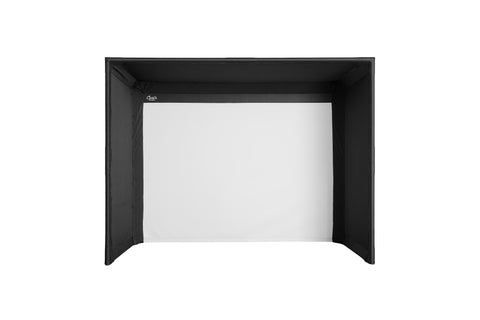


SimSpace Golf Simulator Enclosure
A complete hitting bay, sized to your room and up in under an hour.
Six sizes from 8'6" to 13'2" wide. SimSpace says two people put it up in 20 to 30 minutes and suggests about 9 ft 10 in of ceiling for a comfortable swing. We match the size, then the launch monitor, projector and mat around it.
Check it fits my roomIn the box: Impact screen (Platinum or UltraMAX Grey), frame and more
$1,799.99
SimSpace's recommended retail price.
Authorized SimSpace reseller. How to check
11'10" wide (3.6 m) / Platinum (standard)
$130 shipping to the contiguous U.S., one charge for every SimSpace item in the order. Sales tax, if any, is calculated at checkout from your delivery address.
Ships from SimSpace's U.S. warehouse.
Will it fit? Smallest size, from the maker's figures: a room 10 ft 2 in wide with a 9 ft 10 in ceiling; it takes up 6 ft 11 in of depth, plus room for your swing. Check your room
In stock, checked November 24. Ships from the maker's U.S. warehouse.
Estimated delivery: Dec 4 – Dec 11 · an estimate for an order placed today We order from the maker within 1 business day; the maker ships in 3–5 business days, then 2–5 business days in transit.
Questions about this product? Chat with us
Why buy it here
- Card: held, not charged, until SimSpace confirms your order. How it works
- Fit: send your room first for a written plan; if our plan says it fits and it doesn't, we make it right under our Perfect Fit promise.
- Help: every day, 8 AM–8 PM ET, weekends too.
- Problems: freight claims and returns go through us; you never chase SimSpace.
- Assembly
- Approx. 20–30 minutes with two people; easy to take down and move
- Frame
- Push-connect (Easy Connect) metal poles, with foam pole padding
- Not included
- Launch monitor, projector, hitting mat or computer
Complete this bay: a launch monitor, a mat and a projector.
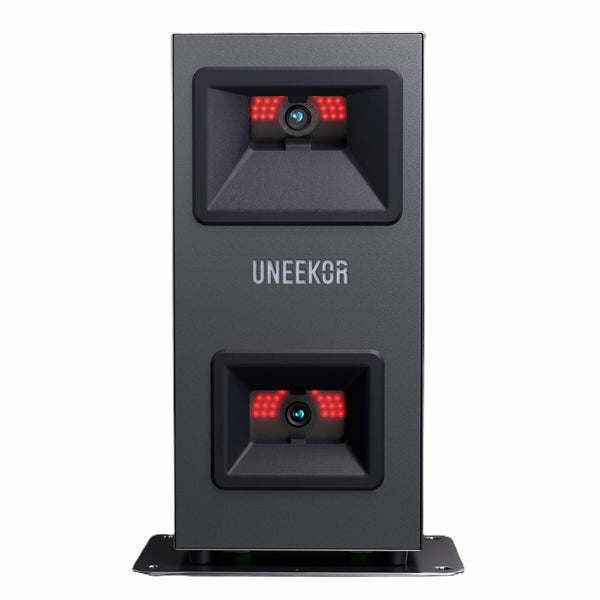
- Uneekor EYE MINI LITE, $1,699: sits on the floor beside the ball; Uneekor's room figure puts the tee 12 ft from the screen
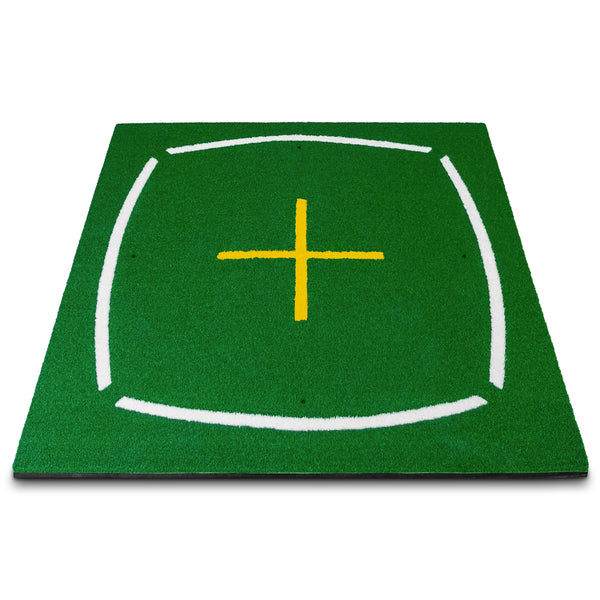
- Golf Hitting Mat - SimSpace Standard, from $249.99
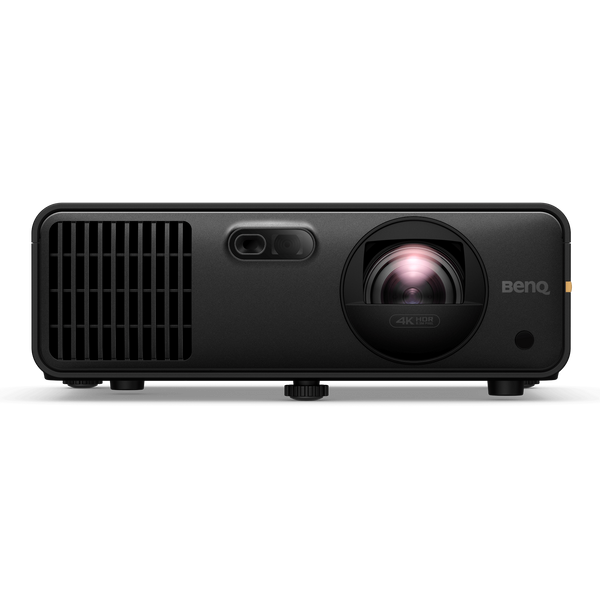
- BenQ AH500ST short-throw projector, $1,999: BenQ's pick for compact rooms; check the throw distance for your size
The enclosure plus these three: from $5,647.98 at today's prices (November 25), plus SimSpace's $130 shipping per order.
What you still need with this enclosure: a hitting mat, a launch monitor and a projector, plus a PC or tablet for the simulator software. The specs below list what's in the box.
Send us your room and we list every part that fits it in a written quote.
Which size fits your room?
Wall to wall where the enclosure stands. Each size needs its outer frame's width plus SimSpace's buffer of 20 cm (about 8 in) on each side.
Plan the space: Ceiling calculator · Tape it out on your floor · Installer job sheet· Room spec book
Gift tip: We have no holiday return terms from SimSpace, so ask us before you order it as a gift.
- Sold by ParVista Golf, an authorized SimSpace reseller.
- Usually dispatched within 3–5 days
- Returns: No set return window: only if SimSpace agrees in writing, case by case. Refund policy
The ParVista Buyer Promise
Nothing is charged until we confirm your order.
Checkout only places a hold on your card. If the maker can't supply it, the hold is released and you pay nothing.
The maker's warranty, late or damaged orders
- Shipped by the maker or its U.S. dealer. Warranty from SimSpace: 1 year on enclosures, impact screens, driving nets and hitting mats, case by case. For a warranty claim, email us your order number and photos or a short video, and we send it to the maker for you. Read SimSpace's full written warranty (opens in a new tab), or ask us for a free copy before you buy.
- Problems come to us. Freight claims, returns and warranty go through us. You never have to chase the brand. We open claims and returns with the brand within 1 business day and update you every 2 business days.
- Late? Cancel for a full refund. If the maker tells us your order will be late, we email you the new estimate, and you can cancel. Shipping policy
- Arrived damaged? Tell us within 48 hours. Email us photos within 48 hours of delivery and we take the claim to the maker. Delivery Day Guide
Talk to us: email, chat or text
We answer email 8 AM–8 PM Eastern, every day, usually the same day.EmailChatText (463) 426-9035


Secure checkout: your payment is processed by a PCI-compliant payment processor, so we never see or store your full card number.
A size check against the maker's published minimums, not a fit guarantee or a safety check. Your height, a left- and right-handed household, long clubs, beams, lights and the projector's spot can need more room, so we confirm with you by email before you order. Before you buy, swing your longest club slowly where you'll stand. Change room
Will it fit? A guided size check
Free room plan by email
Send your room's width, depth and ceiling height (a photo helps) and we'll email you a plan that shows how this fits, usually within one business day. No obligation. See a sample plan. Not measured yet? Use our checklist or print it as a PDF.
Perfect Fit promise: if our written plan says it fits your room and it doesn't, we swap it for the right size and pay the extra freight. Rather return it? Parcel items: we pay the return shipping and any restocking fee. Freight items: we pay up to 10% of the item's price (at least $300, at most $1,000) toward the restocking fee and return freight. The terms
Get my free room planFree setup help by email
Email the ParVista Team about assembly, calibration or software and we'll walk you through it in writing. If it's easier to show us, send photos or a short video. How it works
Questions? Text (463) 426-9035
Fitting out several bays for a venue, club or office? Get one quote for every bay, usually within one business day.
Questions about this product? Email support@parvistagolf.com
Is the SimSpace Golf Simulator Enclosure right for you?
- Best for
- A room 10 ft 2 in wide or more where you want a choice of screen: SimSpace offers white Platinum or UltraMAX Grey, which SimSpace says cuts ambient light. It puts up without tools.
- Not the best fit if
- Your room is narrower than 10 ft 2 in, or you can’t stand at least 10 ft back from the screen.
- Room it needs
- SimSpace asks you to stand 10 to 12 ft from the screen, and to leave at least 50 cm (about 20 in) behind the enclosure and 20 cm (about 8 in) each side. Check your room in 3D
- Full price in your room
- Golf simulator cost: complete setups priced part by part
Figures are the maker’s own. Send us your room’s width, depth and ceiling height and we’ll check the fit by email before you order.
The SimSpace Golf Simulator Enclosure is a golf simulator enclosure by SimSpace, from $1,699.99. It ships straight from SimSpace's U.S. warehouse to your door in the contiguous U.S.
Room fit: outer frames run from 8 ft 10 in to 13 ft 6 in wide and are 8 ft 6 in or 10 ft 2 in tall, depending on size; SimSpace asks for at least 8 in (20 cm) of space on each side and 20 in (50 cm) behind the enclosure, and says you typically need a ceiling of at least 3 m (about 9 ft 10 in).
The SimSpace Golf Simulator Enclosure turns a garage, spare room or studio into a home golf bay. A full impact screen sits inside a frame wrapped in black velour side and roof panels that help contain stray shots and keep stray light off the screen. Choose one of six sizes: four widths that are 8 ft 2 in tall and 4 ft 11 in deep inside, or two larger models that are 9 ft 10 in tall and 9 ft 10 in deep inside. Every size comes with the standard Platinum screen or the UltraMAX Grey high-contrast screen.
Choose your size
| Size | Inside (W × H × D) | Outer frame (W × H × D) | Screen ratio |
|---|---|---|---|
| 8'6" wide (2.6 m) | 8'6" × 8'2" × 4'11" (2.6 × 2.5 × 1.5 m) | 8'10" × 8'6" × 5'3" (2.7 × 2.6 × 1.6 m) | 1:1 |
| 9'10" wide (3 m) | 9'10" × 8'2" × 4'11" (3 × 2.5 × 1.5 m) | 10'2" × 8'6" × 5'3" (3.1 × 2.6 × 1.6 m) | 4:3 |
| 11'10" wide (3.6 m) | 11'10" × 8'2" × 4'11" (3.6 × 2.5 × 1.5 m) | 12'2" × 8'6" × 5'3" (3.7 × 2.6 × 1.6 m) | 4:3 |
| 13'2" wide (4 m) | 13'2" × 8'2" × 4'11" (4 × 2.5 × 1.5 m) | 13'5" × 8'6" × 5'3" (4.1 × 2.6 × 1.6 m) | 16:10 |
| 9'10" wide, 9'10" tall (3 × 3 m) | 9'10" × 9'10" × 9'10" (3 × 3 × 3 m) | 10'2" × 10'2" × 10'2" (3.1 × 3.1 × 3.1 m) | 1:1 |
| 13'2" wide, 9'10" tall (4 × 3 m) | 13'2" × 9'10" × 9'10" (4 × 3 × 3 m) | 13'6" × 10'2" × 10'2" (4.1 × 3.1 × 3.1 m) | 4:3 |
Room check: leave at least 20 in (50 cm) behind the enclosure and 8 in (20 cm) on each side as a buffer for ball impacts, so your room needs to be a little larger than the outer frame.
Choose your screen
- Platinum (standard): SimSpace's impact-absorbing projection screen, which cushions the ball and keeps noise down. 4K compatible.
- UltraMAX Grey: a high-contrast grey screen that deepens shadows and colour for a crisper image with 4K projectors. SimSpace describes it as a 3-layer construction with a sound-dampening foam layer.
Features
- Black velour side and roof panels: sound-dampening and non-reflective, and they help block ambient light
- Bungee cord and Velcro tensioning keeps the screen taut and secure
- Foam padding on the frame poles
- Click-lock frame with no screws or tools, numbered instructions and an online video guide
- Two people can put it up without tools; SimSpace quotes about 20–30 minutes for the UltraMAX version
- Easy to take down and move
- Made for home golf simulators with today's launch monitors and simulator software
What's in the box
- Impact screen (Platinum or UltraMAX Grey)
- Frame
- Black velour side and roof panels
- Bungee cords and Velcro fixings
- Foam pole padding
- Assembly instructions
Not included: launch monitor, projector, hitting mat or computer. For a launch monitor that mounts on the ceiling above the hitting area, see the VTrack DX10.
Questions and answers
Which size should I choose?
Measure your room's width, height and depth first. The four 8 ft 2 in tall sizes have outer frames 8 ft 10 in, 10 ft 2 in, 12 ft 2 in and 13 ft 5 in wide, all 8 ft 6 in tall and 5 ft 3 in deep. The two 9 ft 10 in tall models have outer frames 10 ft 2 in and 13 ft 6 in wide, both 10 ft 2 in tall and 10 ft 2 in deep. SimSpace asks for at least 8 in (20 cm) of space on each side and 20 in (50 cm) behind the enclosure.
How tall is it, and what ceiling do I need?
The outer frame is 8 ft 6 in tall on the four 8 ft 2 in sizes and 10 ft 2 in tall on the two 9 ft 10 in models, so your ceiling has to be higher than the frame you choose. SimSpace says you typically need a ceiling of at least 3 m (about 9 ft 10 in) to swing a club comfortably; our room size guide explains more.
Which projector shape does the screen need?
SimSpace's dimension drawings give each size's screen shape: square (1:1) on the 8'6" (2.6 m) and 3 × 3 m sizes, 4:3 on the 9'10" (3 m), 11'10" (3.6 m) and 4 × 3 m sizes, and 16:10 on the 13'2" (4 m) size. Choose a projector and setting that fill that shape; our projector guide covers throw distance.
What's the difference between the two screens?
Platinum is the standard impact screen. UltraMAX Grey is a high-contrast grey screen for a crisper picture with 4K projectors, and it costs more in each size (the price shows when you choose it).
How long does assembly take?
The click-lock frame needs no tools, and two people can put it up. SimSpace quotes about 20–30 minutes for the UltraMAX version.
Can I return it?
Only if SimSpace agrees in writing beforehand; each request is reviewed case by case. Damage in delivery must be reported within 48 hours, with photos.
When will it ship?
SimSpace usually dispatches within 3–5 days from its U.S. warehouse, depending on stock.
Specs and room
Quick facts
- Made by
- SimSpace · Authorized SimSpace reseller
- What's included
- Black velour siding, 4K impact screen, metal poles, bungee cords and Velcro straps, foam padding tubes, installation guide
- You'll also need
- Hitting mat and launch monitor
- Room needed
- Room width from 10 ft 2 in (122 in); ceiling from 9 ft 10 in (118 in); depth it takes up from 6 ft 11 in (83 in). Full specs · check your room in 3D
- Ships from
- SimSpace's U.S. warehouse, to the contiguous U.S.
Room requirements and full specs
Figures from SimSpace. Rows that depend on a size or material follow the option you choose.
| Frame (W × H × D) | 12'2" × 8'6" × 5'3" (3.7 × 2.6 × 1.6 m) |
|---|---|
| Minimum room width | 13 ft 6 in (162 in) |
| Depth the enclosure takes up | 6 ft 11 in (83 in) |
| Minimum ceiling height | 9 ft 10 in (118 in) |
The outer frame plus SimSpace's 20 cm each side and 50 cm behind (8 in and 20 in), and its 3 m (9 ft 10 in) ceiling for a comfortable swing, or the frame height if taller. Add room in front to hit from.
| Frame | Push-connect (Easy Connect) metal poles, with foam pole padding |
|---|---|
| Surround | Black velour side and ceiling panels that Velcro to the impact screen |
| Assembly | Approx. 20–30 minutes with two people; easy to take down and move |
| Rebound | Bungee tension system reduces bounce-back while the screen absorbs the impact |
|---|---|
| Noise | Foam sound-dampening layer helps reduce noise and absorb ball impact |
| Mounting | Velour Velcro edging sewn round the screen, held taut by bungee cords sized to the screen |
| Screen material | Platinum 3-layer white screen, finely knitted, with a foam sound-dampening layer |
| Projection | 4K white screen, finely knitted for clear 4K projection; SimSpace says white is brighter in dark spaces |
| Screen size | 3.4 × 2.3 m (W × H) |
| Tee to screen | Stand at least 10–12 ft from the screen, for safety and less bounce-back |
|---|---|
| Ceiling for a full swing | SimSpace says you typically need a minimum height of 3 m (about 9 ft 10 in) to swing a club comfortably |
| Included | Black velour siding, 4K impact screen, metal poles, bungee cords and Velcro straps, foam padding tubes, installation guide |
|---|---|
| Not included | Hitting mat and launch monitor |
Specs from SimSpace's own product information.
Ask us for anything not listed: support@parvistagolf.com
Video from SimSpace
Independent reviews of this product
Reviews of the product by independent reviewers, not reviews of our store.
Shipping and returns
Damaged or faulty on arrival: no fees. Other returns only if SimSpace agrees in writing first, case by case, with a handling fee. Refund policy
What happens after you order
Your order confirmation
An order confirmation email comes from us as soon as you check out. It means we've received your order; we haven't charged your card yet.
We place your order with the maker
We place it with the maker, or the U.S. dealer that supplies it, within one business day and email you when we do.
Tracking by email
It ships from the maker's or dealer's U.S. warehouse, and we email you the tracking details as soon as the maker or our supplier sends them. You can check your order any time from the View your order link in your email, no account needed (Track your order).
Delivery and a 48-hour check
It's delivered to your door, garage or curb. Check it when it arrives, and if anything is damaged, email us photos within 48 hours of delivery and keep the packaging; we take the claim to the maker.
Shipping
Ships directly from SimSpace's U.S. warehouse to the contiguous United States. SimSpace usually dispatches within 3–5 days, depending on stock; that's an estimate, not a guarantee. Orders arrive without prices or invoices in the box, and we'll pass on any tracking details SimSpace sends us.
Returns and damage
SimSpace items bought from ParVista Golf have no automatic return window. A return is possible only when SimSpace agrees to it in writing beforehand, and each request is reviewed case by case. If SimSpace agrees to take back an item that isn't faulty, it charges a handling fee, which we'll tell you before you send anything, and you pay the cost of shipping it back. Please check your delivery when it arrives and tell us about any damage within 48 hours of delivery, with photos of the packaging and the product. See our Refund Policy.
Warranty
1-year SimSpace warranty on the enclosure and impact screen, subject to use. It's SimSpace's standard warranty, and SimSpace has confirmed it covers customers who buy through us. Claims go through us: send us photos of the problem and your order number, and we'll take it up with SimSpace, which reviews each claim case by case.
Save, share or email this
Email this to me
Thanks. We'll email you the SimSpace Golf Simulator Enclosure link: the same day between 8 AM and 8 PM ET, otherwise the next morning. Questions about it? Just reply to that email.
You also asked for our price and stock emails, so those will come to you too. Every one has an unsubscribe link.
Want it right now? Open it in your own email app and send it to yourself.
Your room checklist
What the maker's figures say this needs:
- Room width from 10 ft 2 in (122 in)
- Ceiling from 9 ft 10 in (118 in)
- Depth it takes up from 6 ft 11 in (83 in)
- Measure the ceiling height where you'd swing, at the lowest point (beams, lights, a garage door track).
- Measure the width, wall to wall, where the screen or net would go.
- Measure the depth, from that wall to the back of the space.
Reply to our email with the three numbers and we'll check the fit. How to measure
Tell me if an offer includes this
Thanks, you're signed up. If an offer here includes the SimSpace Golf Simulator Enclosure, we'll email you when it's listed. Current offers are on our Offers page.
What's in the box
SimSpace's own list.
- 1Black velour siding
- 14K impact screen
- 1Metal poles
- 1Bungee cords and Velcro straps
- 1Foam padding tubes
- 1Installation guide
Not included
- Hitting mat and launch monitor Launch monitors
- Setup time
- About 20 to 30 minutes
- People
- Two
- Cartons
- Carton sizes and weights aren't published by SimSpace. Tight stairs or a narrow door? Ask us before you order and we ask the maker.
Source: simspacegolf.com, read by us. Makers change their boxes; if a part matters to you, ask us and we confirm it with SimSpace.
After you order: your setup page
Every step for this SimSpace item in order, with the maker's own figures and documents, and two buttons for delivery damage and setup questions. Open it now, or keep it for when it arrives.
- Unbox and check
- Put it together
Questions buyers asked us
Real questions from buyers' emails and messages, reworded without names, with the answers we gave.
Our hardest hitters swing 110 to 120 mph and more. Will the screen take it?
SimSpace doesn't publish a ball-speed rating for this screen. Tell us your fastest swing speeds and we'll ask SimSpace before you order.
Asked
We'd put it up and take it down around other classes. How long does that take?
SimSpace quotes about 20 to 30 minutes with two people. It goes together on push-connect metal poles, and SimSpace says it's easy to take down and move.
Asked · source: simspacegolf.com
Could you come and measure the room?
We don't make visits. Send us the room's width, depth and ceiling height, with a photo or two, and we reply with a plan for it. Send us the room
Asked
If it doesn't work for us, can we return it?
The SimSpace terms: No set return window: only if SimSpace agrees in writing, case by case. Every return needs approval first, so ask us before you send anything back.
Ask your own question
Thanks, your question is with us. We'll reply by email.
Questions about this product
How far from the screen should I hit?
SimSpace asks you to stand at least 10 to 12 ft from the screen, for safety and less bounce-back. Measure it from the screen itself, not from the front of the frame: the screen hangs inside the enclosure, so the enclosure's own depth is part of that distance, not added to it. Then allow room behind the ball for your backswing.
How much space does the enclosure need around it?
SimSpace asks for at least 20 in (50 cm) behind the enclosure and 8 in (20 cm) on each side, as a buffer for ball impacts. With that space, the smallest size needs a room at least 10 ft 2 in wide, and the four 8 ft 2 in tall sizes take up 6 ft 11 in of floor depth before you add your hitting distance.
Does it come with a hitting mat or a launch monitor?
No. The box holds the black velour siding, the impact screen, the metal poles, bungee cords and Velcro straps, foam padding tubes and the installation guide. A hitting mat and a launch monitor are bought separately.
Can I take it down and put it up somewhere else?
Yes. SimSpace builds it on push-connect metal poles and says it's easy to take down and move; two people put it up in about 20 to 30 minutes.
How loud is it when the ball hits the screen?
SimSpace says the screen's foam sound-dampening layer helps reduce noise and absorb the ball's impact, and its bungee tension system reduces bounce-back.
What warranty does it have?
SimSpace's standard 1-year warranty on the enclosure and impact screen, subject to use. SimSpace has confirmed it covers customers who buy through us. Claims go through us: send us photos of the problem and your order number.
Complete your room
The other parts of a simulator room around it, each at its own price. Check the sizes together in the room builder, or ask us to match them to your room.
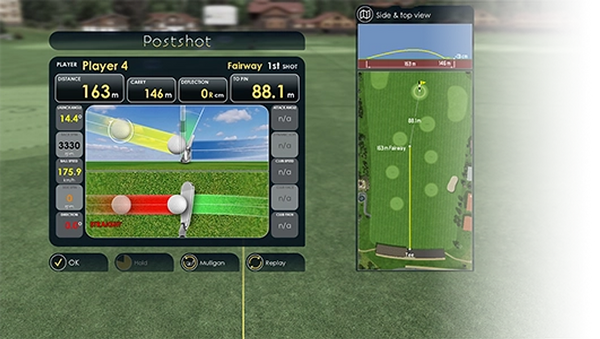
Finish the room
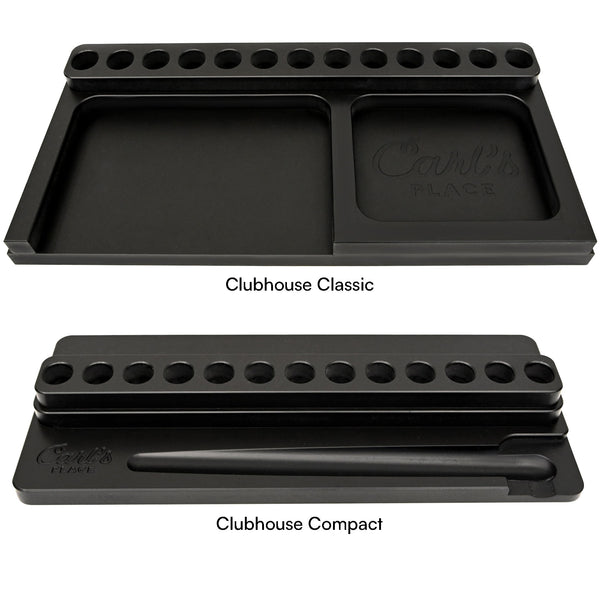
Covers, curtains and sound panels that finish the space around it, each at its own price today.
Carl's Place
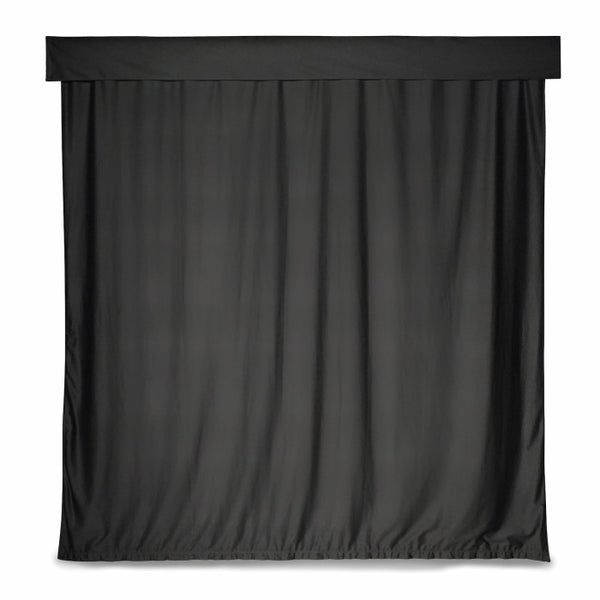
Carl's Place Golf Room Curtain
From $276.25, Carl's Place regular price
$325Free shipping
Who you're buying from
- Seller
- SUHAIB COMMERCE LLC, doing business as ParVista Golf. Company details
- Reach us
- support@parvistagolf.com or text (463) 426-9035. We reply by email, usually the same day.
- Returns (SimSpace)
- No set return window: only if SimSpace agrees in writing, case by case Refund policy
Related products
- SimSpace SLIM Golf Simulator Enclosure with Side Netting
- Carl's Place Pro Golf Simulator Enclosure Kit with Impact Screen
- GolfBays EasySim Golf Simulator Enclosure
- Elite Screens Golf Portable Pro Folding Golf Simulator Screen and Enclosure
- Carl's Place DIY Golf Enclosure Kit with Impact Screen
- GolfBays SimBox Golf Simulator Enclosure
- All SimSpace products
Recently viewed
Planning the room around it?
See it at its real size in a finished room in the 3D showroom, or send us your room's measurements and we'll reply by email.
Send us your room size
Your room's width, depth and ceiling height, and we reply by email with what fits around the SimSpace Golf Simulator Enclosure. Free, and nothing to buy.