
On this page · 11 sections
What does a Bushnell Launch Pro need around it?
Bushnell's manual says to stand the Launch Pro upright about 2 ft from the hitting area, with the ball on the ground in front of it, and on a mat to raise the unit to the same level as the hitting surface. Its buyer's guide asks for 13 ft of depth to track ball flight indoors, at least 6 ft of width and enough ceiling height to swing safely.
Bushnell describes a three-camera system with infrared and a 7 × 10 in hitting zone. We don't sell the Bushnell Launch Pro, and we aren't a Bushnell dealer. The Bushnell Launch Pro figures on this page come from its maker's own published pages; the products we point to are ones we do sell, with their makers' own figures.
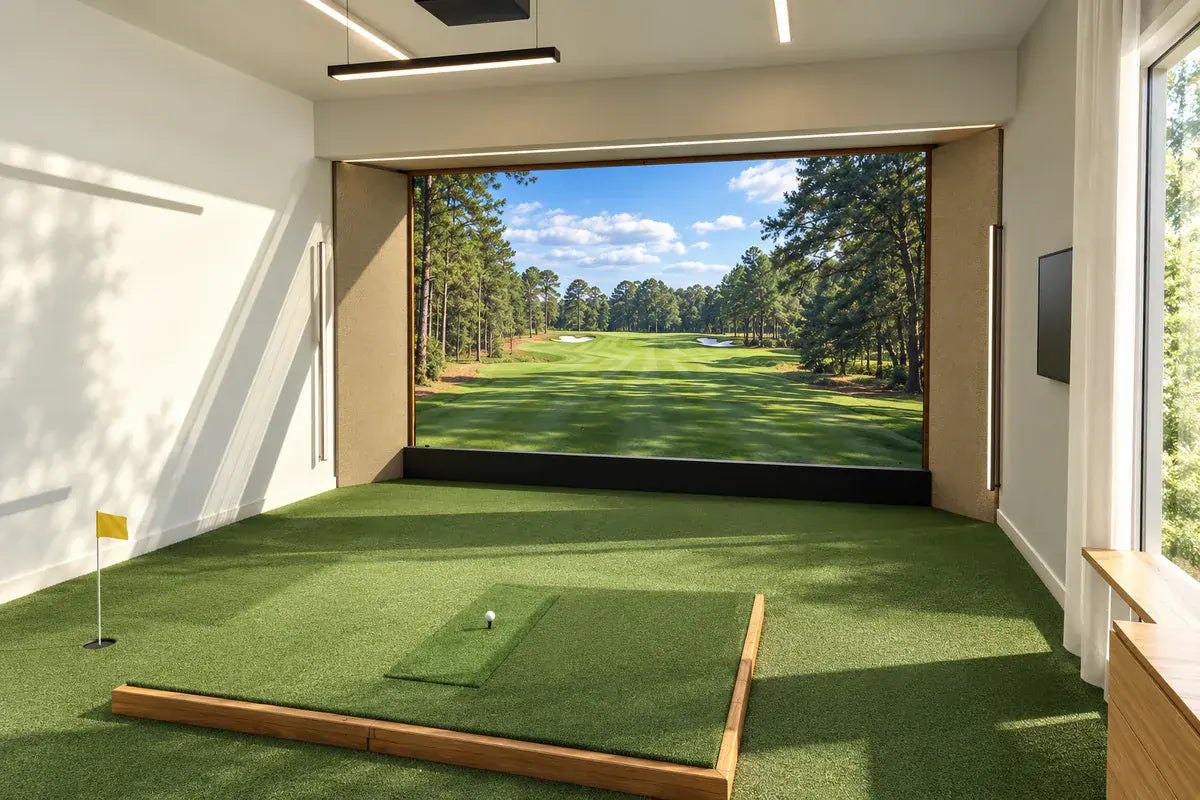
To make it a Bushnell golf simulator you add a net or screen, a mat and a projector. We don't sell the Launch Pro. We sell what goes around it.
Some people call it the BLP launch monitor. It's a Bushnell golf launch monitor that we don't sell.
Plan the room around your Bushnell Launch Pro
Already have the Bushnell Launch Pro? Start the Room Advisor from it: give your room's ceiling, width and depth and it checks the Bushnell Launch Pro against its maker's figures (13 ft of depth to track ball flight indoors), then puts an enclosure and screen, a projector and a mat around it at today's prices. The tape-out sheet draws the same layout to scale for your floor.
- Room Advisor, starting from your Bushnell Launch Pro
- Get my room spec book: six printable pages for your room: floor plan, side view, parts at today's prices and setup
- Tape-out floor template: the frame, the ball and the launch monitor spot, to scale
- Ceiling calculator: your height, your mat, your ceiling
Bushnell's figures, and what to add
Bushnell's 6 ft of width is for the launch monitor; your swing needs more.
| Measurement | Figure | Whose figure |
|---|---|---|
| Unit placement | Upright, about 2 ft from the hitting area, level with the hitting surface | Bushnell |
| Depth to track ball flight | 13 ft | Bushnell |
| Width | At least 6 ft | Bushnell |
| Room width for a full swing | At least 10 ft; 14 ft with a centered tee for right- and left-handed golfers | Carl's Place |
| Ceiling | At least 2.8 m (9.2 ft), ideally 3 m | GolfBays, for its SimBox |
| Whole room, camera launch monitor | 4.5 m (about 14.8 ft) deep | GolfBays, for its SimBox |
| Tee to screen | At least 10–12 ft | Carl's Place |
The Launch Pro has a left- and right-handed mode in its Quick Settings, but the unit still has to move to the other side of the ball, so a shared room needs space on both sides of the hitting area.
Getting the height right on a mat
Bushnell is specific: put the unit on the same level hitting surface as the ball, with nothing blocking the cameras. Below the hitting surface causes ball-lock and accuracy problems, and if club markers are being missed, the unit may be too low; Bushnell suggests raising it 1–1.5 in above the ball.
With a 1¾ in mat such as Real Feel's Country Club Elite or Carl's HotShot, the simplest answer is a mat large enough for the unit to sit on beside you. HotShot comes 5 × 8 ft with an offset hitting area and 6 × 10 ft with a centered one; Real Feel's Country Club Elite runs up to 5 × 15 ft. A HotShot mat base in EPDM rubber stops a mat sliding.
Light, dust and humidity
Bushnell says light glinting off shiny club faces can make the cameras miss club markers, and suggests dimming the lights indoors. An enclosure with dark side panels helps: SimSpace's enclosures have black velour sides and ceiling that block outside light, and SimSpace's blackout screen blocks light from windows, doors and room lighting behind the impact screen.
Bushnell's manual also says not to use the Launch Pro where there's high humidity, smoke or dust. For a garage, BenQ suggests a projector with a sealed light engine; it lists the AK700ST's engine as IP5X dustproof and rated for 32 to 104°F.
Enclosures that fit
What we sell, with each maker's size and clearance.
| Product | Size the maker gives | Clearance the maker asks for |
|---|---|---|
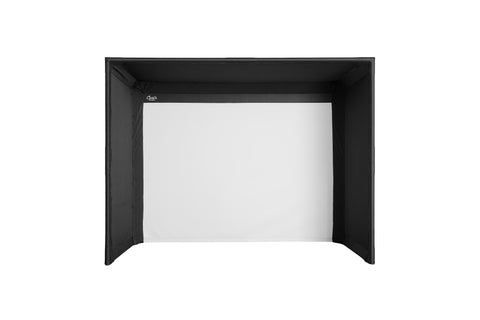
| SimSpace Deluxe Home Golf Practice Net with the Driving Net Impact Screen | Frame 2.5 × 2.5 × 0.91 m (about 8 ft 2 in square, 3 ft deep) | 50 cm behind, 20 cm each side |
| SimSpace Golf Enclosure | Six sizes, inner frame 2.6 × 2.5 × 1.5 m to 4.0 × 3.0 × 3.0 m | 50 cm behind, 20 cm each side |
| GolfBays SimBox | Seven sizes, 8'6 × 8'2 × 4'11 to 13'2 × 9'10 × 9'10 | Room at least 2.8 m (9.2 ft) high and 3 m (9.8 ft) wide |
| Carl's Place DIY Golf Enclosure Kit | Six sizes, 100–163.3 in wide, 95.8–112 in tall, 59.125 in deep | 12 in behind recommended, 8.25 in minimum |
| HomeCourse ProScreen 180 | Retractable; for a space of 8'6 H × 10' W × 8' D | 6 in from the ceiling, 18 in from the wall |
Take Bushnell's 13 ft of depth, or Carl's Place's 10–12 ft from tee to screen, and add the space behind you and the gap behind the screen; check your own numbers with our room size guide.
Screen size and projector
BenQ groups its golf projectors by screen height: the AH500ST and LK830ST for compact spaces; the AK700ST, AK800ST and AH700ST for 8.5–9.5 ft; and the AK900ST and LK936ST above 9.5 ft. For 8.5–9.5 ft screens, BenQ suggests 4,000 to 5,000 lumens with auto setup.
BenQ says to mount it just behind and above the hitting area. Our throw distance calculator gives the distance for your screen.
Software: check before you buy
Bushnell says club data needs a software subscription, that its Gold plan is required for third-party software (bought separately), and that a gaming PC is needed for Foresight's Premier software.
Creative Golf, which we sell, lists Foresight's GC2, GC3, GCQuad and GCHawk, but not the Bushnell Launch Pro by name, so we don't claim it works with one. If you want to try it, ask us first and we'll put the question to Creative Golf in writing.
Today's prices, shipping, returns and warranty
Read live from our store and our policies each time this page loads.
| Product | Price today | How to buy | Ships from | Returns | Warranty |
|---|---|---|---|---|---|
| Golf Hitting Mat - Carl's Place HotShot Golf Mat System | From $499.95 | Add to cart | Milton, Wisconsin (made to order) | 30 days from delivery, like-new; a 30% restocking fee if it's been used; you pay the return shipping | A defective part replaced free within 30 days of delivery; normal wear isn't covered (Carl's Place treats its products as wearable) |
| Carl's Place HotShot Golf Mat Base | From $425 | Add to cart | Milton, Wisconsin (made to order) | 30 days from delivery, like-new; a 30% restocking fee if it's been used; you pay the return shipping | A defective part replaced free within 30 days of delivery; normal wear isn't covered (Carl's Place treats its products as wearable) |
| Golf Hitting Mat - Real Feel Country Club Elite | From $287 | Add to cart | Real Feel Golf Mats | 90 days from delivery; the return shipping is taken from the refund | 3-year prorated limited warranty on the full-size mats, when rotated properly |
| SimSpace Golf Simulator Enclosure | From $1,699.99 | Add to cart | SimSpace's U.S. warehouse | No set return window: only if SimSpace agrees in writing, case by case | 1 year on enclosures, impact screens, driving nets and hitting mats, case by case |
| SimSpace Velour Blackout Screen | From $259.99 | Add to cart | SimSpace's U.S. warehouse | No set return window: only if SimSpace agrees in writing, case by case | 1 year on enclosures, impact screens, driving nets and hitting mats, case by case |
| GolfBays SimBox Golf Simulator Enclosure | From $1,399.30 | Add to cart | Clearwater, Florida | 30 days from the order date; GolfBays may charge a restocking fee, at least 15% on large items such as enclosures; you pay the return shipping unless GolfBays sends a free label | 9 months on the PRO+ impact screen, 6 months on GolfBays' other screens |
| Carl's Place DIY Golf Enclosure Kit with Impact Screen | From $849.96 | Add to cart | Milton, Wisconsin (made to order) | 30 days from delivery, like-new; a 30% restocking fee if it's been used; you pay the return shipping | A defective part replaced free within 30 days of delivery; normal wear isn't covered (Carl's Place treats its products as wearable) |
| BenQ AK700ST 4K Laser Short-Throw Golf Simulator Projector | $2,899 | Add to cart | BenQ America | 30 days from delivery; you pay the return shipping, plus a 15% restocking fee if the box has been opened | 3-year limited warranty, parts and labor |
| BenQ AH500ST 1080p Laser Short-Throw Golf Simulator Projector | $1,999 | Add to cart | BenQ America | 30 days from delivery; you pay the return shipping, plus a 15% restocking fee if the box has been opened | 3-year limited warranty, parts and labor |
| HomeCourse ProScreen 180 Retractable Golf Screen | $2,299 | Sold out | HomeCourse's Florida warehouse, by FedEx | 30 days from the order date, with HomeCourse's approval; a 15% restocking fee; you pay the return shipping | 1 year on the ProScreen 180 and its accessories |
Prices and stock are read live from our store each time this page loads, at each maker's advertised price. Taxes and any shipping charge show at checkout; the full terms are on each product page and in our refund policy.
Related guides
More on the parts around a launch monitor.
- Golf simulator room size: dimensions and space you need
- How to choose a golf simulator enclosure
- Golf simulator hitting mats
- Golf simulator projector throw distance calculator
- Golf simulator software
- Upgrade your golf simulator
- Measure your room: the checklist
- TrackMan, Foresight, SkyTrak and Full Swing alternatives
Products in this guide
- Real Feel Country Club Elite Golf Mat
- Carl's Place HotShot Golf Mat System
- Carl's Place HotShot Golf Mat Base
- SimSpace Deluxe Home Golf Practice Net
- SimSpace Driving Net Impact Screen with 20 Bungee Cords
- SimSpace Golf Simulator Enclosure
- GolfBays SimBox Golf Simulator Enclosure
- Carl's Place DIY Golf Enclosure Kit with Impact Screen
This guide names 7 more; see the links in the text above.
Sources
- Bushnell Golf, Launch Pro User Manual (PDF linked from Bushnell's Launch Pro page) (read 2026-11-01): Bushnell's Launch Pro user manual says to place the Launch Pro upright approximately 2 ft away from the hitting area and, on a hitting mat, to raise it to the same level as the hitting surface, with the ball on the ground in front of it; the Quick Settings screen switches between left- and right-handed modes; the manual says not to use it where high humidity, smoke or dust is present, and lists it as 6 × 6.2 × 12 in and 5 lb (2.3 kg)
- Bushnell Golf, Launch Pro Buyer's Guide (read 2026-11-01): Bushnell's Launch Pro buyer's guide says that to use the Launch Pro indoors you need 13 ft of depth to track ball flight, at least 6 ft of width, and enough ceiling height to swing your club safely
- Bushnell Golf, Launch Pro (read 2026-11-01): Bushnell's Launch Pro page describes an auto-calibrating three-camera system with infrared, gives a 7 × 10 in hitting zone, says club data requires a software subscription and that its Gold plan is required for third-party software (bought separately), lists a gaming PC as required for Foresight's Premier software and not included, and gives a one-year limited warranty against defects in materials and workmanship
- Carl's Place, Measuring Your Space For An Indoor Golf Simulator: Carl's Place recommends a room at least 10 ft wide for indoor golf, and at least 14 ft wide if the tee is centered to accommodate both right- and left-handed golfers; with less width, it says you can offset the tee.
- GolfBays, SimBox Golf Simulator Enclosure (FAQ): For comfortable swings with any club, GolfBays recommends a ceiling of at least 2.8 m (9.2 ft), ideally 3 m (9.8 ft), and a width of at least 3 m (9.8 ft).
- GolfBays, SimBox Golf Simulator Enclosure: On its SimBox page GolfBays recommends a room depth of 4.5 m for photometric (camera) launch monitors and 5 m (16.4 ft) for radar-based ones, says the SimBox screen and enclosure withstand ball speeds of over 200 mph, lists it for indoors and outdoors, and notes that astroturf grass isn't included in the SimBox bundle (read Oct 31, 2026).
- Carl's Place, How to Choose the Best Golf Simulator Enclosure Size: Stand at least 10–12 ft from the screen; golfers who stand closer than 10 ft get more bounce-back and a higher risk of injury.
- Bushnell Golf, Launch Pro (FAQ) (read 2026-11-01): Bushnell's Launch Pro FAQ says to place the unit on the same level hitting surface as the ball with nothing blocking the cameras, that placement below the hitting surface causes ball-lock and accuracy issues, that missed club markers can come from the unit sitting too low (raise it 1 to 1.5 in above the ball) or from light glinting off shiny club faces (indoors, try dimming the lights), and recommends premium golf balls
- Real Feel Golf Mats, Country Club Elite (Real Feel's product details for our listing): Real Feel's Country Club Elite mat has a 1 in nylon-blend pile on a 5/8 in high-density foam backing (1¾ in in all), takes a real wooden tee and comes in sizes from 3 × 4 ft to 5 × 15 ft; Real Feel says the 3 × 4 and 4 × 4 ft sizes won't let most golfers hit driver, that driver typically needs 5 ft heel to toe, and that its mats can measure up to 1 in more or less than the listed size.
- Carl's Place, Carl's HotShot Golf Mat System: Carl's Place sells the HotShot mat 1¾ in thick in 4 × 5 ft and 5 × 8 ft (offset hitting area) and 4 × 9 ft and 6 × 10 ft (centered hitting area); it says the optional EPDM rubber base stops the mat shifting during powerful swings and adds cushioning to protect your joints, and calls its Foam Divot insert the most forgiving option on your joints.
- Carl's Place, Carl's HotShot Golf Mat Base: Carl's Place's HotShot mat base, made of EPDM rubber, keeps HotShot and other hitting mats from sliding and adds cushioning; it is modular, joined with bowtie connectors, with corner pieces 24.5 × 24.5 × 1.75 in, side pieces 24.5 × 12 × 1.75 in and middle pieces 12 × 12 × 1 in (thinner because they have no lip).
- SimSpace Golf, SimSpace Golf Enclosure: SimSpace lists its Golf Enclosure in six sizes, with inner frames from 2.6 × 2.5 × 1.5 m (SIM 1) to 4.0 × 3.0 × 3.0 m (SIM 6) (W × H × D); it has black velour side and ceiling panels that help contain stray shots and block outside light, and a 3-layer Platinum impact screen with a foam sound-dampening layer, and SimSpace asks for at least 50 cm behind and 20 cm on either side as a buffer for ball impacts (read Oct 31, 2026).
- SimSpace Golf, SimSpace Golf Enclosure Blackout Screen: SimSpace says its blackout screen sits behind the impact screen in a SimSpace enclosure, blocks light from windows, doors and room lighting coming in from behind, reduces glare and improves projection clarity and contrast, fits all six SimSpace enclosure sizes and attaches with the enclosure's own bungee cords.
- BenQ, What Are the Best Projectors for a Garage Golf Simulator?: For a garage, BenQ suggests a projector with a sealed light engine to keep dust out, and one that performs reliably in both hot and cold environments.
- BenQ, AK700ST 4K Laser Golf Simulator Projector: On its AK700ST page BenQ says Auto Screen Fit detects and adjusts to an impact screen's aspect ratio (16:9, 16:10, 4:3 and 1:1) and needs at least 2.5 in (6 cm) of black border for its camera to capture the screen, and supports gray impact screens; that the short-throw lens and low offset let the projector sit behind the golfer, out of the swing path; that its motorized lens and 1.2x optical zoom suit impact screens up to 10 ft high; and that its IP5X dustproof sealed engine runs from 32 to 104°F with no filter to replace.
- SimSpace Golf, SimSpace Practice Net + Impact Screen: SimSpace's Practice Net + Impact Screen page gives the standard net's frame as 2.5 × 2.5 × 0.91 m (W × H × D) with 3 m of side netting, and the wide net's frame as 3 × 2.5 × 0.91 m; it says to leave at least 50 cm behind and 20 cm on either side as a buffer for ball impacts, and calls all measurements estimates (read Oct 31, 2026).
- SimSpace Golf, SimSpace Driving Net Impact Screen + 20 Bungee Cords: SimSpace describes its Driving Net Impact Screen as a finely knitted, single-layer fabric with a smooth projection surface, 4K-ready, designed to match its standard and wide practice nets and also usable on its own on a custom-built frame, with 20 bungee cords that go through eyelets placed for even tension (read Oct 31, 2026).
- GolfBays, SimBox Golf Simulator Enclosure: GolfBays sells the SimBox in seven sizes (W × H × D) from 8'6 × 8'2 × 4'11 to 13'2 × 9'10 × 9'10; its box list names aluminum poles, a black velvet surround, a triple-layer HD PRO+ impact screen and an instruction manual, and its features list click tubing that assembles in about 45 minutes with no screws or tools and folds down for storage.
- Carl's Place, DIY Golf Simulator Enclosure Kit Specifications (PDF): Carl's Place's DIY enclosure spec sheet lists six standard sizes with outer frames 100 to 163.3 in wide and 95.8 to 112 in tall, all 59.125 in deep from screen to front frame and 67.375 in in footprint depth (the backset rear fitting adds 8.25 in), with 1:1, 4:3 and 16:9 screens; it calls listing sizes simplified names, says to verify the actual outer dimensions, and quotes a 1 hour assembly.
- Carl's Place, Back Cover Kit for DIY Enclosure (read 2026-11-01): On its DIY enclosure back cover kit page, Carl's Place says to leave buffer space behind the enclosure: 12 in at the rear is recommended, and at least 8.25 in is required to fit the rear fittings
- HomeCourse Golf, ProScreen 180: HomeCourse says the ProScreen 180 mounts on a ceiling, a wall or its Pro Rack and turns a space of 8'6 H × 10' W × 8' D into a golf setup; it needs at least 6 in from the ceiling and 18 in from the wall, measures 10'6 wide with the Pro Arms extended, comes with 10 to 12 ft front to back recommended, and lets you fold out one or both Pro Arms, closing one for right- or left-handed golfers.
- BenQ, Golf Simulator Projectors: BenQ groups its golf projectors by space: the AK900ST and LK936ST for large spaces (over 9.5 ft in height), the AK800ST, AK700ST and AH700ST for medium spaces (8.5–9.5 ft in height), the AH500ST and LK830ST for compact spaces such as basements and garages, and the AH30ST as its value model.
- BenQ, Golf Simulator Projector Buying Guide (read 2026-11-01): BenQ's golf projector buying guide says that for a screen between 8.5 and 9.5 ft high, a projector with 4,000 to 5,000 lumens and auto setup functions lets you switch aspect ratios at the push of a button; that these laser projectors are lamp- and filter-free; and that they have a dedicated Golf Mode with near-perfect Rec.709 color accuracy
- BenQ, Golf Simulator Projector Buying Guide: BenQ says most home simulators want a short-throw projector, with a throw ratio around 1.0 or less, and that the best mounting position is just behind and above the hitting area, far enough from the screen to avoid being hit; for smaller setups a 4:3 or square picture gives the most hitting-zone coverage, native 4:3 projectors have lower resolution, and a 16:9 or 16:10 projector can project a 4:3 picture. It suggests lens shift, or keystone correction, where the projector sits far off center.
- BenQ, Measure Ideal Screen Size and Projection Distance for Your Golf Simulator (Sep 15, 2026): BenQ says throw distance is how far the projector must sit from the screen to make a given picture size, and gives throw ratio = throw distance ÷ image width; for a 16:9 projector showing a 4:3 or 1:1 picture, throw ratio = (throw distance × 0.5625) ÷ image height, and × 0.6277 for a 16:10 projector. Its example: a 16:9 projector with a 0.8 throw ratio making a 14 ft wide picture sits about 11.2 ft from the screen. It says golf simulator projectors commonly use throw ratios from 0.5 to 1.1, calls 0.69–0.89 a practical balance for standard home setups that typically lets the projector sit 2–3 ft behind the hitting area, and says ratios around 0.5 can suit smaller rooms.
- Creative Golf, Devices (read 2026-11-01): Creative Golf's device list says Creative Golf Advanced and Golfisimo work with Garmin's Approach R10 and R50: the R10 is placed behind the tee and connects to the PC through the free Creative Golf Garmin Connecter app on a phone or tablet, and the R50 is placed next to the ball and connects over home Wi-Fi with no extra software or hardware; the list also names Uneekor, FlightScope (including Mevo+ and Gen2), ProTee VX, Foresight's GC2, GC3, GCQuad and GCHawk, GOLFJOY, Sweetspot, GSA Golf, iTrack, NVISAGE, Square Golf and NeoPace, and doesn't name SkyTrak, Rapsodo or Bushnell
How this guide was made: ParVista Golf compiled it from manufacturers' published requirements and the public sources listed above. Requirements for a specific product always come from its manufacturer.


