On this page · 11 sections
What does a golf instructor need from a simulator?
For teaching, the launch monitor matters more than the screen. Most launch monitors report ball speed, launch angle, spin and carry, but club data depends on the technology, and club data is what a lesson runs on: path, face angle, attack angle and face to path. After that comes a room with space for you beside the student, swing video next to the numbers, and a setup that doesn't have to move when a left-handed student steps in.
Before you buy anything, send us your studio's width, depth and ceiling height and we'll send a free written room plan for the bay.
The club numbers each launch monitor lists
Each maker's own list, for the launch monitors we sell. Several need club stickers for club data, so keep a sheet in the bay.
| Launch monitor | Club data the maker lists | Notes |
|---|---|---|
| Uneekor EYE XO2 (overhead) | Club path, club speed, smash factor, impact point, face angle, attack angle, face to path, dynamic loft, lie angle | Club Optix impact video; club stickers recommended for club data |
| TruGolf APOGEE (overhead) | Club head speed, angle of attack, club face angle, club path; dynamic loft and lie with club head stickers | TruGolf says it reads club and ball data without marked clubs or special balls |
| SwingCraft VTrack (overhead) | 23 data points per shot | No markers or stickers |
| GOLFJOY Spica 3 (floor) | With club stickers: club speed, smash factor, attack angle, club path, low point | Battery, built-in touch screen; indoors and outdoors |
| Uneekor EYE MINI LITE (floor) | Club speed, smash factor, club path, attack angle | Club Optix impact video; indoor only; needs a PC |
| FlightScope Mevo Gen2 with the Pro Package (behind the ball) | Club path, face to path, face to target, dynamic loft, swing plane, low point and more, with the Pro Package | The Pro Package is a software add-on with no subscription |
| AccuGOLF Hawkeye (overhead) | Ball speed and launch angle measured directly; spin calculated by AccuGOLF's algorithm | Built for right- and left-handed golfers |
No maker publishes an accuracy figure we can compare like for like, so we don't rank these on accuracy. Choose by the club numbers you teach with and the room you have. Our swing analyzer vs launch monitor guide explains what a launch monitor adds over a swing camera alone.
Camera or radar for a teaching bay
Radar units sit behind the ball and need ball flight in front of them; camera units sit beside or above the ball and read impact directly. That changes the room. Radar units want about 8 ft behind the ball plus 8 to 12 ft of flight, or about 16 to 20 ft of depth; camera units can work in about 10 to 15 ft.
FlightScope's Mevo Gen2 combines radar with image processing. Indoors it goes 8 ft directly behind the ball with at least 8 ft of ball flight, and it needs aluminum stickers or Titleist RCT balls for accurate spin, so stock the balls if you teach spin.
Where the camera sits matters too. Floor camera units see the ball side-on and excel at vertical launch angle; overhead units look down on it, so they're better at horizontal launch direction and may struggle a little more with vertical launch angle.
Overhead or floor: who moves between students
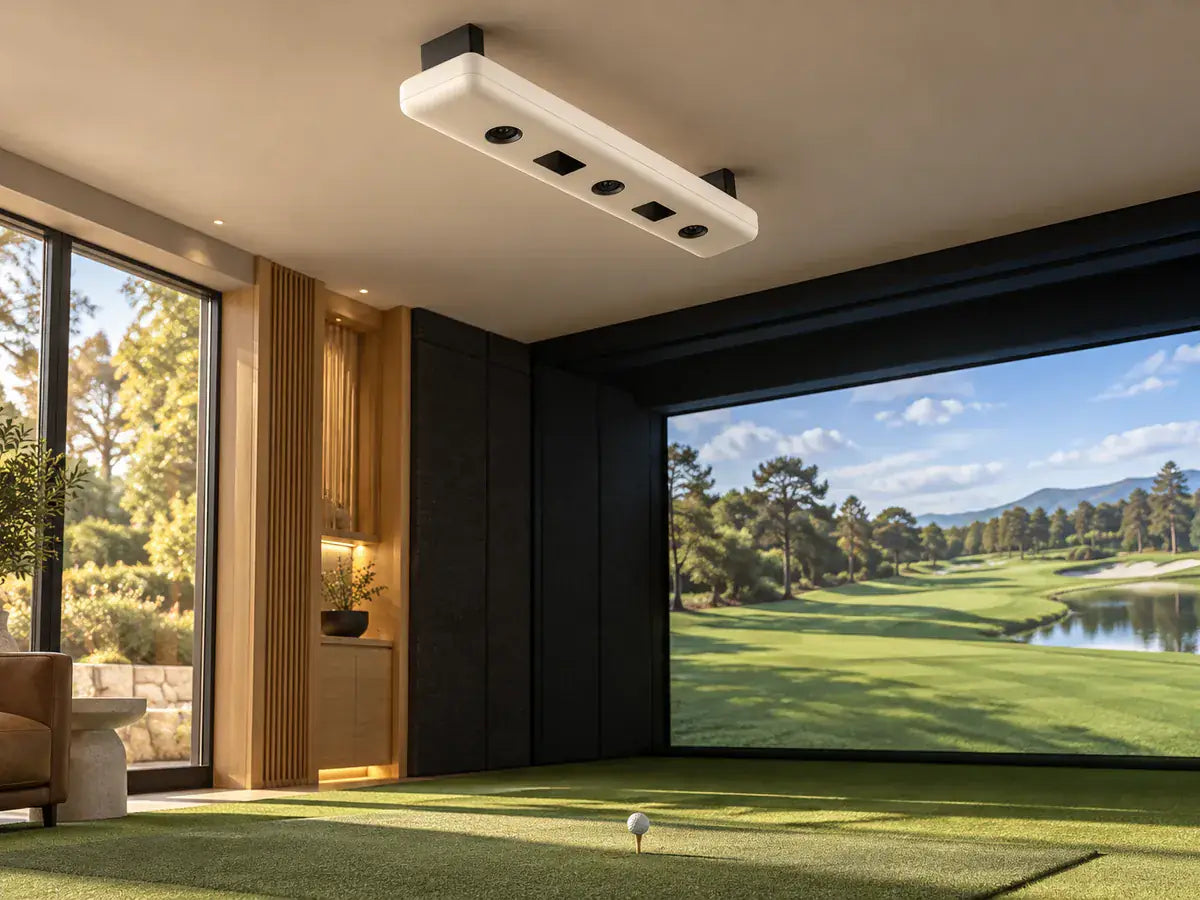
Overhead units keep the floor clear and suit shared bays, because right- and left-handed golfers can use them without moving the unit. The makers of the overhead units we sell say the same: SwingCraft says one VTrack setup supports both hands with no reconfiguration, TruGolf says the APOGEE's mounting makes switching seamless, and GOLFJOY says students can share a Rigel 3 Pro bay without moving the monitor. The trade-off is the ceiling: Uneekor designs its overhead units to hang 9 to 10 ft up and says it can't guarantee their data outside that range, and SwingCraft lists 8 ft 10 in to 10 ft 2 in for VTrack.
A floor unit needs no ceiling mount, and a battery unit such as the Spica 3 goes outdoors too. On the Spica 3 you switch handedness in the menu on its screen. Give it room: Carl's Place lists next to floor equipment and too close behind the golfer among the worst places to stand.
Room for the coach as well as the swing
Plan the bay for two people. Carl's Place builds its 18 ft recommended depth from 12 to 16 in behind the screen, 10 to 12 ft from tee to screen and 7 ft behind the tee, and says that covers the play area only. You'll want that 7 ft and some more, so you can stand back and watch without being in the swing.
For width, Carl's Place asks for at least 14 ft when the tee is centered for right- and left-handed golfers, and TrackMan calls 15 ft or more a strong benchmark. Uneekor asks for 13 ft wall to wall for full driver swings, and 15 ft for golfers 6 ft or taller. In a studio you'll often stand to one side of the student, so add your own space to the maker's figure rather than reading it as spare.
Our left-handed golf simulator guide compares the makers' width figures, and the room size guide covers the rest of the room.
Swing video next to the numbers
Carl's Place's swing camera set is two 2 megapixel cameras that record up to 300 fps at 360p, 120 fps at 720p or 60 fps at 1080p, for replay in Uneekor software; a tripod and a wall mount are optional add-ons. GOLFJOY's Smart Pole adds a 1080p swing camera for frame-by-frame review in a GOLFJOY bay, with a sound bar and microphones; it isn't a launch monitor. Uneekor's EYE XO2 and EYE MINI LITE also record Club Optix impact video.
Our swing camera list has the details and which software shows the video.
Student profiles and the software license
A studio needs each student's shots kept apart. Uneekor's free Player membership has a single profile; its Pro membership lists 5 profiles, Champion 50 and Ultimate 100, each billed yearly. FlightScope says the Mevo Gen2's apps need no subscription for core features, and SwingCraft lists no subscription fees for VTrack.
Check the software license before you charge for lessons on it. GSPro's terms license it for personal, non-commercial use by one person at a time. TruGolf pairs its APOGEE with the E6 CONNECT Commercial Suite, which it built for business use. For any other program, we confirm with the maker in writing before you order. Our software guide covers each one.
A mat that helps you teach
SimSpace's Teaching mat is 150 × 150 cm with a yellow center cross, white alignment lines and four tee holes, top, bottom, left and right, so the student can set up for either hand. Carl's Place's HotShot comes in 4 × 9 ft and 6 × 10 ft sizes with a centered hitting area, and you replace the hitting insert rather than the whole mat when a studio wears it out.
Launch monitors, cameras and mats for a studio, at today's prices
Read live from our store each time this page loads, with who ships each one and its brand's terms.
| Product | Price today | How to buy | Ships from | Returns | Warranty |
|---|---|---|---|---|---|
| Uneekor EYE XO2 Launch Monitor | $7,999 | Add to cart | its maker or Carl's Place | 15 days from activating the software or 60 days from delivery, whichever comes first; a 15% restocking fee; you pay the return shipping | 2 years on overhead units; 1 year on the EYE MINI, EYE MINI LITE and accessories |
| TruGolf APOGEE Launch Monitor | $6,500 | Add to cart | its maker or Carl's Place | 14 days from delivery; a 15% restocking fee; you pay the return shipping | APOGEE: a 2-year TruGolf warranty (per Carl's Place); MultiSport ARCADE: 2 years |
| VTrack DX10 Overhead Launch Monitor | $5,000 | Add to cart | SwingCraft's U.S. stock, by UPS Ground | 30 days from delivery; no restocking fee; you pay the return shipping | 12-month limited manufacturer warranty |
| GOLFJOY Rigel 3 Pro Overhead Launch Monitor | $13,999 | Add to cart | GOLFJOY in Irvine, California, by FedEx ground | within 30 days of delivery if unused, with every part in the original packaging and our approval first; no restocking fee; you pay the return shipping to GOLFJOY | 1-year full-coverage warranty |
| AccuGOLF Hawkeye Overhead Golf Simulator | $4,692.80 | Add to cart | AccuGOLF in the United States | 30 days from activating the software or 60 days from delivery; a 20% restocking fee | 2-year limited warranty |
| GOLFJOY Spica 3 Portable Launch Monitor | $2,239 | Add to cart | GOLFJOY in Irvine, California, by FedEx ground | within 30 days of delivery if unused, with every part in the original packaging and our approval first; no restocking fee; you pay the return shipping to GOLFJOY | 1-year full-coverage warranty |
| Uneekor EYE MINI LITE Launch Monitor | $1,699 | Add to cart | its maker or Carl's Place | 15 days from activating the software or 60 days from delivery, whichever comes first; a 15% restocking fee; you pay the return shipping | 2 years on overhead units; 1 year on the EYE MINI, EYE MINI LITE and accessories |
| FlightScope Mevo Gen2 Launch Monitor | $1,239 | Add to cart | its maker or Carl's Place | 30 days from delivery; a 15% restocking fee; you pay the return shipping; software is final sale | 12 months |
| FlightScope Mevo Pro Package | $699 | Add to cart | its maker or Carl's Place | Final sale: software delivered as an activation code by email | 12 months |
| Carl's Place Golf Swing Camera Set (2 Cameras) | $449.95 | Add to cart | Milton, Wisconsin (made to order) | 30 days from delivery, like-new; a 30% restocking fee if it's been used; you pay the return shipping | A defective part replaced free within 30 days of delivery; normal wear isn't covered (Carl's Place treats its products as wearable) |
| GOLFJOY Smart Pole with 1080p Swing Camera, Sound Bar and Microphone | $589 | Add to cart | GOLFJOY in Irvine, California, by FedEx ground | within 30 days of delivery if unused, with every part in the original packaging and our approval first; no restocking fee; you pay the return shipping to GOLFJOY | 1-year full-coverage warranty |
| Golf Hitting Mat 4'11" x 4'11" - SimSpace Teaching | $349.99 | Add to cart | SimSpace's U.S. warehouse | No set return window: only if SimSpace agrees in writing, case by case | 1 year on enclosures, impact screens, driving nets and hitting mats, case by case |
| Golf Hitting Mat - Carl's Place HotShot Golf Mat System | From $499.95 | Add to cart | Milton, Wisconsin (made to order) | 30 days from delivery, like-new; a 30% restocking fee if it's been used; you pay the return shipping | A defective part replaced free within 30 days of delivery; normal wear isn't covered (Carl's Place treats its products as wearable) |
Prices and stock are read live from our store each time this page loads, at each maker's advertised price. Taxes and any shipping charge show at checkout; the full terms are on each product page and in our refund policy.
Warranty, and how a studio orders
Each brand sets its own warranty, and what it covers for a teaching business differs from brand to brand. Before you order, we confirm in writing what the brand covers for your use; nothing is promised beyond the maker's own terms.
Send your room sizes and how many bays you want from our business and multi-bay page. We reply in writing with a room plan for each bay and one quote that lists every part at the price on its product page, its delivery estimate and each brand's return and warranty terms. Building more than one bay? Planning an indoor golf venue covers bay sizes and how many fit.
- Camera vs radar launch monitors compared
- Overhead golf launch monitors: ceiling height, mounting and fit
- Golf simulator for a school team: a winter practice plan
Products in this guide
- Uneekor EYE XO2 Launch Monitor
- TruGolf APOGEE Launch Monitor
- VTrack DX10 Overhead Launch Monitor
- GOLFJOY Spica 3 Portable Launch Monitor
- Uneekor EYE MINI LITE Launch Monitor
- FlightScope Mevo Gen2 Launch Monitor
- FlightScope Mevo Pro Package
- AccuGOLF Hawkeye Overhead Golf Simulator
This guide names 2 more; see the links in the text above.
Sources
- Carl's Place, How to choose a golf simulator launch monitor: Launch monitors typically report ball speed, launch angle, spin, and carry; club data depends on the technology.
- Uneekor, EYE XO2: Uneekor lists the EYE XO2's club data as club path, club speed, smash factor, impact point, face angle, attack angle, face to path, dynamic loft and club lie angle, alongside the same 15 ball data as its other launch monitors; Club Optix records impact video and shots register in 0.02 ms.
- Uneekor, EYE XO2: Uneekor's EYE XO2 mounts on the ceiling and uses three high-speed infrared cameras to capture 24 club and ball data points; club stickers are recommended for accurate club data.
- TruGolf, APOGEE By TruGolf: TruGolf lists what the APOGEE measures as ball speed, back spin, side spin, vertical launch angle, horizontal launch direction, club head speed, angle of attack, club face angle and club path, with dynamic loft and dynamic lie available with club head stickers; the unit measures 38 in wide, 5½ in high and 8 in deep and weighs about 22 lb.
- TruGolf, APOGEE By TruGolf: TruGolf says its ceiling-mounted APOGEE measures club and ball data without marked clubs or specialty balls, and that its mounting position makes play between right- and left-handed golfers seamless.
- SwingCraft (LAON SwingCraft's U.S. distributor), VTrack Launch Monitor: SwingCraft lists a required floor-to-ceiling height of 106–122 in for VTrack; its dual high-speed cameras capture 23 data points per shot with no markers or stickers, and one setup supports both left- and right-handed players.
- GOLFJOY, Spica 3 leaflet (PDF), supplied to ParVista Golf by GOLFJOY, Oct 19, 2026: GOLFJOY's Spica 3 leaflet describes a portable launch monitor with three high-speed cameras, dual LED lights and a built-in touch screen; it measures ball speed, launch angle, launch direction, back spin, side spin, spin axis and spin rate, and, with club stickers, club speed, smash factor, attack angle, club path and low point, with up to 24 trajectory metrics in the GOLFJOY Pro app and PC software; it lists a 12,800 mAh battery that lasts up to 7.5 hours per charge, connection to apps by Bluetooth and to a PC by Ethernet, GOLFJOY Pro, E6, GSPro and Creative Golf, use indoors and outdoors, and 3 kg.
- Uneekor, EYE MINI LITE: Uneekor's EYE MINI LITE is a fixed ground unit for dedicated indoor use that can only be used indoors; two high-speed photometric infrared cameras give 19 data points (the same 15 ball data as the EYE MINI, plus club speed, smash factor, club path and attack angle, with club stickers recommended) over a 12 in by 8 in hitting zone, with Club Optix impact video; it needs a PC and connects by Ethernet.
- FlightScope, Pro Package: FlightScope's Pro Package is a software add-on for the Mevo Gen2 and Mevo+ that adds club path, face to path, face to target, dynamic loft, vertical and horizontal swing plane, low point, vertical descent angle, curve, club speed profile and club acceleration profile; FlightScope says it includes the complete D-plane dataset, works with full swing and chipping, includes 2D and 3D club animations and FS PC 2.0 software, and needs no subscription (read Oct 31, 2026)
- AccuGOLF, Hawkeye Simulator: AccuGOLF's Hawkeye is a ceiling golf simulator for right- and left-handed golfers; its dual cameras capture at more than 1,000 frames per second and measure ball speed and launch angle directly, AccuGOLF's machine-learning algorithm calculates spin, and it reports club data such as club speed, club path, attack angle, face angle and dynamic loft.
- Austad's, Camera vs Radar Launch Monitors: Radar units sit behind the ball and need ball flight in front; camera units sit beside the ball and read impact directly.
- Golficity, Radar vs Camera Launch Monitors: Radar units want about 8 ft behind the ball plus 8–12 ft of ball flight (about 16–20 ft of depth); camera units can work in about 10–15 ft of depth.
- FlightScope, Mevo Gen2: FlightScope's Mevo Gen2 combines 3D Doppler radar with synchronized image processing to capture 20 club and ball parameters and runs up to 6 hours on its battery; indoors it goes 8 ft directly behind the ball with at least 8 ft of ball flight, and needs aluminum stickers or Titleist RCT balls for accurate spin.
- Carl's Place, Understanding Launch Angles: Overhead vs. Floor-Based Launch Monitors: Floor camera units see the ball side-on and excel at vertical launch angle; overhead units look down on it, so they're better at horizontal launch direction but may struggle a little more with vertical launch angle.
- Carl's Place, Golf Simulator Launch Monitor: How To Choose: Overhead units keep the floor clear and suit shared bays, because right- and left-handed golfers can use them without moving the unit; ceiling height, mounting position and cable routing take more planning than a floor unit.
- SwingCraft (LAON SwingCraft's U.S. distributor), VTrack: SwingCraft's VTrack page says a single setup supports both left- and right-handed players with no reconfiguration when players swap, recommends a room at least 10 ft wide, gives the floor-to-ceiling height required as 106–122 in, and lists no subscription fees (read Nov 10, 2026).
- GOLFJOY, Rigel 3 Pro: GOLFJOY's Rigel 3 Pro page says left- and right-handed players can share the bay without moving the monitor between groups, gives a 9–10.2 ft ceiling for the overhead unit in its S300 and S Series Pro packages, and notes that its S500 Elite package is for right-handed golfers only (read Nov 10, 2026).
- Uneekor Help Center, How much space is needed for setup?: Uneekor designs its overhead launch monitors to be mounted 9–10 ft off the ground, measured from the top of the hitting area to the bottom of the mounting bracket, and says it can't guarantee their data accuracy outside that range.
- SwingCraft (LAON SwingCraft's U.S. distributor), VTrack setup: SwingCraft's VTrack setup page gives a ceiling height of 8 ft 10 in to 10 ft 2 in (2,700–3,100 mm) and at least 9 ft 10 in (3,000 mm) from tee to screen, and asks for a stable indoor space and a level ceiling; the unit mounts with all 7 supplied screws, offset toward the screen by 32.3–37.2 in depending on the ceiling height, plugs into a grounded outlet and connects with the included CAT6 cable directly to the PC's Gigabit Ethernet port.
- GOLFJOY, FAQs: GOLFJOY's support FAQ answers that the Spica 3 works for left-handed golfers: "Select Handedness in the menu on the Spica 3 screen to switch between right-handed and left-handed modes" (read Nov 10, 2026).
- Carl's Place, Golf Simulator Seating Ideas for Safer Setups (page read 2026-11-01): Carl's Place says the safest spectator seating is behind the hitting area and outside the golfer's swing zone; it ranks the worst places as between the golfer and the screen, in the swing path, too close behind the golfer, behind the screen (don't let kids or pets wander behind the impact screen while someone is hitting), in the walkway and next to floor equipment, says to keep a clear path around the simulator, and suggests compact, movable seating such as folding chairs in small rooms.
- Carl's Place, Measuring Your Space For An Indoor Golf Simulator: Carl's Place builds its 18 ft recommended room depth from 12–16 in between the screen and the wall, 10–12 ft from the tee to the screen and 7 ft behind the tee, and says this covers the play area only; extras like seating need more space.
- Carl's Place, Measuring Your Space For An Indoor Golf Simulator: Carl's Place recommends a room at least 10 ft wide for indoor golf, and at least 14 ft wide if the tee is centered to accommodate both right- and left-handed golfers; with less width, it says you can offset the tee.
- TrackMan, How much room do you need for a golf simulator: TrackMan says a single right-handed golfer has very different needs from a commercial bay where right- and left-handed players rotate through all day; it gives 15 ft+ of width as a strong benchmark for one golfer, says width matters even more in commercial and shared spaces because it supports both-handed play and safer movement around the hitting area, and calls a 10 ft+ ceiling the practical minimum, with more helping taller players.
- Uneekor Help Center, How much space is needed for setup?: Uneekor says the room should be at least 13 ft wide, wall to wall, to allow full driver swings, and at least 15 ft wide for golfers 6 ft or taller.
- Carl's Place, Carl's Golf Swing Camera Set: Carl's Place's golf swing camera set is two 2 megapixel cameras with 10 ft USB cables and 2.5 mm, f/1.2 wide-angle lenses, recording up to 300 fps at 360p, 120 fps at 720p and 60 fps at 1080p for replay in Uneekor software; a 2.8–12 mm zoom lens, a tripod, a ball-joint wall mount and a 15 ft USB extension (to 25 ft) are optional add-ons.
- Carl's Place, Carl's Tripod: Carl's Place's tripod for its swing cameras weighs 2 lb, adjusts from 33 to 68 in, collapses to 4 × 19 in, and comes with an expandable cell phone holder.
- ParVista Golf, GOLFJOY Smart Pole product page (read 2026-11-10): GOLFJOY describes its Smart Pole as a 3-in-1 hub for an indoor golf room: a 1080p HD swing camera for frame-by-frame swing review, a sound bar and a microphone array for voice chat in online matches; it works with all GOLFJOY launch monitor models and isn't a launch monitor, so it doesn't measure ball or club data on its own.
- Uneekor, EYE MINI (memberships): Uneekor says its Player membership comes with every Uneekor launch monitor (ball and club data, the VIEW virtual driving range, 100 Power U reports and a single profile) and that each includes a 3-month Ultimate package; the Pro membership adds a third-party connector, Champion adds AI Trainer (Swing Optix cameras required) and Ultimate adds GAMEDAY (two displays required), each per unit and billed annually.
- Uneekor, Golf Simulator Software and Memberships: Uneekor's memberships page lists Player free with every launch monitor, Pro $199 a year (third-party software, 5 profiles), Pro+ $299 a year (Pro plus a 1-year GSPro subscription), Champion $399 a year (AI Trainer, which needs Swing Optix cameras; 50 profiles), Champion+ $499, Ultimate $599 (GAMEDAY, which needs two displays; 100 profiles) and Ultimate+ $699, each billed annually; it says GSPro on a Uneekor unit needs an active Pro, Champion or Ultimate membership (read Nov 10, 2026).
- FlightScope, Mevo Gen2: FlightScope says the Mevo Gen2 comes with its FS Golf Practice app (iOS, Android and PC), its FS Skills Challenges app and an E6 Connect 8-course bundle for iOS and PC, with no recurring fees and no subscription needed for core features or updates; it needs iOS 18, Android 14 or Windows 10/11 (64-bit), can be used indoors and outdoors, and should be stored in moderate temperatures, ideally 60–70°F.
- SwingCraft (LAON SwingCraft's U.S. distributor), VTrack Launch Monitor: SwingCraft lists no subscription fees for VTrack and says it works with GSPro and E6 Connect / Apex; its PC requirements are Windows 10 (x64) or later, an Intel i5 or Ryzen 3+ (3.0 GHz), 16 GB of RAM or more, 10 GB+ of free storage and Gigabit Ethernet (Intel Pro/1000).
- GSPro, Terms of Service and End User License Agreement: GSPro's terms grant a limited license to use its services for personal, non-commercial enjoyment, by only one person at a time.
- TruGolf, Commercial Golf Simulator Solutions: TruGolf's commercial system pairs its ceiling-mounted APOGEE launch monitor with the E6 CONNECT Commercial Suite, a software platform designed specifically for business operations.
- SimSpace Golf, Teaching Mat: SimSpace's Teaching mat is 150 × 150 cm, with a yellow centre cross and white alignment lines and four perforated tee holes at the top, bottom, left and right.
- Carl's Place, Carl's HotShot Golf Mat System: Carl's Place sells the HotShot mat 1¾ in thick in 4 × 5 ft and 5 × 8 ft (offset hitting area) and 4 × 9 ft and 6 × 10 ft (centered hitting area); it says the optional EPDM rubber base stops the mat shifting during powerful swings and adds cushioning to protect your joints, and calls its Foam Divot insert the most forgiving option on your joints.
- Carl's Place, Carl's HotShot Golf Mat System: Carl's Place says its HotShot mats let you replace the hitting area without replacing the entire mat; the hitting inserts measure 30 × 12 × 1.75 in.
How this guide was made: ParVista Golf compiled it from manufacturers' published requirements and the public sources listed above. Requirements for a specific product always come from its manufacturer.


