On this page · 11 sections
Do I need a hitting net or a simulator enclosure?
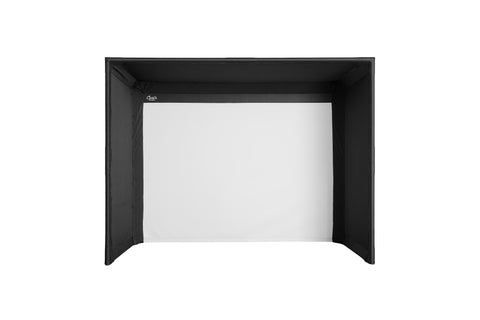
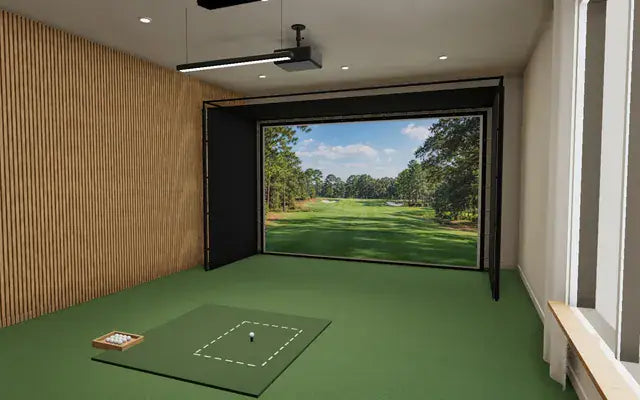
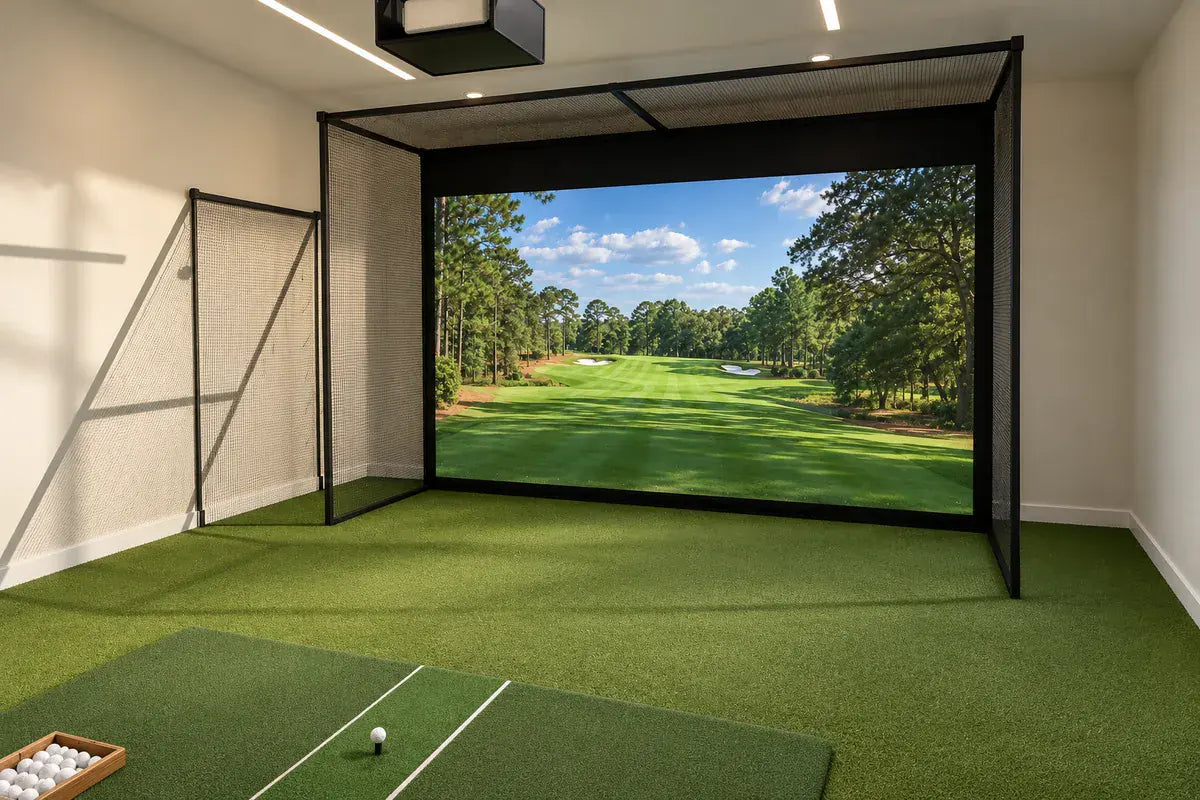
A hitting net is for practice: it catches the ball, and you read your numbers on a launch monitor or phone. A simulator enclosure is built around an impact screen, so a projector can show the course and the ball flight, with side and ceiling panels to contain stray shots and shade the picture.
There's a middle path. The SimSpace Deluxe Home Golf Practice Net is a net first, and it takes the SimSpace Driving Net Impact Screen (sold separately) when you want to project onto it. Side netting and net wall extensions aren't nets on their own: they add protection to an enclosure. Not sure a full simulator is worth it yet? See is a home golf simulator worth it?
What a practice net is built for
SimSpace gives its standard practice net's frame as 2.5 × 2.5 × 0.91 m (about 8 ft 2 in square and 3 ft deep), with 3 m (9 ft 10 in) of side netting that weighted bags stretch out; you supply the filling. Two people can put it up or take it down in 10–20 minutes, it works indoors or out, and SimSpace says to store it somewhere dry and warm after use.
It suits a garage, a shared room or the yard, but netting isn't a projection surface: the picture needs a screen. Using a net outdoors? Our outdoor golf simulator guide gives each maker's weather and storage advice. For a bedroom or apartment, our small room guide covers nets, shallow enclosures and noise.
Turning a practice net into a simulator screen
SimSpace's Driving Net Impact Screen is a finely knitted, single-layer fabric with a smooth surface for the projected picture, which SimSpace calls 4K-ready. It's designed to match SimSpace's practice nets, hooks on with 20 bungee cords through eyelets around its edge, and comes off again when you just want to hit into the net. SimSpace says it also works on its own on a custom-built frame.
Compare that with an enclosure screen: SimSpace's own enclosure uses a 3-layer Platinum screen with a foam sound-dampening layer. Either way, Carl's Place advises standing at least 10–12 ft from the screen, because closer means more bounce-back. Our impact screen guide explains the layers.
Nets, screens and enclosures side by side
From each maker's own pages. A dash means the maker doesn't publish it.
| Product | What it is | Size the maker gives | Projection | Space the maker asks for |
|---|---|---|---|---|
| SimSpace Deluxe Home Golf Practice Net | Practice net with side netting | Frame 2.5 × 2.5 × 0.91 m; 3 m side netting | With the separate Driving Net Impact Screen | 50 cm behind, 20 cm each side |
| SimSpace Driving Net Impact Screen | Single-layer impact screen for the practice net | Sized to SimSpace's practice nets | Yes: this is the screen | – |
| SimSpace Golf Enclosure | Enclosure with velour sides and ceiling | Six sizes, inner frame 2.6 × 2.5 × 1.5 m to 4.0 × 3.0 × 3.0 m | 3-layer Platinum screen included | 50 cm behind, 20 cm each side |
| GolfBays SimBox | Enclosure with black velvet surround | Seven sizes, 8'6 × 8'2 × 4'11 to 13'2 × 9'10 × 9'10 | Triple-layer HD PRO+ screen included | Room 2.8 m high, 3 m wide, 4.5–5 m deep |
| Carl's Place DIY Golf Enclosure Kit | Enclosure kit; you add the pipe frame | Six sizes, 100–163.3 in wide, 59.125 in deep | Impact screen included | 12 in behind recommended (8.25 in minimum) |
| SimSpace Enclosure Side Netting | Add-on for SimSpace enclosures | – | No | – |
| Carl's Place Net Wall Extensions | Add-on pair for an enclosure | 6, 8 or 10 ft long, 92 in high | No | Adds 6, 8 or 10 ft of depth |
| HomeCourse Side Netting | Add-on pair for the ProScreen | Two nets, 4 sandbags | No | – |
What an enclosure adds
SimSpace's velour side and ceiling panels help contain stray shots and block light from the sides and top. Carl's Place says the BlackStop enclosure on its DIY kit shades the screen and catches shots that miss or bounce off it; you add 1-inch EMT pipe, or its Pipe Framing Kit. The GolfBays SimBox clicks together without tools in about 45 minutes, and GolfBays says it withstands ball speeds of over 200 mph. Compare them in SimSpace vs GolfBays SimBox and Carl's Place DIY vs SimSpace.
Golf cages and hitting cages: what we sell instead
We don't sell golf cages or box hitting cages. The closest things we sell are a practice net with side netting, SimSpace's Deluxe Home Golf Practice Net, and an enclosure with extra netting, such as Carl's Place's DIY kit with its net wall extensions, which add 6, 8 or 10 ft of barrier depth. Our golf nets guide lists every net we sell.
Is a golf cage the same as an enclosure?
Not quite. A golf cage is netting around a frame, for hitting balls into the net. A simulator enclosure is built around an impact screen so a projector can show the shot, with side and ceiling panels that contain stray shots and shade the picture. A practice net with a pop-on impact screen, like SimSpace's, sits between the two.
Side netting and net wall extensions
If a shank could reach a wall or the TV, add side netting. Carl's Place says side net walls catch errant shots when a deeper enclosure won't fit.
SimSpace's side netting fastens to a SimSpace enclosure frame with Velcro and is held out by weighted bags (filling not included); SimSpace's SLIM enclosure already comes with side netting. Carl's Place net wall extensions come as a pair, 6, 8 or 10 ft long and 92 in high, fasten to the enclosure with hook-and-loop strips and are weighed down by a sandbag you fill. HomeCourse's side netting is a left and right pair with 4 sandbags, for its retractable ProScreen 180.(The ProScreen 180 is sold out right now; its page says more.)(HomeCourse’s side netting is sold out right now; its page says more.)
The room each maker asks for
SimSpace asks for at least 50 cm (about 20 in) behind and 20 cm (about 8 in) on each side of both its practice net and its enclosure. Carl's Place recommends 12 in behind its DIY enclosure. GolfBays recommends a ceiling of at least 2.8 m (9.2 ft), a width of at least 3 m (9.8 ft) and a depth of 4.5 m (about 14 ft 9 in) for a camera launch monitor or 5 m (16.4 ft) for radar. Measure your room against these with how much room you need, and see how to choose an enclosure for the rest.
Today's prices: nets, screens, enclosures and side netting
Live from our store: today's price, whether it ships now, and how to order.
| Product | Price today | How to buy | Ships from | Returns | Warranty |
|---|---|---|---|---|---|
| SimSpace Deluxe Home Golf Practice Net | $449.99 | Add to cart | SimSpace's U.S. warehouse | No set return window: only if SimSpace agrees in writing, case by case | 1 year on enclosures, impact screens, driving nets and hitting mats, case by case |
| Golf Impact Screen and Driving Net - SimSpace, with 20 Bungee Cords | $129.99 | Add to cart | SimSpace's U.S. warehouse | No set return window: only if SimSpace agrees in writing, case by case | 1 year on enclosures, impact screens, driving nets and hitting mats, case by case |
| SimSpace Golf Simulator Enclosure | From $1,699.99 | Add to cart | SimSpace's U.S. warehouse | No set return window: only if SimSpace agrees in writing, case by case | 1 year on enclosures, impact screens, driving nets and hitting mats, case by case |
| GolfBays SimBox Golf Simulator Enclosure | From $1,399.30 | Add to cart | Clearwater, Florida | 30 days from the order date; GolfBays may charge a restocking fee, at least 15% on large items such as enclosures; you pay the return shipping unless GolfBays sends a free label | 9 months on the PRO+ impact screen, 6 months on GolfBays' other screens |
| Carl's Place DIY Golf Enclosure Kit with Impact Screen | From $849.96 | Add to cart | Milton, Wisconsin (made to order) | 30 days from delivery, like-new; a 30% restocking fee if it's been used; you pay the return shipping | A defective part replaced free within 30 days of delivery; normal wear isn't covered (Carl's Place treats its products as wearable) |
| SimSpace Enclosure Side Netting, Pair | $129.99 | Add to cart | SimSpace's U.S. warehouse | No set return window: only if SimSpace agrees in writing, case by case | 1 year on enclosures, impact screens, driving nets and hitting mats, case by case |
| Carl's Place Net Wall Extensions (Pair) | From $102 | Add to cart | Milton, Wisconsin (made to order) | 30 days from delivery, like-new; a 30% restocking fee if it's been used; you pay the return shipping | A defective part replaced free within 30 days of delivery; normal wear isn't covered (Carl's Place treats its products as wearable) |
| HomeCourse Side Netting (Pair) | $199 | Sold out | HomeCourse's Florida warehouse, by FedEx | 30 days from the order date, with HomeCourse's approval; a 15% restocking fee; you pay the return shipping | 1 year on the ProScreen 180 and its accessories |
Prices and stock are read live from our store each time this page loads, at each maker's advertised price. Taxes and any shipping charge show at checkout; the full terms are on each product page and in our refund policy.
Products in this guide
- SimSpace Deluxe Home Golf Practice Net
- SimSpace Driving Net Impact Screen with 20 Bungee Cords
- SimSpace Golf Simulator Enclosure
- GolfBays SimBox Golf Simulator Enclosure
- Carl's Place DIY Golf Enclosure Kit with Impact Screen
- SimSpace Enclosure Side Netting, Pair
- Carl's Place Net Wall Extensions (Pair)
- HomeCourse Side Netting (Pair)
This guide names 1 more; see the links in the text above.
Sources
- SimSpace Golf, SimSpace Practice Net + Impact Screen: SimSpace says its Practice Net can be put up or taken down in 10–20 minutes by two people and can be used indoors or outdoors, but must be stored in a dry, warm place after use; weighted bags (filling not included) stretch out its side netting, and its pop-on impact screen attaches by bungee cords, links with a launch monitor and a compatible projector for a home simulator, and comes off again for plain net practice (read Oct 31, 2026).
- SimSpace Golf, SimSpace Driving Net Impact Screen + 20 Bungee Cords: SimSpace describes its Driving Net Impact Screen as a finely knitted, single-layer fabric with a smooth projection surface, 4K-ready, designed to match its standard and wide practice nets and also usable on its own on a custom-built frame, with 20 bungee cords that go through eyelets placed for even tension (read Oct 31, 2026).
- SimSpace Golf, SimSpace Golf Enclosure: SimSpace lists its Golf Enclosure in six sizes, with inner frames from 2.6 × 2.5 × 1.5 m (SIM 1) to 4.0 × 3.0 × 3.0 m (SIM 6) (W × H × D); it has black velour side and ceiling panels that help contain stray shots and block outside light, and a 3-layer Platinum impact screen with a foam sound-dampening layer, and SimSpace asks for at least 50 cm behind and 20 cm on either side as a buffer for ball impacts (read Oct 31, 2026).
- Carl's Place, DIY Golf Enclosure Kit with Impact Screen: Carl's Place says the BlackStop enclosure in its DIY Golf Enclosure Kit shades the screen and catches shots that miss or bounce off it; the kit includes the impact screen and the corner fittings, with pipes sold separately (1-inch EMT from a hardware store, or its Pipe Framing Kit), and Carl's Place recommends 12 in of buffer space at the rear, with at least 8.25 in needed for the rear fittings (read Oct 31, 2026).
- SimSpace Golf, SimSpace Practice Net + Impact Screen: SimSpace's Practice Net + Impact Screen page gives the standard net's frame as 2.5 × 2.5 × 0.91 m (W × H × D) with 3 m of side netting, and the wide net's frame as 3 × 2.5 × 0.91 m; it says to leave at least 50 cm behind and 20 cm on either side as a buffer for ball impacts, and calls all measurements estimates (read Oct 31, 2026).
- Carl's Place, How to Choose the Best Golf Simulator Enclosure Size: Stand at least 10–12 ft from the screen; golfers who stand closer than 10 ft get more bounce-back and a higher risk of injury.
- GolfBays, SimBox Golf Simulator Enclosure: GolfBays sells the SimBox in seven sizes (W × H × D) from 8'6 × 8'2 × 4'11 to 13'2 × 9'10 × 9'10; its box list names aluminum poles, a black velvet surround, a triple-layer HD PRO+ impact screen and an instruction manual, and its features list click tubing that assembles in about 45 minutes with no screws or tools and folds down for storage.
- GolfBays, SimBox Golf Simulator Enclosure (FAQ): For comfortable swings with any club, GolfBays recommends a ceiling of at least 2.8 m (9.2 ft), ideally 3 m (9.8 ft), and a width of at least 3 m (9.8 ft).
- GolfBays, SimBox Golf Simulator Enclosure: On its SimBox page GolfBays recommends a room depth of 4.5 m for photometric (camera) launch monitors and 5 m (16.4 ft) for radar-based ones, says the SimBox screen and enclosure withstand ball speeds of over 200 mph, lists it for indoors and outdoors, and notes that astroturf grass isn't included in the SimBox bundle (read Oct 31, 2026).
- Carl's Place, DIY Golf Simulator Enclosure Kit Specifications (PDF): Carl's Place's DIY enclosure spec sheet lists six standard sizes with outer frames 100 to 163.3 in wide and 95.8 to 112 in tall, all 59.125 in deep from screen to front frame and 67.375 in in footprint depth (the backset rear fitting adds 8.25 in), with 1:1, 4:3 and 16:9 screens; it calls listing sizes simplified names, says to verify the actual outer dimensions, and quotes a 1 hour assembly.
- SimSpace Golf, SimSpace Side Netting: SimSpace says its Side Netting attaches to the enclosure frame with Velcro, is stretched out at the bottom by weighted bags (filling not included), helps catch mis-hits before they reach walls, furniture and equipment, and is designed exclusively for SimSpace Golf Enclosures (read Oct 31, 2026).
- Carl's Place, Net Wall Extensions for Golf Simulator Enclosure: Carl's Place sells net wall extensions as a pair, 6, 8 or 10 ft long and 92 in high; they attach to the enclosure frame with hook-and-loop fasteners and are held down by a sandbag at the bottom (fill not included).
- Carl's Place, Net Wall Extensions for Golf Simulator Enclosure: Carl's Place says its net wall extensions give an additional barrier to keep golf balls in the hitting area, adding 6, 8 or 10 ft of depth, and its DIY enclosure page offers them as an add-on for concerns about shanks or other mis-hits, attached to the enclosure with hook-and-loop strips (read Oct 31, 2026).
- HomeCourse Golf, Side Netting: HomeCourse's shop lists its Side Netting as a pair of side nets, left and right, with 4 sandbags, 2 for each side (read Oct 31, 2026).
- GolfBays, SimBox Golf Simulator Enclosure: GolfBays says its SimBox enclosure assembles in about 45 minutes with no screws or tools, and folds down for storage.
- Carl's Place, Walls, Ceilings & More: Protecting Your Golf Sim Space: Side net walls catch errant shots when a deeper enclosure won't fit; ceiling baffles and frame padding handle shots that come back high or hit the frame.
- SimSpace Golf, SimSpace SLIM Golf Enclosure: SimSpace designs its SLIM enclosure for shallow simulator rooms: its SIM 0 frame measures 3.3 × 2.5 × 1 m inside and 3.4 × 2.6 × 1.1 m outside (W × H × D), with a 4:3 Platinum impact screen and side netting that attaches with Velcro and is held out by weighted bags (filling not included); SimSpace quotes about 20–30 minutes to set it up with two people, and asks for at least 50 cm behind and 20 cm on either side of the enclosure as buffer space for ball impacts.
- HomeCourse Golf, ProScreen 180 (shop): HomeCourse says its screen is 8 ft wide by 8 ft high, and the ProScreen 180 comes with the retractable screen and enclosure, a ceiling mount kit, a charging cable, a remote control and an easy-reach pole.
How this guide was made: ParVista Golf compiled it from manufacturers' published requirements and the public sources listed above. Requirements for a specific product always come from its manufacturer.


