On this page · 12 sections
Can a golf simulator go outside?
A backyard golf simulator is possible with the right launch monitor, and here's what makers say about it.
Part of one can, and most of it goes back inside afterwards. Several portable launch monitors are made for outdoor use. Uneekor's EYE MINI, FlightScope's Mevo Gen2 and GOLFJOY's Spica 3 are each described by their makers for indoor and outdoor use, and NVISAGE rates its NEO-E IP65 for water and dust.
Screens are more delicate. HomeCourse says its retractable screen is for indoors only and must never touch water. SimSpace says to store its practice net in a dry, warm place after use. Elite says to use its portable screen only in a light breeze and pack it away afterwards. For a setup that stays up all year, plan a covered, dry space such as a garage or a shed.
Launch monitors that work outdoors
What each maker says about outdoor use, for the launch monitors we sell. Overhead units are for indoor rooms.
| Launch monitor | Outdoors, in the maker's words | Good to know |
|---|---|---|
| FlightScope Mevo Gen2 | Can be used indoors and outdoors | Makes its own Wi-Fi and needs no internet; outdoors it sits 7–9 ft behind the tee with unrestricted ball flight |
| Uneekor EYE MINI | Practice and play indoors or outdoors | Battery, on-unit display; phone or iPad app, PC optional |
| GOLFJOY Spica 3 | Engineered for indoor and outdoor golf | Battery up to 7 hours; reads range balls |
| GOLFJOY GDS Pro | Practice at home or at the range | Rechargeable battery; Bluetooth app |
| NVISAGE NEO-E | Rated IP65 for water and dust | Floor unit beside the hitting zone |
| Ernest Sports ESB2 | Indoors into a net or screen, and outdoors | Phone or tablet app; Ernest lists it as a practice monitor |
| Uneekor EYE MINI LITE | Indoors only | Fixed unit, wired to a PC |
| Uneekor EYE XO2 | Indoor use only | Ceiling unit; store between 20 and 110°F |
FlightScope's Environmental Optimizer, part of its Pro Package and Face Impact Location bundle, works indoors and outdoors. Our portable launch monitors guide compares these units in detail.
Screens and nets that pack away
SimSpace's practice net goes up or comes down in 10 to 20 minutes with two people and works indoors or outdoors. Its pop-on Driving Net Impact Screen attaches with bungees for simulator play and comes off for plain net practice. HomeCourse's retractable screen is built for indoor rooms, so for a covered patio choose a net or frame you can take down and bring in.
GolfBays lists its SimBox for indoors and outdoors. It clicks together in about 45 minutes with no tools and folds down for storage. Elite's Golf Portable Pro folds on a light aluminum frame, assembles in minutes and packs into a padded carrying bag.
Our hitting net vs enclosure guide explains what each one is built for.
Setting up on a patio or in the backyard
Give the net room. SimSpace asks for at least 50 cm (about 20 in) behind its practice net and 20 cm on either side as a buffer for ball impacts, and stretches the side netting out with weighted bags (filling not included).
Place the launch monitor the way its maker says. FlightScope puts the Mevo Gen2 7 to 9 ft behind the tee, with unrestricted ball flight for outdoor full swings. Ernest Sports places the ESB2 4 to 6 ft directly behind the ball, square to the target line, and suggests its tripod on uneven ground. Camera units such as the Spica 3 sit beside the ball, and GOLFJOY says the Spica 3 reads range balls as well as premium ones.
Check the battery before a long session. FlightScope gives the Mevo Gen2 up to 6 hours, and GOLFJOY gives the Spica 3 up to 7. The Mevo Gen2 makes its own Wi-Fi network and needs no internet, so it works away from the house.
A projected picture needs shade or dusk. In daylight, plan on the app or the unit's own screen instead, and save the projector for a covered space.
That's most of an outdoor golf simulator setup. We don't name a best outdoor golf simulator, because your space and your weather decide.
Wind, water, sun and storage: what the makers say
Each maker's own advice for the products we sell. Take screens down and bring electronics in when you're done.
| Product | Maker's advice |
|---|---|
| Elite Golf Portable Pro | Use only in a light breeze, wind up to 7 mph; take it down after use and store it in its bag |
| SimSpace practice net | Store in a dry, warm place after use |
| HomeCourse ProScreen 180 | Indoors only; never in contact with water |
| FlightScope Mevo Gen2 | Store indoors in its case at moderate temperatures, ideally 60–70°F; recharge every 2–3 months |
| Uneekor EYE XO2 | Indoor use only; not where there's high humidity, smoke or dust |
| BenQ projectors in a garage | BenQ suggests one rated for up to 90% humidity and storage down to -4°F |
Daylight is the other limit. TruGolf asks for at least 3,000 lumens for a clear picture in a lit room, and BenQ calls 5,000 lumen laser projectors the most popular choice for brighter rooms and bigger screens.
Sheds, patios and covered spaces
A shed or outbuilding gives you a simulator that stays set up. Carl's Place says a 12 × 20 ft shed fits a usable simulator for one golfer with an off-center hitting position, and gives 18 ft of depth and 10 ft of height. Shed roofs tend to start lower on the sides, so measure where you'll swing.
Plan power and internet first. Carl's Place says most sheds don't come with power, suggests an expert electrician, and warns against daisy-chaining power strips. It says Wi-Fi rarely reaches a backyard without a booster, and a wired connection is most reliable. Insulation and heating take some of the inside space, Carl's Place notes. Shed permit rules vary by town, so check yours before you build.
A garage works the same way. BenQ asks for at least 9 ft of height, 10 ft of width and 14 ft of depth, and suggests insulating the walls and door and, if needed, a dehumidifier. It suggests a dimmable light with an adjustable angle to keep light off the screen. Carl's Place suggests a brighter projector if the garage has windows or a lot of light, and says a gray screen keeps dark areas darker in a room with windows or lights. Our garage golf simulator guide covers the door tracks and cars. Building one for the simulator? Our shed, pole barn and outbuilding guide covers the floor, power, damp and mounting under a sloped roof.
Outdoor golf simulator enclosures
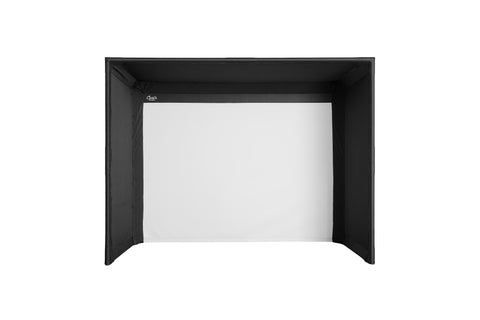
Of the enclosures and screens we sell, GolfBays lists its SimBox for indoors and outdoors, and says the screen and enclosure withstand ball speeds of over 200 mph. Elite's Golf Portable Pro can go outside in a light breeze, up to 7 mph, and Elite says to take it down after use. HomeCourse's ProScreen 180 is for indoors only. SimSpace's practice net works outdoors too, and its pop-on screen turns it into a simulator screen.(The ProScreen 180 is sold out right now; its page says more.)
Outdoor golf mats: what the makers allow outside
Two of the mats we sell are made for outside use. GolfBays says its Insert Tee mat can go outside, that golf courses use it as a winter tee area, and that in wet weather it should sit on a sand base for drainage. SimSpace lists its Tee Turf mat for indoor or outdoor practice and says to keep it dry and warm when it's not in use. For the other mats, ask us and we'll check with the maker. Our golf simulator tees guide covers tees for each mat.
Can I leave a golf mat outside?
Only the GolfBays Insert Tee mat is described for staying outdoors, as a winter tee area on golf courses, on a sand base in wet weather. SimSpace says to keep its Tee Turf mat dry and warm when you're not using it, so bring it in. The other makers don't say, so we'd bring those in too.
Can an enclosure stay up outdoors?
None of the makers we sell says to leave one up. Elite says to take the Golf Portable Pro down after use and store it in its bag, SimSpace says to store its net somewhere dry and warm, and GolfBays' SimBox folds down for storage. Plan on putting it away after each session.
Today's prices: outdoor-ready launch monitors, nets and screens
Read live from our store each time this page loads. Next steps: our buying guide and room size guide.
| Product | Price today | How to buy | Ships from | Returns | Warranty |
|---|---|---|---|---|---|
| FlightScope Mevo Gen2 Launch Monitor | $1,239 | Add to cart | its maker or Carl's Place | 30 days from delivery; a 15% restocking fee; you pay the return shipping; software is final sale | 12 months |
| GOLFJOY Spica 3 Portable Launch Monitor | $2,239 | Add to cart | GOLFJOY in Irvine, California, by FedEx ground | within 30 days of delivery if unused, with every part in the original packaging and our approval first; no restocking fee; you pay the return shipping to GOLFJOY | 1-year full-coverage warranty |
| NVISAGE NEO-E Launch Monitor | $5,500 | Add to cart | NVISAGE's warehouse in Vernon Hills, Illinois, by FedEx Ground | 30 days from delivery; a 15% restocking fee; you pay the return shipping | 12 months |
| SimSpace Deluxe Home Golf Practice Net | $449.99 | Add to cart | SimSpace's U.S. warehouse | No set return window: only if SimSpace agrees in writing, case by case | 1 year on enclosures, impact screens, driving nets and hitting mats, case by case |
| SimSpace Driving Net Impact Screen with 20 Bungee Cords | $129.99 | Add to cart | SimSpace's U.S. warehouse | No set return window: only if SimSpace agrees in writing, case by case | 1 year on enclosures, impact screens, driving nets and hitting mats, case by case |
| GolfBays SimBox Golf Simulator Enclosure | From $1,399.30 | Add to cart | Clearwater, Florida | 30 days from the order date; GolfBays may charge a restocking fee, at least 15% on large items such as enclosures; you pay the return shipping unless GolfBays sends a free label | 9 months on the PRO+ impact screen, 6 months on GolfBays' other screens |
| Elite Screens Golf Portable Pro Folding Golf Simulator Screen and Enclosure | $1,780 | Add to cart | Elite's warehouse in Garden Grove, California | 30 days from the order date; a 25% restocking fee once opened | 6 years on the Golf Bay Pro and Golf Portable Pro bought from us (Elite confirmed this in writing); 2 years on the GolfSim DIY screen |
| Uneekor EYE MINI Launch Monitor | $1,999 | Sold out | its maker or Carl's Place | 15 days from activating the software or 60 days from delivery, whichever comes first; a 15% restocking fee; you pay the return shipping | 2 years on overhead units; 1 year on the EYE MINI, EYE MINI LITE and accessories |
Prices and stock are read live from our store each time this page loads, at each maker's advertised price. Taxes and any shipping charge show at checkout; the full terms are on each product page and in our refund policy.
Products in this guide
- Uneekor EYE MINI Launch Monitor
- FlightScope Mevo Gen2 Launch Monitor
- GOLFJOY Spica 3 Portable Launch Monitor
- NVISAGE NEO-E Launch Monitor
- GOLFJOY GDS Pro Portable Launch Monitor
- Ernest Sports ESB2 Launch Monitor
- Uneekor EYE MINI LITE Launch Monitor
- Uneekor EYE XO2 Launch Monitor
This guide names 7 more; see the links in the text above.
Sources
- Uneekor, EYE MINI (page read 2026-11-01): Uneekor says the EYE MINI is designed for portability, to practice and play indoors or outdoors, and that battery power, an on-unit display and iPad connectivity let golfers take its data outdoors; it lists a PC as optional (Windows), connection by Wi-Fi or Ethernet, the EYE MINI app for Android and iOS phones and the VIEW Air app for iOS tablets.
- FlightScope, Mevo Gen2: FlightScope says the Mevo Gen2 comes with its FS Golf Practice app (iOS, Android and PC), its FS Skills Challenges app and an E6 Connect 8-course bundle for iOS and PC, with no recurring fees and no subscription needed for core features or updates; it needs iOS 18, Android 14 or Windows 10/11 (64-bit), can be used indoors and outdoors, and should be stored in moderate temperatures, ideally 60–70°F.
- GOLFJOY, Spica 3 FAQ (page read 2026-11-01): GOLFJOY's Spica 3 FAQ says the Spica 3 is engineered for both indoor and outdoor golf, at the range, on the course or at home, reads any ball type including range balls, and weighs 3.0 kg (about 6.6 lb); it says GOLFJOY's own simulation software is available for Windows PC and the GOLFJOY PRO app is for portable sessions on iOS and Android devices.
- NVISAGE, NEO-E: NVISAGE says its NEO-E reads spin by scanning up to 500 of the ball's dimples at 6,000 frames per second, and rates it IP65 for water and dust resistance.
- HomeCourse Golf, Resources (page read 2026-11-01): HomeCourse says that if you have experience drilling walls, locating studs and mounting hardware, HomeCourse can be installed yourself; it recommends a helper with two ladders to hoist the unit, says a wall installation needs its Wall Mount Kit, that the unit must be installed no more than 8 ft from the ground so the bottom of the screen touches the ground, recommends mounting 18 in from a wall, and says HomeCourse is designed to be installed indoors and should never be put in contact with water.
- SimSpace Golf, SimSpace Practice Net + Impact Screen: SimSpace says its Practice Net can be put up or taken down in 10–20 minutes by two people and can be used indoors or outdoors, but must be stored in a dry, warm place after use; weighted bags (filling not included) stretch out its side netting, and its pop-on impact screen attaches by bungee cords, links with a launch monitor and a compatible projector for a home simulator, and comes off again for plain net practice (read Oct 31, 2026).
- Elite ProAV, Golf Portable Pro Series User's Guide (PDF): Elite ProAV's Golf Portable Pro user guide recommends two people to assemble it, says to use it only in a light breeze with wind up to 7 mph, and says to disassemble it after use and store it in the carrying bag.
- FlightScope, Mevo Gen2: FlightScope says the Mevo Gen2 generates its own Wi-Fi network and needs no internet connection, so it can be used anywhere, and that it has a built-in camera: the FS Golf app records, clips and syncs swing video with optional data overlays from the radar's camera or a mobile device (read Oct 31, 2026)
- FlightScope, Mevo Gen2: FlightScope's Mevo Gen2 space requirements give 7–9 ft from sensor to tee in every full-swing and chipping mode: unrestricted ball flight for outdoor full swings, at least 8 ft of ball flight for limited flight and limited-flight chipping (aluminum dots or Titleist RCT balls required for accurate spin), and up to 50 yards for full-flight chipping; putting needs 5 ft from sensor to tee and at least 8 ft of flat roll; for accurate readings FlightScope says to place the unit on the ground 8 ft directly behind the ball, in line with the radar's camera (read Oct 31, 2026)
- Uneekor, EYE MINI: Uneekor's EYE MINI is a portable ground unit with two high-speed photometric infrared cameras and 19 club and ball data points, battery power, an on-unit display and putting analysis; Dimple Optix reads the ball's dimples without marked balls, its hitting zone is 12 in long by 8 in wide, a PC is optional, it connects by Wi-Fi or Ethernet and works with Android and iOS phones (EYE MINI app), an iPad (VIEW Air) or a Windows PC, and Uneekor designed it for practice indoors or outdoors.
- GOLFJOY, Spica 3: GOLFJOY's Spica 3 is a portable launch monitor with three high-speed cameras and two LED lights that tracks 27 ball, club and trajectory data points (golfjoy.com/products/spica-3, read Nov 10, 2026), runs up to 7 hours on its built-in battery, connects to GOLFJOY's apps by Wi-Fi and to a PC by Ethernet, reads any ball including pure white ones, needs club stickers for club data, and works with GOLFJOY PRO, GSPro, E6 Connect and Creative Golf.
- GOLFJOY, GDS Pro Golf Launch Monitor: GOLFJOY describes the GDS Pro as a compact dual-camera launch monitor with 35 data parameters for ball, club and ball flight and a rechargeable battery, for practice at home or at the range; it works with GOLFJOY PRO, E6 Connect, Creative Golf and GSPro, with Bluetooth for the GOLFJOY Pro app and Ethernet for a PC.
- Carl's Place, NVISAGE NEO-E Launch Monitor: Carl's Place describes the NVISAGE NEO-E as a ground-mounted unit that tracks the shot from next to the hitting zone.
- Ernest Sports, ESB2 Golf Launch Monitor: Ernest Sports' ESB2 is a Doppler radar launch monitor with no built-in screen that pairs with the ES Range app on a phone or tablet; it measures ball and club speed, calculates smash factor, carry, total distance, launch angle, spin, apex and descent angle, and works indoors into a net or screen as well as outdoors, given a few feet of clear flight in front of the unit.
- Ernest Sports, ESB1 REV-D vs ESB2 vs Tour Plus 2.0 Compared: Ernest Sports' comparison chart lists no E6 Connect for the ESB1 REV-D or the ESB2 and lists them as best for practice; for indoor course play it points to its units with simulator-software support, the Tour Plus 2.0 and the ES Eagle Sim.
- Uneekor, EYE MINI LITE: Uneekor's EYE MINI LITE is a fixed ground unit for dedicated indoor use that can only be used indoors; two high-speed photometric infrared cameras give 19 data points (the same 15 ball data as the EYE MINI, plus club speed, smash factor, club path and attack angle, with club stickers recommended) over a 12 in by 8 in hitting zone, with Club Optix impact video; it needs a PC and connects by Ethernet.
- Uneekor, EYE XO2 Product Guide (PDF): Uneekor's EYE XO2 Product Guide shows the sensor 9–10 ft above the ground and a 13 ft swing area (15 ft for players over 6 ft); it says the device must be grounded, is for indoor use only and shouldn't be used where there's high humidity, smoke or dust, should be stored between 20°F and 110°F, and connects with its 45 ft LAN cable directly to the PC's Ethernet port, not through a USB hub or adapter. Club stickers aren't required but are recommended for club data.
- FlightScope, Pro Package and Face Impact Location: FlightScope's Pro Package and Face Impact Location bundle needs a Mevo Gen2 or Mevo+; it adds the Pro Package's club data plus 2 face-impact parameters and face mapping, shot grouping and heat-mapping views for every shot, and both the Trajectory Optimizer and the Environmental Optimizer, indoors and outdoors, with no subscription (read Oct 31, 2026)
- GolfBays, SimBox Golf Simulator Enclosure: On its SimBox page GolfBays recommends a room depth of 4.5 m for photometric (camera) launch monitors and 5 m (16.4 ft) for radar-based ones, says the SimBox screen and enclosure withstand ball speeds of over 200 mph, lists it for indoors and outdoors, and notes that astroturf grass isn't included in the SimBox bundle (read Oct 31, 2026).
- GolfBays, SimBox Golf Simulator Enclosure: GolfBays sells the SimBox in seven sizes (W × H × D) from 8'6 × 8'2 × 4'11 to 13'2 × 9'10 × 9'10; its box list names aluminum poles, a black velvet surround, a triple-layer HD PRO+ impact screen and an instruction manual, and its features list click tubing that assembles in about 45 minutes with no screws or tools and folds down for storage.
- Elite ProAV, Golf Portable Pro Series: Elite ProAV describes the Golf Portable Pro as a collapsible, portable golf impact screen on a lightweight aluminum folding frame that assembles in minutes with no special tools, with top, left and right enclosure covers, triangular side net extensions, a tightly woven ImpactWhite 350 screen that withstands ball speeds up to 150 mph, and a padded carrying bag that stores the entire product.
- SimSpace Golf, SimSpace Practice Net + Impact Screen: SimSpace's Practice Net + Impact Screen page gives the standard net's frame as 2.5 × 2.5 × 0.91 m (W × H × D) with 3 m of side netting, and the wide net's frame as 3 × 2.5 × 0.91 m; it says to leave at least 50 cm behind and 20 cm on either side as a buffer for ball impacts, and calls all measurements estimates (read Oct 31, 2026).
- Ernest Sports, How to set up your ESB2 on the range: Ernest's ESB2 setup guide places the unit 4–6 ft directly behind the ball, square to the target line, using the tripod on uneven ground.
- GOLFJOY, Spica 3: For indoor use GOLFJOY asks for at least 2 yards (about 1.8 m) from the hitting position to the screen or net and a ceiling of 2.75–3.1 m (9–10.2 ft) for the Spica 3, and lines its bottom edge up parallel with the edge of the hitting mat.
- FlightScope, Mevo Gen2: FlightScope's Mevo Gen2 combines 3D Doppler radar with synchronized image processing to capture 20 club and ball parameters and runs up to 6 hours on its battery; indoors it goes 8 ft directly behind the ball with at least 8 ft of ball flight, and needs aluminum stickers or Titleist RCT balls for accurate spin.
- FlightScope, Mevo Gen2: For long storage, FlightScope says to clean and dry the unit, charge the battery fully, store it indoors in its case at moderate temperatures (ideally 60–70°F) and recharge it every 2–3 months so it doesn't drain completely (read Oct 31, 2026)
- BenQ, What Are the Best Projectors for a Garage Golf Simulator?: Garages are hard on projectors (dusty, hotter and colder than the house, rarely humidity-controlled); BenQ suggests a projector rated for up to 90% relative humidity and storage down to -4°F.
- TruGolf, Golf Simulator Setup Guide: Everything You Need for a Home Simulator: TruGolf says the impact screen is what the ball hits and where the course is projected, that an enclosure frames the screen and contains errant shots, and that a projector should be short throw, with at least 3,000 lumens for a clear image in a lit room (4,000 or more is better) and an HDMI input.
- BenQ, Golf Simulator Projector Buying Guide: BenQ says golf simulator projectors need to be brighter than home theater projectors; it calls a 3,000 ANSI lumen projector a good starting point for a smaller impact screen, suggests a 4,000 lumen or brighter laser projector for screens 10 ft or wider, and says 5,000 lumen laser projectors are the most popular choice for brighter rooms and bigger screens. It says a lamp gives about 4,000–6,000 hours and grows darker and more yellow, while lasers last roughly 20,000 hours.
- Carl's Place, Golf Simulator Shed: A Man's Place to Hide (page read 2026-11-01): Carl's Place says a 12 by 20 ft shed would accommodate a usable personal golf simulator for one golfer with an off-center hitting position, gives a depth of 18 ft (more is better) and a height of 10 ft, and notes that a shed roof tends to start lower on the sides; it says most sheds don't come with power, suggests talking to an expert electrician and not daisy-chaining power strips, says Wi-Fi typically isn't strong enough to reach a backyard without a booster and a hard-wired connection is most reliable, notes that insulation in the walls and ceiling can decrease the shed's internal dimensions, and suggests checking your municipality's ordinances, since shed permit rules vary.
- BenQ, Tips for Building a Golf Sim in Your Garage: BenQ says a garage golf simulator needs at least 9 ft of height, 10 ft of width and 14 ft of depth, says to proceed with care with an overhead launch monitor or a ceiling-mounted projector, suggests insulating the garage walls and all around the garage door, says a dehumidifier may be needed, and suggests keeping light off the screen with a dimmable light that has an adjustable angle.
- Carl's Place, Garage Golf Simulator: An Easy DIY Setup: Carl's Place says an ideal garage space is 14 ft wide, 18 ft deep and 10 ft high, suggests thinking about insulating the garage at the planning stage, says to make sure there are plenty of power outlets in convenient places, and suggests a projector with a higher lumen output if the garage has windows or a lot of ambient light.
- Carl's Place, White or Gray: Choosing the Right Golf Screen for Maximum Contrast: A gray screen keeps dark areas darker in a room with windows or lights, but reflects less projector light, so the image is a bit dimmer than on white (a brighter projector makes up for it); white suits a dark, dedicated room.
- ParVista Golf, GolfBays Insert Tee Hitting Mat product page (read 2026-11-10): Our GolfBays Insert Tee hitting mat page says the mat can go outside, that golf courses use it as a winter tee area, and that in wet weather GolfBays recommends a sand base underneath for drainage.
- ParVista Golf, SimSpace Tee Turf Hitting Mat product page (read 2026-11-10): Our SimSpace Tee Turf hitting mat page says the mat is for indoor or outdoor practice and that SimSpace says to keep it somewhere dry and warm when it's not in use.
How this guide was made: ParVista Golf compiled it from manufacturers' published requirements and the public sources listed above. Requirements for a specific product always come from its manufacturer.


